

For accounting firms & practice owners
Supercharge practice profitability while eliminating frustrating admin
Most firms win clients on compliance work but make real margin on advisory, reviews, and specialist services. The Firm Revenue Engine is a done-with-you process that turns event conversations, website visitors, and existing clients into booked, prepared meetings — with Karbon updated automatically.
Tap to Book - Karbon Integration - Multi-host Booking
See how the three-part revenue engine works for firms already using Karbon
Book your discovery call
Free 30-minute call with an implementation specialist · No obligation
The Firm Revenue Engine
Three systems that compound practice revenue
Each stage connects to the next — so interest becomes a booked meeting, a won client becomes a clean onboarding handoff, and existing relationships surface fee and advisory opportunities without partners doing all the chasing.
1. Interest to meeting
Convert sales & marketing interest into booked discovery calls
Events, networking, and your website should end in a booked conversation — not a business card that gets lost.
2. Won to onboarded
Streamline the journey from prospect to onboarded client
Reduce manual data entry, clarify handoffs, and get systems updated with the information onboarding needs.
3. Client to opportunity
Systematically uncover clients ready for high-value services
Delegate review conversations to client managers while partners keep visibility on fee uplifts and advisory opportunities.
Most firms are stuck battling the same three problems
Low-value compliance work fills the diary
Partners and managers spend time on work that keeps the lights on but does not move profitability.
No predictable source of high-value deals
Advisory, R&D, restructuring, and fee reviews depend on whoever remembers to follow up — not a repeatable process.
Slow, messy onboarding
Manual data entry, unclear handoffs, and information trapped in inboxes delay first payments and frustrate the team.
How it works
Build a supercharged revenue engine for your practice
The same appointment scheduling for accountants capabilities — booking forms, multi-host booking, and Karbon integration — deployed as three connected workflows your whole firm can run.
Events & networking
Never miss an opportunity at events
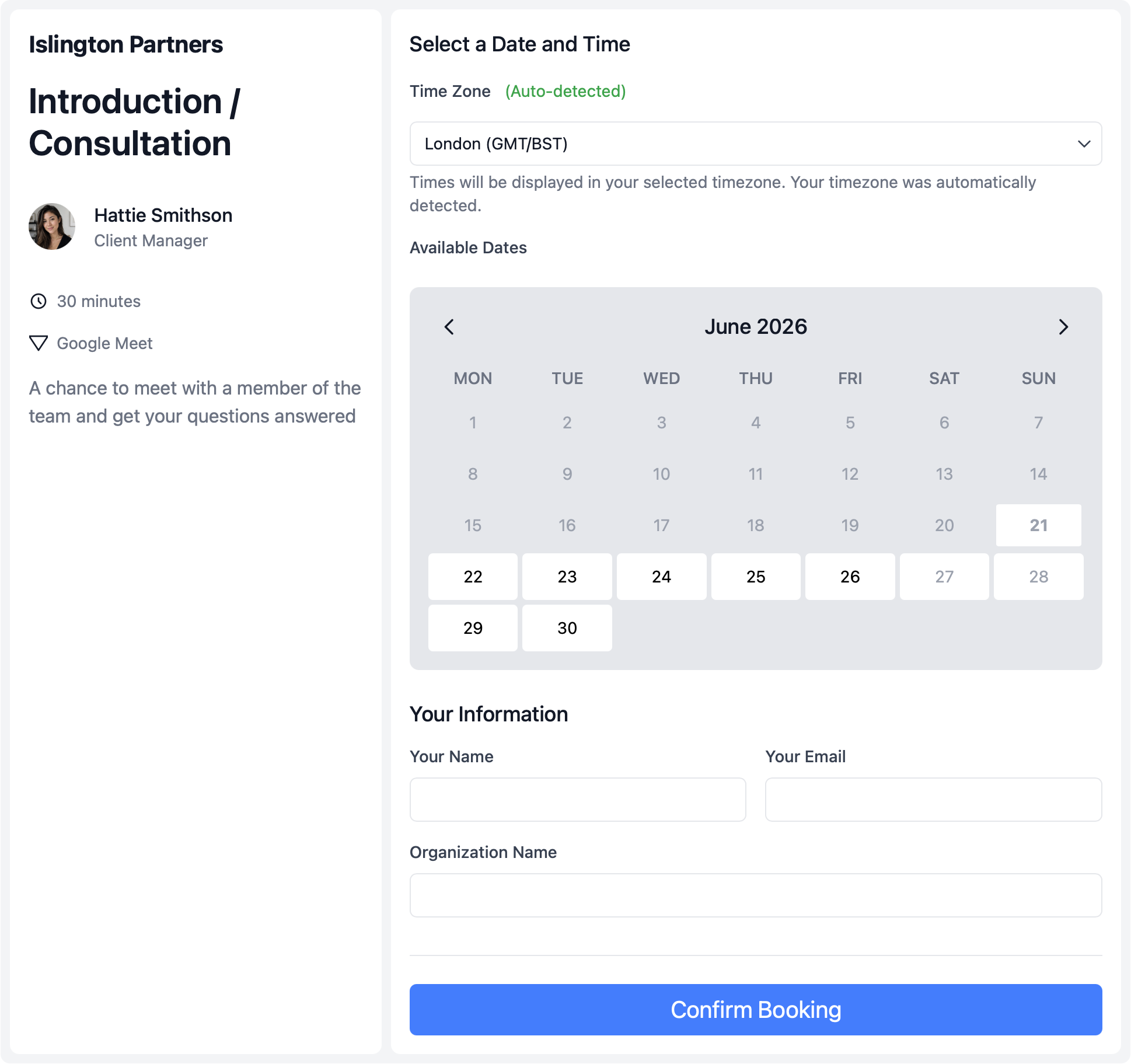
Networking events, talks, trade shows, and sponsored events are some of the best ways to grow an accounting firm — but most teams still swap contact details and hope someone follows up. Get prospects to book a discovery call while the conversation is still warm.
- Tap to Book at the event.
- Share a booking link, QR code, or tappable card so interested prospects instantly book a discovery call with you or your team.
- Book sales and specialists together.
- Use multi-host booking when the lead should meet the salesperson and tax partner on the same call.
- Karbon updated automatically.
- Booking forms create the contact, sales work item, and timeline note — so your pipeline is visible in Karbon without rekeying.
Website & inbound
Turn website visitors into booked discovery calls
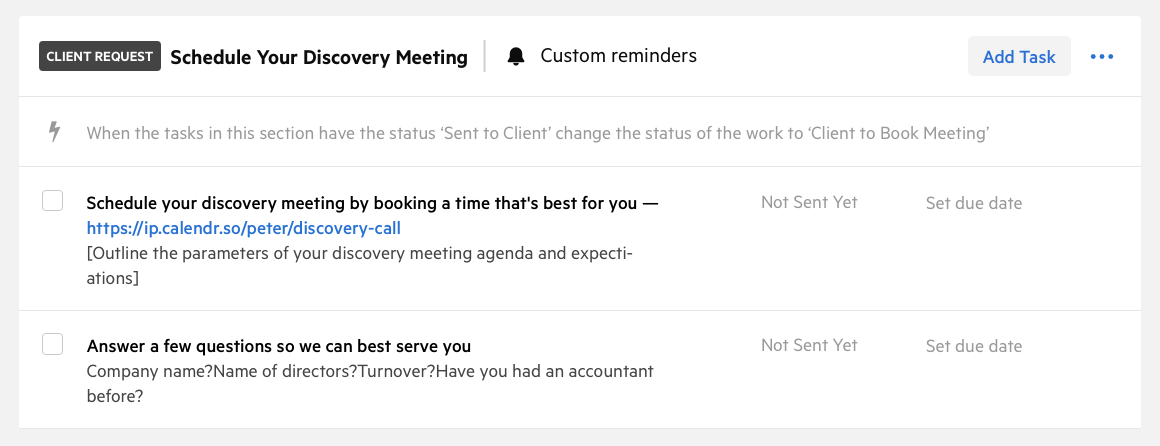
Every firm has a website. Few know how to turn visitors into sales meetings. Replace vague contact forms and inbox delays with a clear path to book a consultation while collecting the context your team needs.
- Embed or link from your site.
- Add embeddable booking to high-intent pages so prospects book while interest is highest.
- Qualify before they book.
- Optional qualifying forms filter out unqualified leads before they reach your calendar.
- Reporting that scales with the team.
- Separate tracking links for website and event discovery, plus booking reports as your sales team grows.
Prospect to onboarded client
Streamline onboarding without losing information in inboxes
Getting onboarding wrong slows the path to first payment, damages client relationships, and pushes tedious admin aside for urgent compliance work. A signed proposal should start a clean client journey — not a hunt through the partner's inbox.
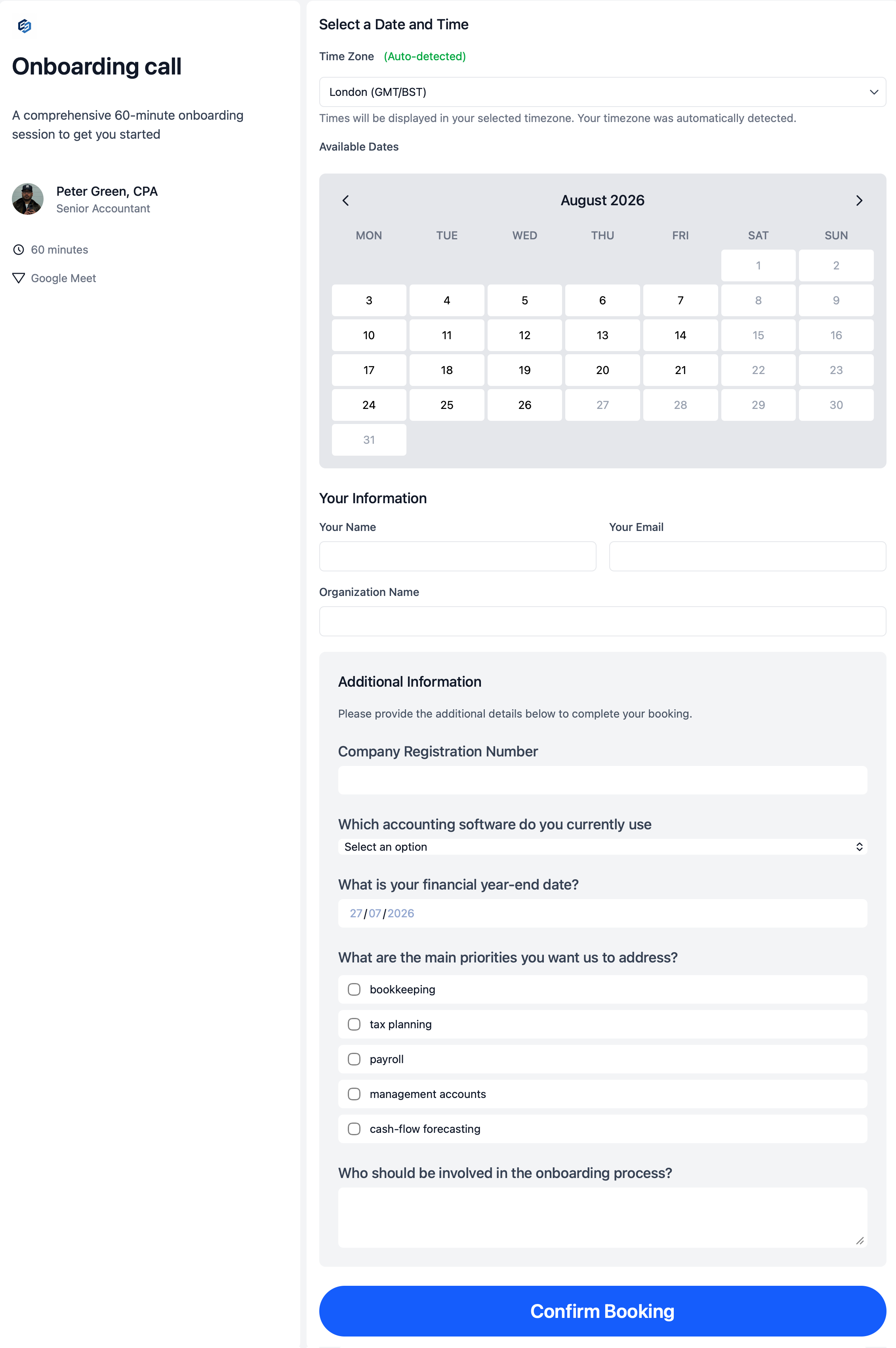
- → Onboarding intake and kickoff meeting types with forms tailored to your services
- → Clear handoff rules: who confirms the engagement, who sends the link, when onboarding may start
- → Karbon contact, organisation, and job updates when the client books — see client onboarding booking
- → Multi-host kickoff pages when the onboarding lead and partner both need to attend
Client reviews & advisory
Systematically uncover high-value services in your client base
The margin is in advisory — R&D claims, tax planning, restructuring, estate planning, and fee reviews. One partner cannot email the whole client base. Give client managers a repeatable process to book review conversations and surface opportunities partners should join.
- Recurring review invitations.
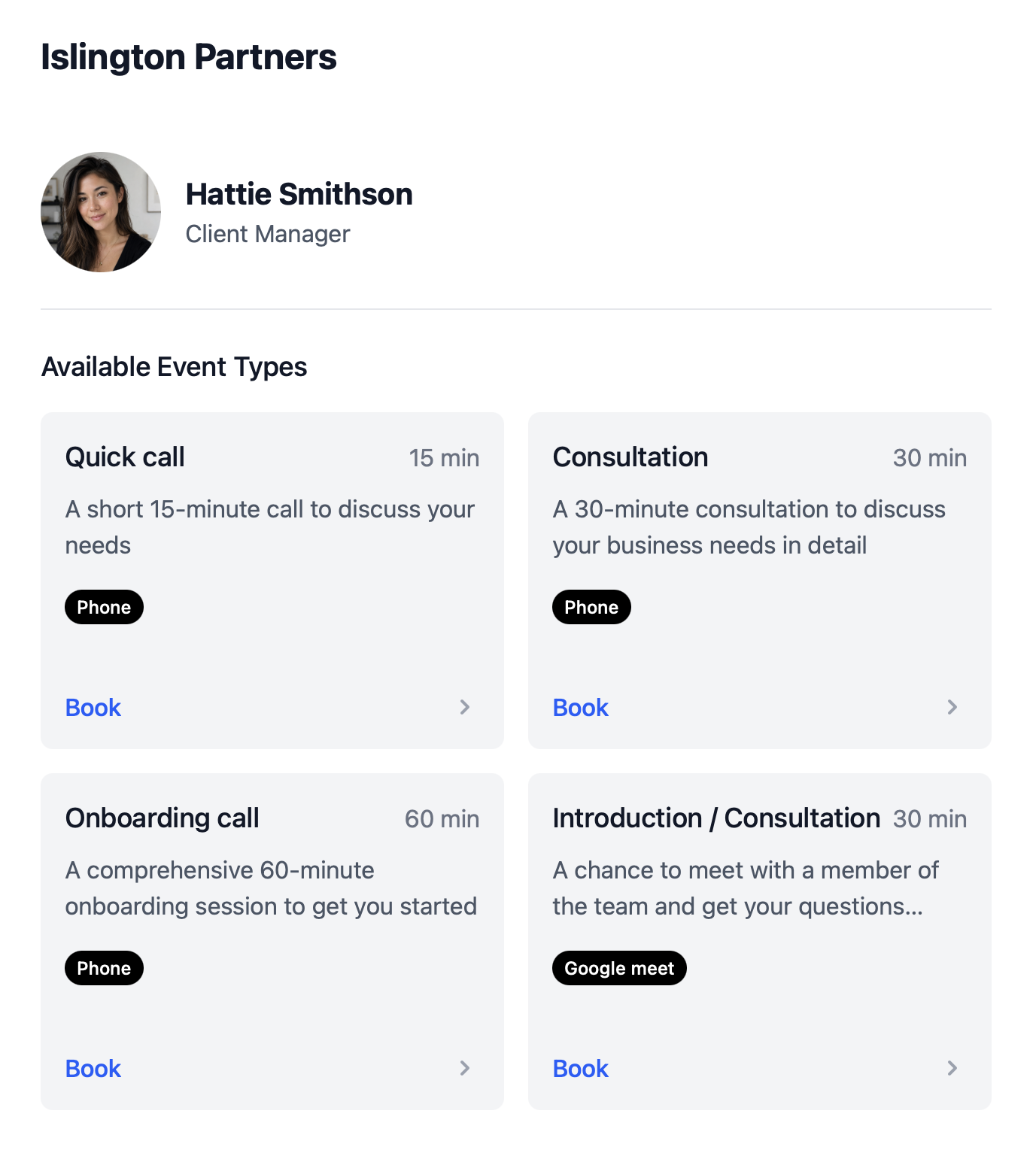
- Link booking pages from Karbon review jobs so clients book quarterly or annual conversations on a defined cadence.
- Partner visibility without the bottleneck.
- Client managers run the process; partners join via multi-host booking only when the conversation needs their judgement.
- See who booked and who rescheduled.
- Track booked, cancelled, and rescheduled reviews with booking reports and Karbon timeline notes.
Built to run at scale
Features that keep deals moving without adding admin
The same team scheduling approach growing firms use — with round robin scheduling for fair distribution, fallback options when team members leave, and scheduling features your practice manager can roll out once.
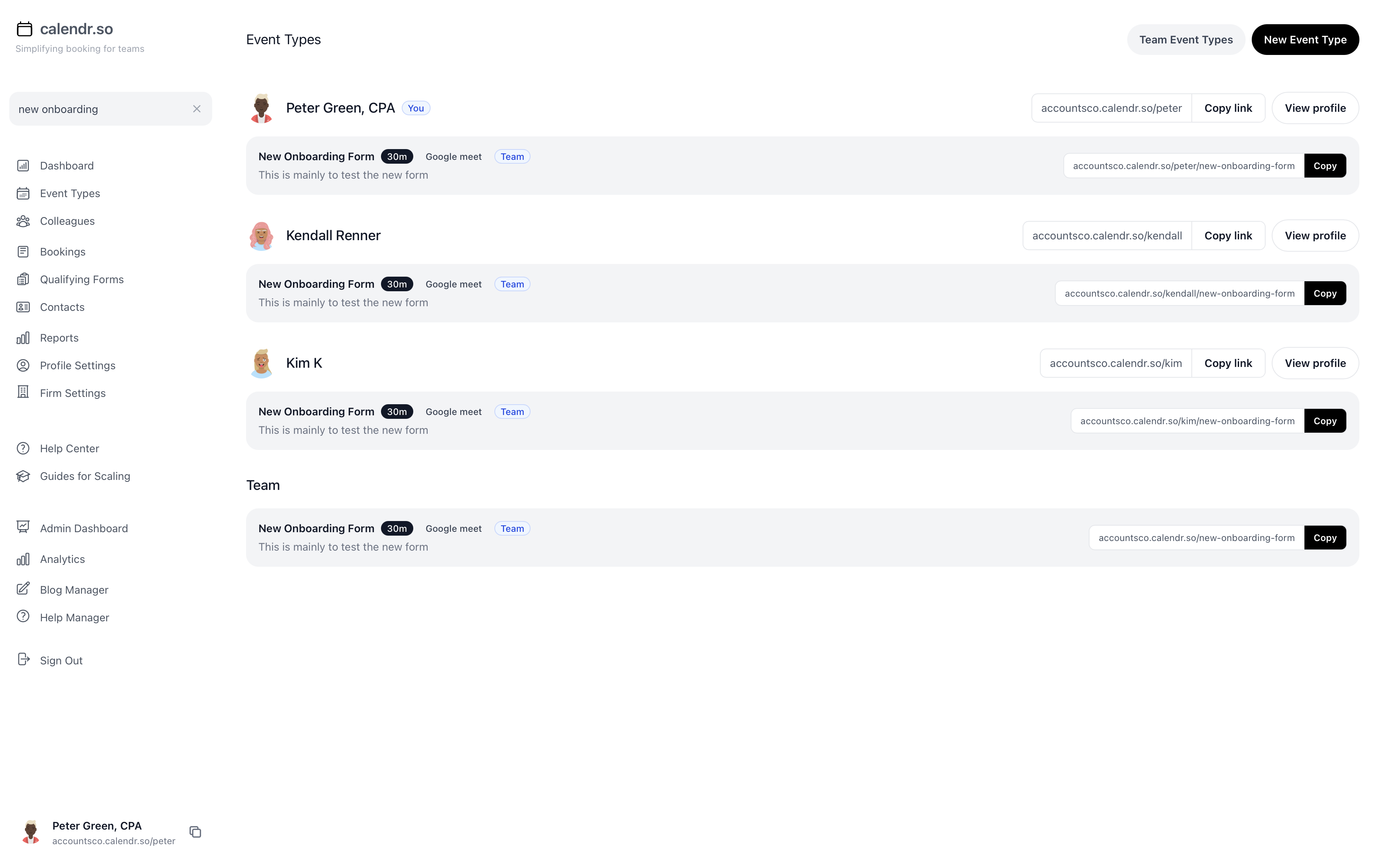
- Multi-host booking
- Let leads book with the salesperson and specialist who both need to attend — availability checked across every host calendar.
- Custom booking forms
- Collect company registration, turnover, services of interest, and other context before the meeting so your team arrives prepared.
- Karbon integration
- Create contacts, sales work items, and timeline notes automatically — supported fields map to Karbon; other answers land in the note.
- Multi-calendar & buffer controls
- Sync every host calendar and protect partner time with buffers, lead times, and availability management rules.
- Round robin & named hosts
- Distribute discovery calls across eligible team members or let prospects book with a specific person when the relationship matters.
- Multiple booking pages
- Separate meeting types for event discovery, website consultation, onboarding, relationship review, and fee review — each with its own link and reporting.
Done-with-you implementation
Book with an implementation specialist to set this up for your firm
We install, customise, and train your team on the full revenue engine — so you are not left with another tool nobody uses.
Call 1
Kick-off discovery
Map your firm's workflows, tools, and handoffs
Call 2
Template install & customisation
Booking pages, Karbon mappings, and scripts live
Call 3
Training & optimisation
Team walkthrough, Q&A, and pipeline reporting
- ✓ Up and running within 14 days for your first route
- ✓ Email templates, booking page templates, and meeting scripts
- ✓ Dashboards showing pipeline value at each stage in Karbon
- ✓ Tailored to your firm's services, team structure, and Karbon setup
Book your discovery call
Implementation package details shared on the call
Who builds this with you
Peter Grillet
Founder of calendr.so. Worked with 200+ accounting firms around the world and one of the leading Karbon implementors. The Firm Revenue Engine combines product, process design, and hands-on implementation — not generic scheduling advice.
Accounting firm experience
Trusted by partners and client-facing teams
"Providing a seamless experience for clients is crucial. calendr.so has streamlined our onboarding process, reducing the back-and-forth with clients and allowing us to focus on delivering value."

Sharon De'Athe, CPA, CGA
Partner at WLB CPA
"Clients love it — we use calendr.so for sales, onboarding, client consultations and more. It's got rid of the back and forth and made the process so much smoother."

Darcy Lowe
Senior Accountant at WLB CPA
More accounting firm feedback
How firms use calendr.so across sales, onboarding, and reviews
From discovery calls and onboarding to fee reviews and advisory conversations — accounting firms use calendr.so to standardise client booking without replacing Karbon.
"You don't need to be technical to get calendr.so working. We had booking pages set up and shared with the team quickly — without IT or a long implementation project."

Sharon De'Athe, CPA, CGA
Partner at WL Buck
"I recommend calendr.so to firms I implement because team event types make it easy to roll out standard onboarding and consultation pages — practice managers set them up once and share them across the team."

"Team event types let us standardise client consultation and review meetings across the firm — so partners and managers share the same professional booking experience without everyone maintaining their own links."

"Booking reports give me a firm-wide view of what is actually being scheduled — by person and meeting type — without exporting calendars. That's the oversight a growing team needs."

"Booking forms on our consultation pages collect the briefing details we need before a call — clients book in one step and our team shows up prepared instead of spending the first ten minutes on basics."


Share with the decision maker
Need your managing partner to take a look?
Practice managers and client managers often spot the revenue-engine opportunity before they own the buying decision. Send a short note with a link to this page.
Share this pageFrequently asked questions
- Is this just another booking link?
- No. The Firm Revenue Engine is a practice-wide operating process built around calendr.so and your existing tools — especially Karbon. It covers how event interest, website enquiries, onboarding handoffs, and client reviews turn into booked, prepared meetings with the right people and the right context in Karbon.
- Do we need Karbon to use this?
- The strongest fit is accounting firms already using Karbon for work management. calendr.so sends booking form data into Karbon contacts, organisations, work items, and timeline notes so your team does not rekey details after every meeting. Firms on other practice systems can still use the booking workflows, but Karbon mapping is a core part of the implementation package.
- What does the implementation include?
- Three working sessions — kick-off discovery, template install and customisation, then team training and optimisation. We help you launch booking routes for event discovery, website discovery, onboarding, kickoff, relationship reviews, and fee reviews, with Karbon mappings, email templates, and meeting scripts tailored to your firm.
- How quickly can we be live?
- The goal is your first working route within 14 days and one route in each of the three stages — interest-to-meeting, won-to-onboarded, and client-to-opportunity — within 30 days after we receive agreed access, source materials, and approvals.
- Does calendr.so replace our proposal or practice management system?
- No. Karbon still runs the work. Your proposal system still handles pricing and engagement letters. calendr.so is the client-conversation layer that gets the right meetings booked and passes context into Karbon — without asking partners to run another admin process.
Next step
Book your discovery call now
Pick a time to speak with an implementation specialist. We will walk through your firm's current handoffs, show how the revenue engine maps to your Karbon setup, and outline a 30-day launch plan.
30 minutes · Google Meet · Free, no obligation

Discovery call with Peter Grillet
30 minutes · Google Meet · Pick a time that works
Blog
Building the process behind the revenue engine

Google Calendar Appointment Schedule vs a Proper Booking Tool
Google Calendar Appointment Schedule is a useful option when one person needs a simple booking page. It starts to feel limited when a growing team needs consistent meeting types, multi-person availability, lead routing, controlled booking links, and reporting that goes beyond checking individual calendars.

How Event Types Make Interview Scheduling Easier for Hiring Teams
Interview scheduling gets messy when every stage is treated like the same calendar link. This video shows how different event types can help hiring teams manage screening calls, hiring manager interviews, final interviews, required hosts, fallback options, and ad hoc meetings without rebuilding the process in email every time.

Appointment Scheduling Software for Client-Facing Teams: A Calendr.so Overview
If your team books sales calls, onboarding sessions, support reviews, legal appointments, or client consultations, a basic booking link can start to create more admin than it removes. This video walkthrough shows how calendr.so helps client-facing teams control meeting types, find the right colleague's link, coordinate multi-person meetings, and report on booking activity without turning scheduling into another spreadsheet.