

Google Calendar integration
Google Calendar scheduling tool that connects live availability to client booking pages
A Google Calendar scheduling tool should do more than paste a booking link into an email. calendr.so connects Google Calendar so availability stays accurate, new bookings land in the right calendar automatically, and clients book without seeing private event details.
Connect multiple Google accounts, choose which calendar receives new meetings, and run round robin, multi-host, and team scheduling workflows on top of live calendar data.
What is a Google Calendar scheduling tool?
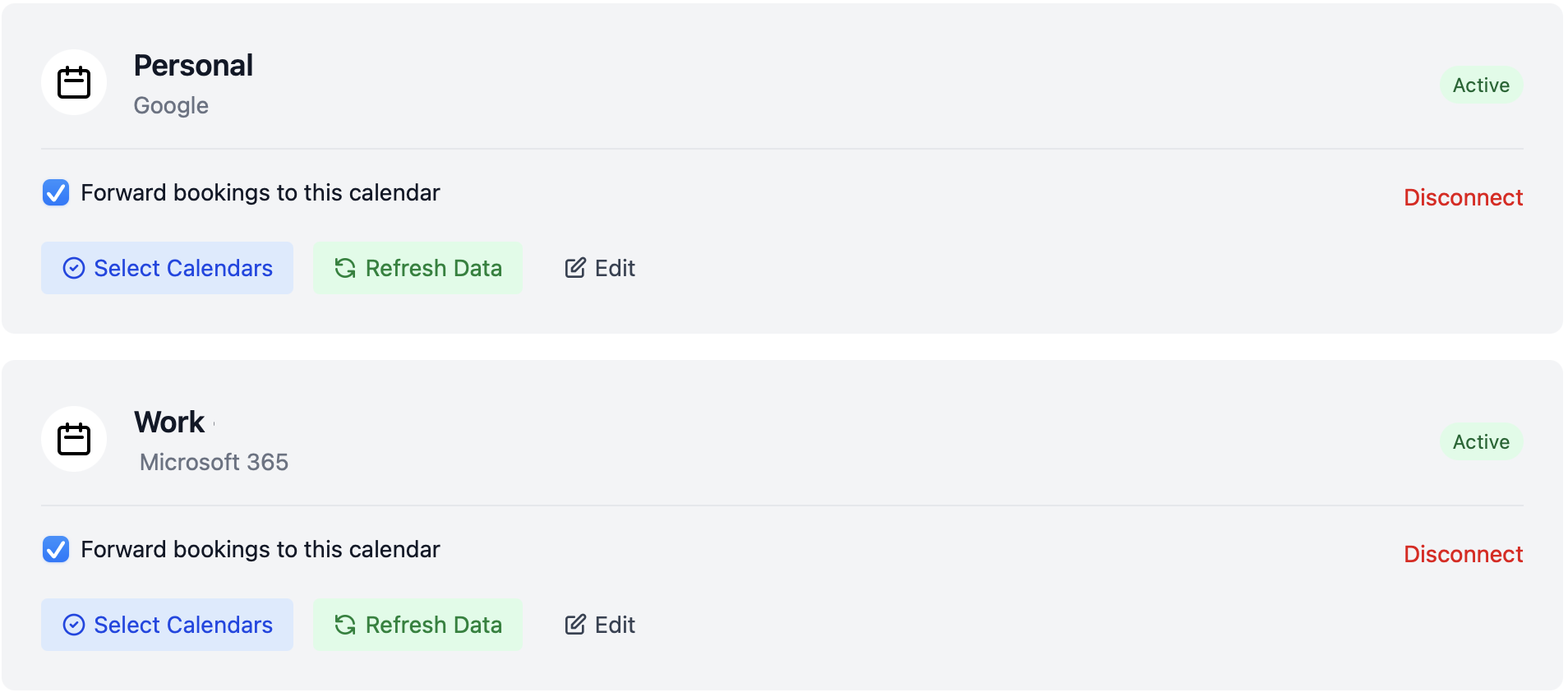
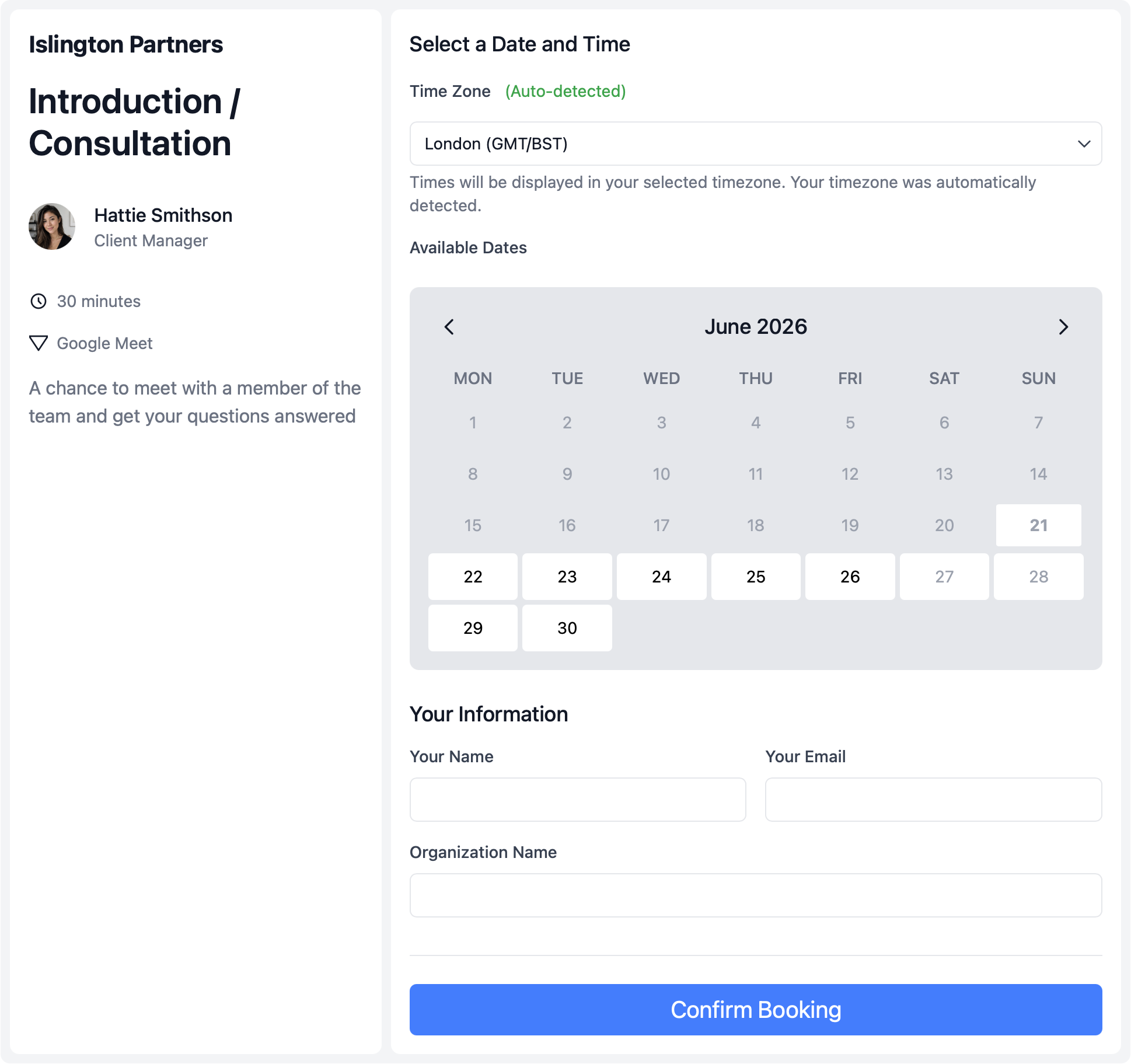
A Google Calendar scheduling tool connects your Google Calendar to a professional booking page. Instead of sharing calendar access or asking clients to email times back and forth, the tool reads availability from connected calendars, shows open slots, and creates the meeting in Google Calendar when someone books.
That is different from calendar sharing alone. Sharing shows people what is on your calendar. A scheduling tool controls what clients can book, collects the details you need upfront, and keeps private commitments out of view. For teams that also use Microsoft calendars, see calendar sync for Google and Microsoft connection in one workflow.
When sharing Google Calendar stops working for booking
Google Calendar sharing solves visibility between colleagues. Client booking usually needs tighter control — especially when work and personal calendars both affect whether someone is actually free.
- — Clients see more calendar detail than they need
- — Personal blocks on a second Google account are missed
- — Confirmed bookings still need manual entry in Google Calendar
- — Team routing requires checking more than one person's calendar by hand
- — Booking pages drift out of sync with live calendar commitments
- — Video links get created separately after every booking
calendr.so treats Google Calendar as the availability source behind controlled booking pages — with availability management for booking windows and buffers when meeting types need tighter rules.
What connection should solve
Google Calendar workflows that break without a scheduling layer
These are the booking failures teams hit when Google Calendar is doing the work alone — and what calendr.so adds on top of connected calendar data.
Live availability from Google Calendar
What breaks: Booking pages show open times that do not match what is actually blocked on the calendar.
In calendr.so: Availability checked against connected Google calendars
Automatic booking creation
What breaks: Staff copy meeting details into Google Calendar after every confirmed booking.
In calendr.so: New meetings added to the chosen Google Calendar automatically
Work and personal calendars together
What breaks: Double-bookings happen because only one Google account is checked.
In calendr.so: Multiple connected Google accounts
Privacy-conscious scheduling
What breaks: Sharing a calendar exposes more event detail than clients or colleagues need.
In calendr.so: Availability without oversharing private events
Team routing on top of Google Calendar
What breaks: Round robin and multi-person meetings still need manual calendar checks.
In calendr.so: Round robin and multi-host booking with connected calendars
Video meetings from the same flow
What breaks: Hosts create Google Meet links separately after the booking is confirmed.
In calendr.so: Google Meet as a meeting location option
Booking destination control
Connect multiple Google accounts and choose where bookings land
Many people check more than one Google account before they know they are free — work calendar, personal blocks, a secondary account for side projects. calendr.so lets teams connect multiple Google calendars for availability while choosing which calendar receives newly booked meetings.
That split matters for privacy and operations. Clients book against accurate availability without seeing private event names, and hosts know confirmed meetings will appear in the right Google Calendar without a follow-up admin step.
Where teams use it
Google Calendar as the backend for client-facing booking
Sales and demo scheduling
Sales teams connect Google Calendar so discovery calls and demo scheduling reflect live rep availability — then route meetings with round robin or multi-host booking when more than one seller needs to attend.
Small business client booking
Service businesses use Google Calendar connection behind appointment scheduling for small business pages — so owners and staff share one professional booking experience without exposing internal calendars.
Video calls on Google Meet
When video is the right format, pair Google Calendar connection with Google Meet integration so Meet links are part of the booked meeting instead of a separate manual step after confirmation.
Works with calendr.so
Google Calendar connection inside a broader scheduling system
Google Calendar integration is one layer in a scheduling workflow — not a standalone booking link generator. Use booking forms when clients should answer questions before the meeting is confirmed, and embeddable booking when reservations should live on your website or campaign pages.
For mixed calendar environments, Microsoft Outlook integration covers Outlook and Microsoft 365 alongside Google. See the full integrations overview for calendar, video, CRM, and AI assistant connections.
Frequently asked questions
- What is a Google Calendar scheduling tool?
- A Google Calendar scheduling tool connects your Google Calendar to a client-facing booking flow. calendr.so checks live calendar data for availability, lets clients book open times, and adds confirmed meetings to the connected Google Calendar you choose — without sharing private event details on a public calendar.
- How does calendr.so connect to Google Calendar?
- calendr.so connects to Google Calendar to read availability from the accounts you include and to create new bookings in the calendar you choose when someone confirms a time. Private event details stay protected while open booking slots stay accurate.
- Can I connect multiple Google accounts?
- Yes. Teams can connect multiple Google accounts — including work and personal calendars — so availability reflects real commitments across every calendar that affects whether someone is free.
- Do new bookings appear in Google Calendar automatically?
- Yes. When someone books through calendr.so, the meeting can be added to the connected Google Calendar you choose, so hosts and attendees get the invite without manual copy and paste.
- Can clients book without seeing my private calendar details?
- Yes. calendr.so uses connected calendar data to calculate availability without exposing private event names or details on a shared or public calendar view.
- Can I choose which Google Calendar receives new bookings?
- Yes. You can control which connected Google Calendar receives newly booked meetings, which helps when work and personal calendars both affect availability but bookings should land in one place.
- Does Google Calendar integration work with round robin and multi-host booking?
- Yes. Google Calendar connection supports team workflows such as round robin scheduling and multi-host booking, where more than one person's connected calendar affects which times are offered.
- Does Google Calendar integration work with Google Meet?
- Yes. When Google Calendar is connected, calendr.so can include Google Meet as a meeting location option and generate video links as part of the booked meeting workflow.
Connect Google Calendar and book with accurate availability
Start your 14-day free trial and turn connected Google Calendar data into client-facing booking pages your team can trust.
No credit card required