

MCP server
Calendr MCP server for AI assistants that need your scheduling data
The Calendr MCP server lets Cursor, Claude Desktop, and other MCP-compatible assistants check availability, book meetings, update contacts, and pull firm reports — without copying details in and out of calendr.so by hand.
The operating problem
AI assistants are only useful when they can act on real firm data
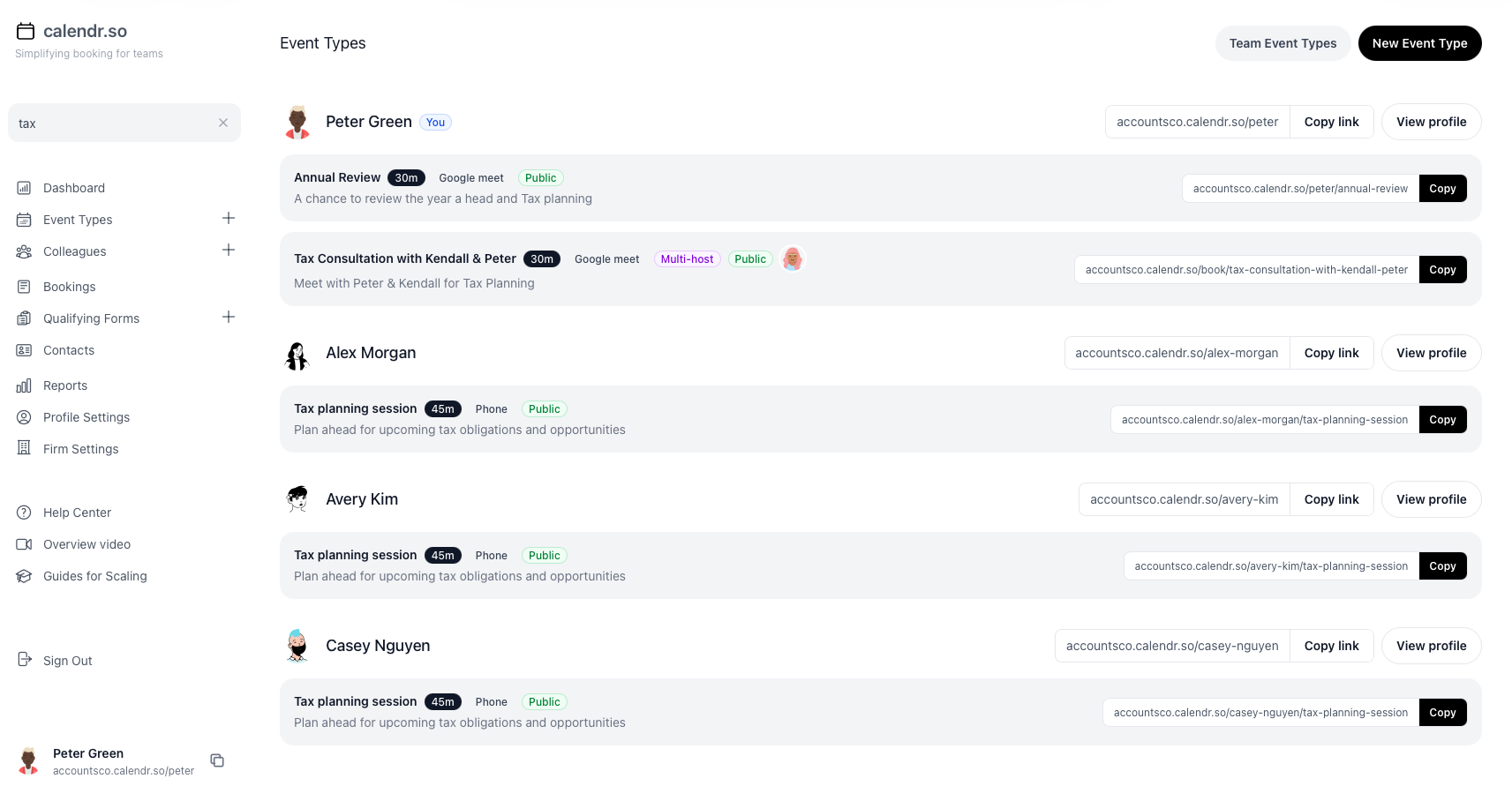
Teams already use AI to draft emails, summarise calls, and answer internal questions. Scheduling and client records still live in a separate system, which means someone has to switch tabs, look up availability, and update contacts manually.
MCP closes that gap. Instead of asking an assistant to “remind me to book this later,” you connect calendr.so once and let it work with live booking pages, CRM records, and reporting data through standard tool calls.
How it works
One API token, one MCP config, then ask in natural language
Generate a firm-scoped API token, add the Calendr MCP server to your AI client, and the assistant can call Calendr tools on your behalf.
Generate an API token
Create a token in Settings → Integrations. Tokens inherit your account permissions.
Add the MCP server
Install with npx @calendr/mcp in Cursor, Claude Desktop, or another MCP-compatible client.
Ask the assistant
Check open slots, create bookings, update organisations, or pull reports in plain language.
Stay in control
Destructive actions require explicit confirmation, and every call runs against your firm’s data only.
Available tools
What the Calendr MCP server can do today
Scheduling
- List event types and check availability
- Create, get, cancel, and reschedule bookings
CRM
- Search, create, update, and delete organisations and people
- List and update contact cards linked to people and organisations
Forms and team management
- Read qualifying form and booking form submissions
- List team members, invite users, and archive colleagues (admin)
Reporting
- Booking summary counts for a date range
- Breakdowns by team member or event type
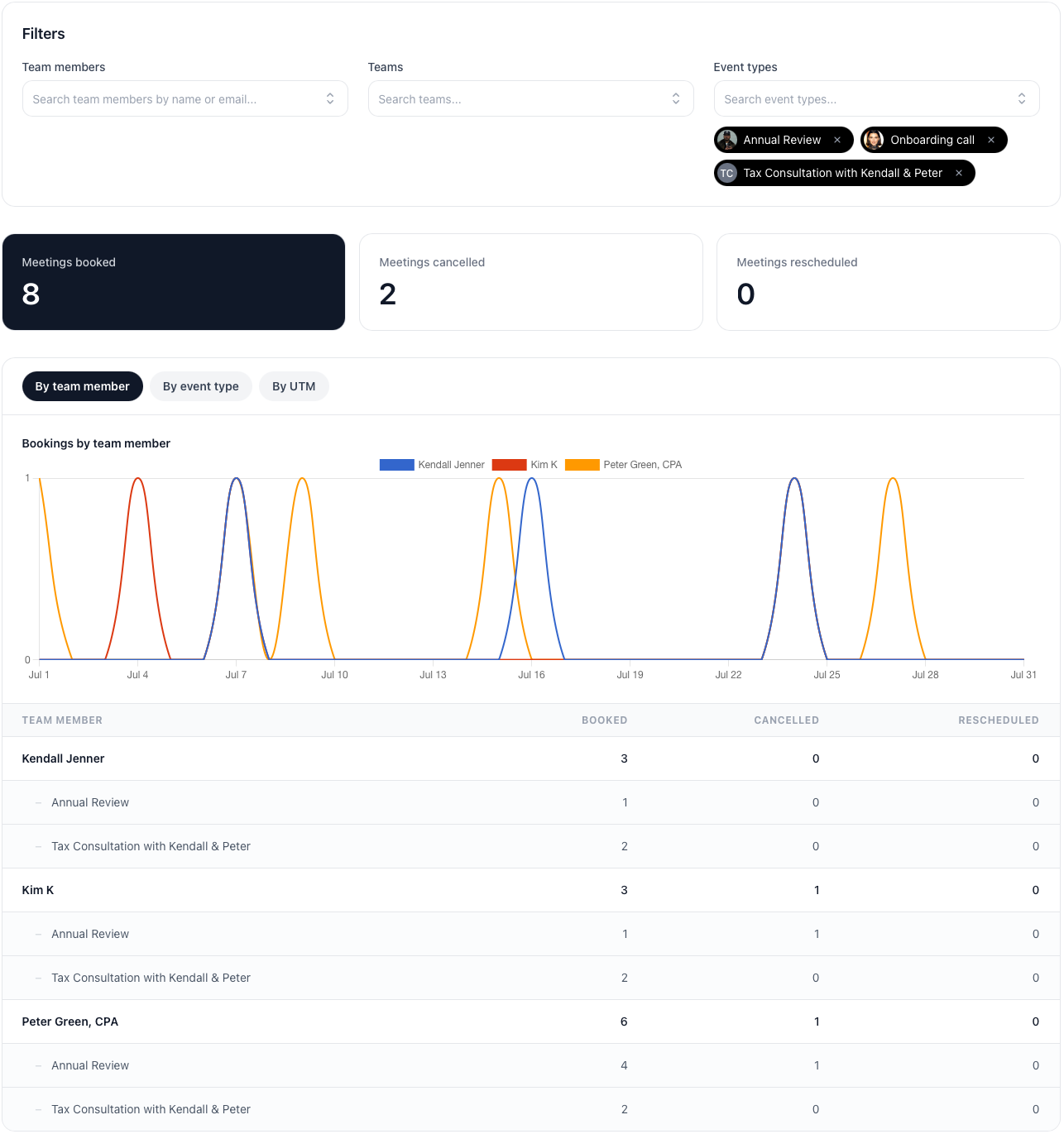
Pairs naturally with booking reports inside calendr.so when you want charts and saved views in the app.
Example workflows
Where teams use MCP with calendr.so
An assistant can rename an organisation after your CRM changes, then find the right discovery-call event type and book the next available slot for the client contact.
Practice managers can ask how many onboarding meetings each partner booked this month, then drill into team management settings if one booking page needs updating.
Admins can invite a new hire and confirm their event types are live without jumping between chat and the dashboard for every step.
Works with calendr.so
MCP extends the scheduling system you already run
MCP does not replace your booking pages. Clients still schedule through branded booking pages, round robin links, and multi-host booking flows. The MCP server gives your team a faster way to operate those pages from AI tools.
Accounting firms can combine MCP with the Karbon integration — bookings still sync to Karbon automatically, while MCP helps staff manage contacts and reporting around that workflow.
See the Calendr API for direct HTTP integrations, the full integrations overview for calendar and CRM connections, or browse the features overview for the rest of the product.
Getting started
Set up the Calendr MCP server
Generate an API token, paste the MCP config into your AI client, and start calling Calendr tools from chat.
Frequently asked questions
- What is the Calendr MCP server?
- It is a Model Context Protocol server that connects calendr.so to AI assistants such as Cursor and Claude Desktop. Once configured, the assistant can call Calendr tools to check availability, create bookings, manage contacts, and pull booking reports for your firm.
- How do I connect Calendr to Cursor or Claude Desktop?
- Generate an API token in calendr.so under Settings → Integrations, then add the Calendr MCP server to your client configuration with npx @calendr/mcp and your token in the CALENDR_API_TOKEN environment variable.
- What can an AI assistant do with Calendr through MCP?
- It can list event types, check availability, create and reschedule bookings, search and update organizations and people, read form submissions, invite or archive team members, and fetch booking summary and breakdown reports.
- Do MCP actions use my Calendr permissions?
- Yes. API tokens inherit the permissions of the user who created them. Admin-only actions such as inviting users, archiving colleagues, and deleting contacts require an admin token.
- Is there also a Calendr API without MCP?
- Yes. The MCP server calls the same calendr.so API v1 endpoints. Use the Calendr API directly for custom automation and HTTP integrations, or use MCP when you want AI assistants to work with Calendr through standard tool calls.
- Is API access included in my calendr.so subscription?
- Yes. API and MCP access are included in the one calendr.so plan. There is no separate developer tier or AI feature surcharge.
Team scheduling experience
Built for client-facing teams that want less manual admin
From booking operations and handoffs to firm-wide reporting — teams use calendr.so to keep scheduling workflows consistent.
"calendr.so makes it easy for customers to book with the right CSM or sales person — round robin and shared team pages mean handovers happen without chasing links or waiting on replies."

"Standardising our meeting types and having booking reports in one place has dramatically saved time. We spend less time coordinating calendars and more time in conversations that matter."

"We rolled calendr.so out quickly — Google Calendar sync, team booking pages, and multi-host meetings worked out of the box without a heavy IT project or custom integration."

"Booking reports give me a firm-wide view of what is actually being scheduled — by person and meeting type — without exporting calendars. That's the oversight a growing team needs."

"Booking forms on our consultation pages collect the briefing details we need before a call — clients book in one step and our team shows up prepared instead of spending the first ten minutes on basics."


Connect Calendr to your AI assistant
Start your 14-day free trial, generate an API token, and add the Calendr MCP server to Cursor or Claude Desktop.
No credit card required