

Booking forms
Booking forms that collect the right details before every meeting
Booking forms let clients share the details your team needs before a meeting is confirmed, so intake, qualification, and preparation happen inside the booking flow instead of over email afterward.
The operating problem
Why booking forms matter for growing teams
Most scheduling tools get the time on the calendar and stop there. That leaves your team chasing context after the fact: what the client needs, why they booked, which documents to prepare, or whether the meeting was even the right fit.
Email follow-ups and shared inbox notes do not scale. Booking forms put intake where it belongs — inside the booking flow — so availability management and calendar protection still apply, but the meeting starts with useful context.
How it works
Build the questions once, then collect answers with every booking
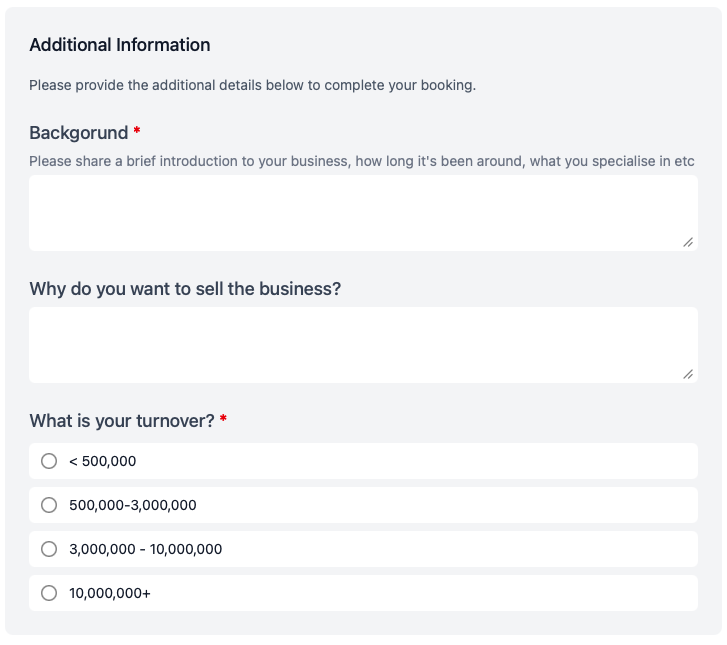
Attach custom booking forms to the meeting types your team already uses. Clients answer your questions as part of confirming the appointment, and the responses travel with the booking.
Custom questions per meeting type
Add the fields that matter for each booking page, from short text answers to longer background notes.
Multiple-choice and dropdown fields
Use structured answers when you need consistent intake, such as turnover bands, service type, or urgency level.
Required fields where it matters
Mark the questions that must be answered before the booking is confirmed, so your team is not left guessing.
Context before the meeting starts
Responses stay with the booking, so hosts can prepare properly instead of opening the call cold.
In the booking flow
Clients answer your questions before they confirm the time
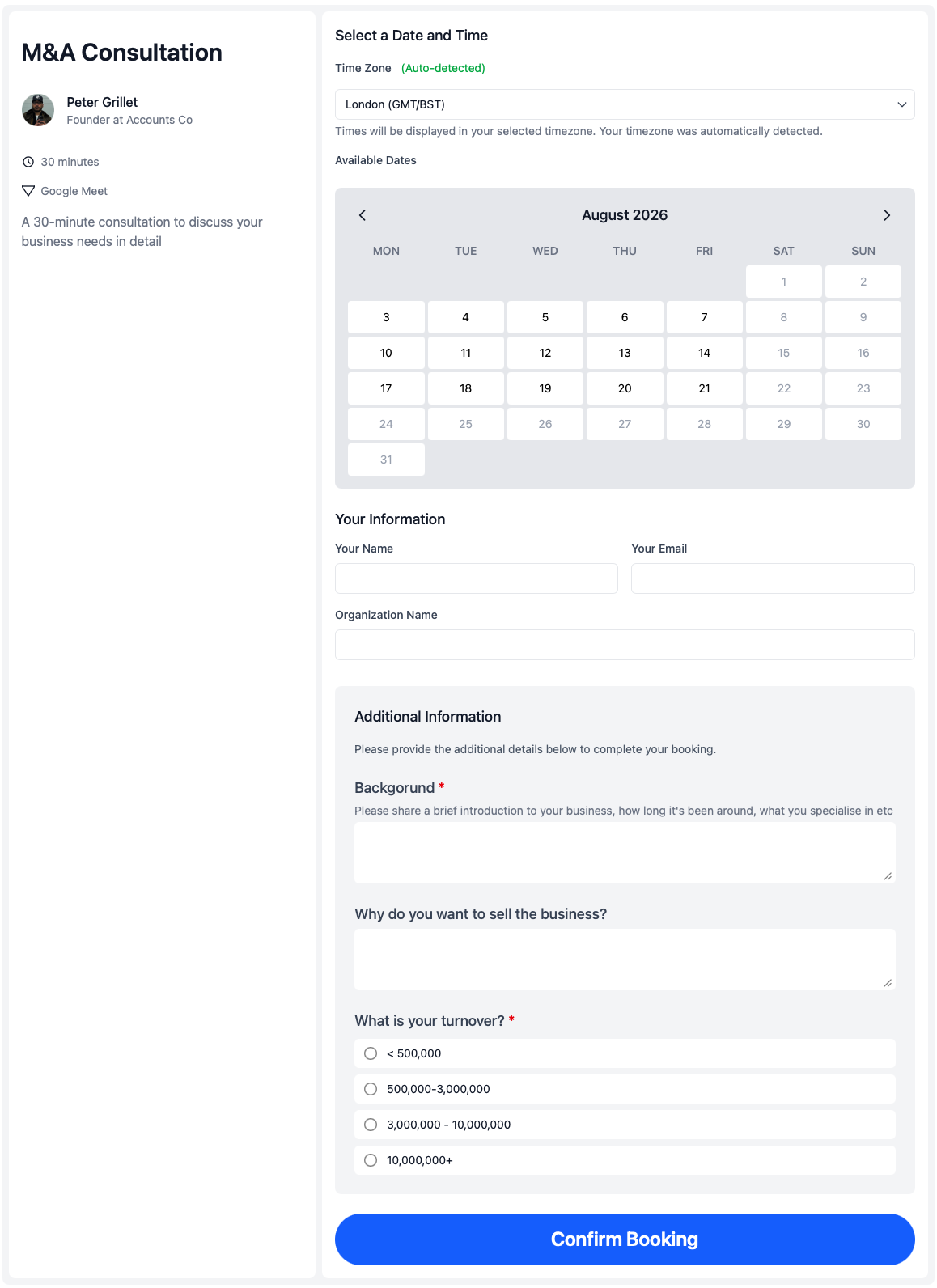
Booking forms appear as part of the client-facing booking experience, so prospects and clients provide the details you need while they are already engaged with scheduling.
That keeps intake professional and consistent, whether the booking page lives on a branded booking page, a shared team link, or an embeddable booking page on your website.
Use cases
Where booking forms save time before the meeting starts
Sales and discovery calls
Sales teams use booking forms to collect company size, goals, and current tools before discovery calls, so reps arrive prepared instead of spending the first ten minutes on basic qualification.
Client reviews and tax-season intake
Appointment scheduling for accountants often needs documents, deadlines, and client context before a review begins. Booking forms gather that information while the client is booking the appointment.
Onboarding and support calls
Customer success teams collect goals, blockers, and issue details before onboarding or escalation calls, especially when paired with multi-host booking for handoffs that need more than one internal person.
Works with calendr.so
Booking forms fit alongside the rest of the scheduling workflow
Pair booking forms with team management when admins need consistent intake across lawyers, advisors, or CS managers, or with round robin scheduling when the right host is assigned automatically but the qualification questions stay the same.
For meetings that need more than one internal person, booking forms work well on multi-host booking pages so everyone arrives with the same client context. Responses also feed into the contacts area, which helps teams see who has booked and what they shared.
See how booking forms fit with other confirmed capabilities on the features overview. When a booking page needs tighter lead times or calendar protection, availability management keeps the scheduling rules in place while forms handle the intake.
Frequently asked questions
- What are booking forms in calendr.so?
- Booking forms are custom questions attached to a booking page. Clients answer them as part of the booking flow, so your team receives useful context before the meeting is confirmed.
- What types of questions can booking forms include?
- Booking forms support text fields, text areas, numbers, dates, email, phone, yes/no questions, dropdowns, and multiple-choice fields where clients pick one answer or several.
- Can I require certain questions before someone books?
- Yes. Required fields help you collect the information that matters most before a meeting is confirmed, such as goals, scope, documents needed, or preparation notes.
- Where do form responses go?
- Responses are collected with the booking, so the host and team can review the details before the appointment starts instead of chasing information by email afterward.
- Can booking forms connect to contacts and organisations?
- Yes. When clients fill in booking forms, their responses can feed into the contacts area and connect to organisations when relevant details are provided.
- Do booking forms work with other calendr.so features?
- Yes. Booking forms work alongside multi-host booking, round robin scheduling, availability controls, branded booking pages, and embeddable booking pages when the team needs both structured intake and flexible scheduling.
Collect the details your team needs before every meeting
Add booking forms to your meeting types so clients share context, qualification details, and preparation notes as part of the booking flow.
No credit card required