
Small business · Professional services · Customer success · Sales
Appointment scheduling software built for teams
You probably have an appointment scheduling app already but be honest, it’s a pain to use. Setting up a meeting with two hosts is confusing. Booking pages are different for each team member. And nobody can find anyone's link anyway.
That isn't your team being sloppy. It's what happens when a team runs on scheduling software built for one person... we’re changing that.
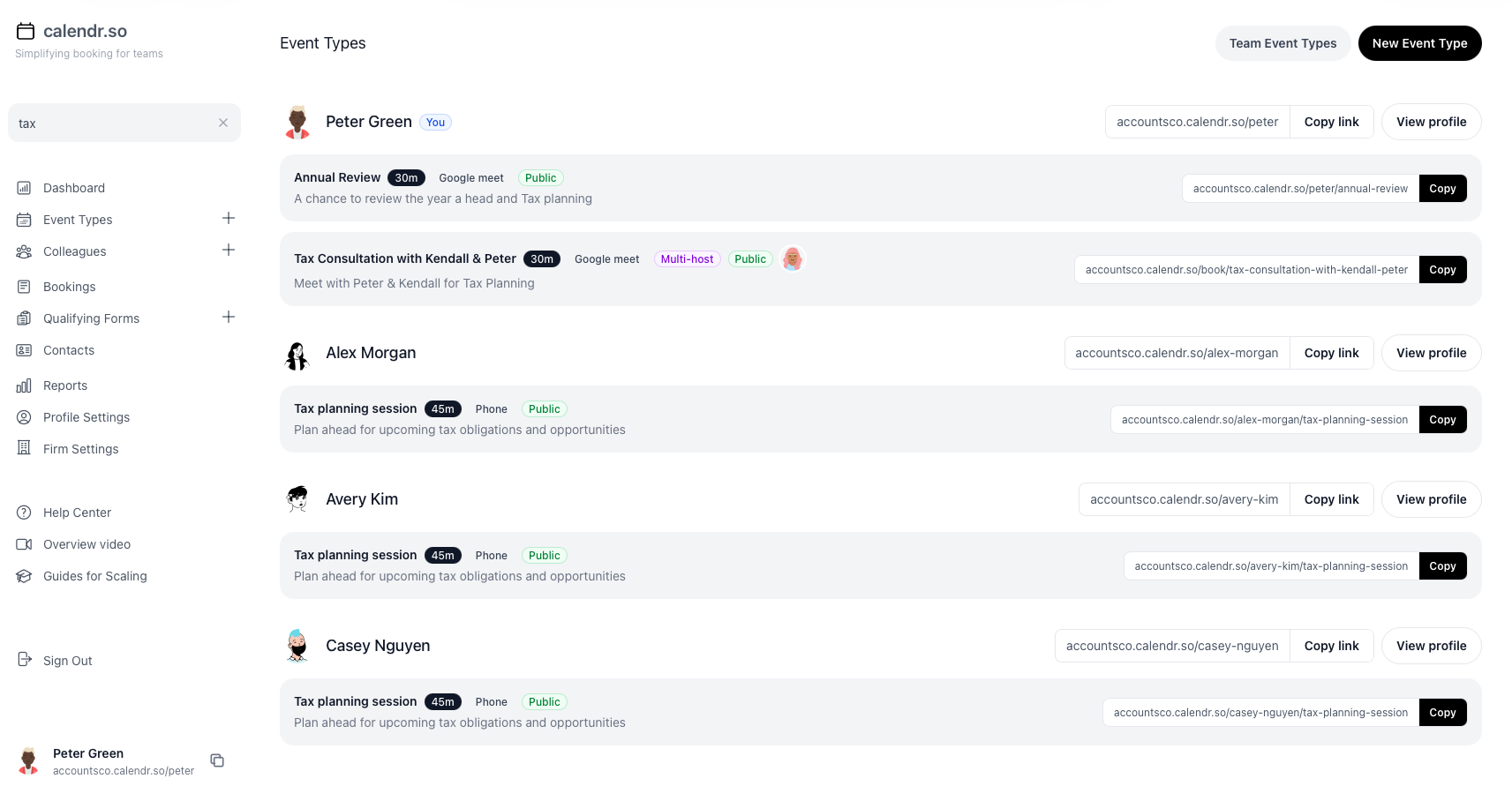
calendr.so · Event types search
Six scheduling problems. One cause.
Online appointment scheduling software is typically built for one person with one calendar which is a nightmare in a team context. You can probably relate to a few of the issues below. Not one of them is anybody's fault, it's just how it works.
The cause
Everyone on your team has their own scheduling software
Changing one thing means chasing everyone
Need to update the description on every onboarding call? That's a message to eleven people, then a fortnight of reminding them otherwise, descriptions, follow-ups and confirmations will be all over the place.
Nobody can find anyone's link
They sit in signatures, proposals and help docs. When someone leaves, their link either dies or carries on taking calls.
More than two of you on a call means endless emails
The client picks a time from one link. Then someone checks the second diary. Then it moves. Only made worse when someone needs to reschedule.
Reporting is a monthly, if not weekly battle
Working out how many meetings took place, were rescheduled or cancelled needs a spreadsheet, a calendar search and a round of asking people to self-report.
Sometimes clients need to sign documents in person
Booking links only work for online meetings but clients need to sign and collect documents, ASAP.
The one thing you needed is yet another upgrade
Team scheduling sits on a higher tier, priced per seat, on top of the individual subscriptions you already pay for.
Your booking software should be saving time, not wasting it.
Calendly works. For one person.
Send the link, they pick a time, done. No back and forth, no delays, no haggling over dates. That's the job it was built for and it does it. If you're one person who needs one link, use it and stop reading.
their words, not ours"Calendly does not currently support a global at-a-glance availability page in one central location."
That isn't a criticism. It's a design decision, and it's the right one for the product they built. It just isn't how your team works.
Three jobs your team does every week. Before and after.
Same scenarios, different outcome when appointment scheduling is set up for the team instead of eleven separate accounts.
Getting three of you on the same call
TodayWith calendr.so
YouMon 09:14
Does Thursday 2pm work for the three of us?PeterMon 16:02
I'm out Thursday. Friday?HattieTue 08:47
Friday I've got the audit. Week after?ClientThu 11:30
Sorry, just seen this. Are any of those still going?• • •
HSPGAMAll three required
9:0010:1511:3013:00
Client picked Thu 23 July, 11:30. Nobody was asked anything.
Six days. Four people. Still no meeting.→One link. Eleven seconds.
Updating the description on everyone's onboarding page
TodayWith calendr.so
You, in #general2 Sept
Hi all. Can everyone update their onboarding call description to say 45 minutes, not 30? Thanks!You, in #general11 Sept
Bumping this. Still showing 30 on a few pages.You, in #general4 Oct
Sorry to nag. Raj, Joan, yours are still on 30.• • •
DURATION
45 minutes
Every colleague's page changed. Including the two who joined last week.
Five weeks of asking. Still not done.→One field. Everyone, at once.
Someone leaves
TodayWith calendr.so
New booking
Annual Review with Raj Kholi
Tue 14 October, 14:00 · booked by Ellis & Co
Annual Review with Raj Kholi
Tue 14 October, 14:00 · booked by Ellis & Co
Raj left in March. Nobody knows where this link is published.
You find out when the client emails asking where he is.
RKRaj Kholi→JDJoan Devlin
Booking links instantly redirect to appropriate team. Add new links when you get time.
The link outlives the employee.→Reassigned before he handed the laptop back.
Three things other appointment booking software can't do
One version of the meeting, for the whole team
"Onboarding" is a team-level meeting type. You set the description, the length, the notice period, the intake questions and the reminders once, then connect it to the appropriate team so everyone can use it.
When you need to make changes, you can do it yourself and all of the booking pages update instantly. No more chasing everyone to update their pages individually.
- New starters inherit the team's meeting types when you add them
- Individual team members can manage their own availability
- Availability can be managed at profile level or, per meeting type
- If someone leaves, their links get redirected to another team member based on your predefined rules
Team event type · Onboarding call
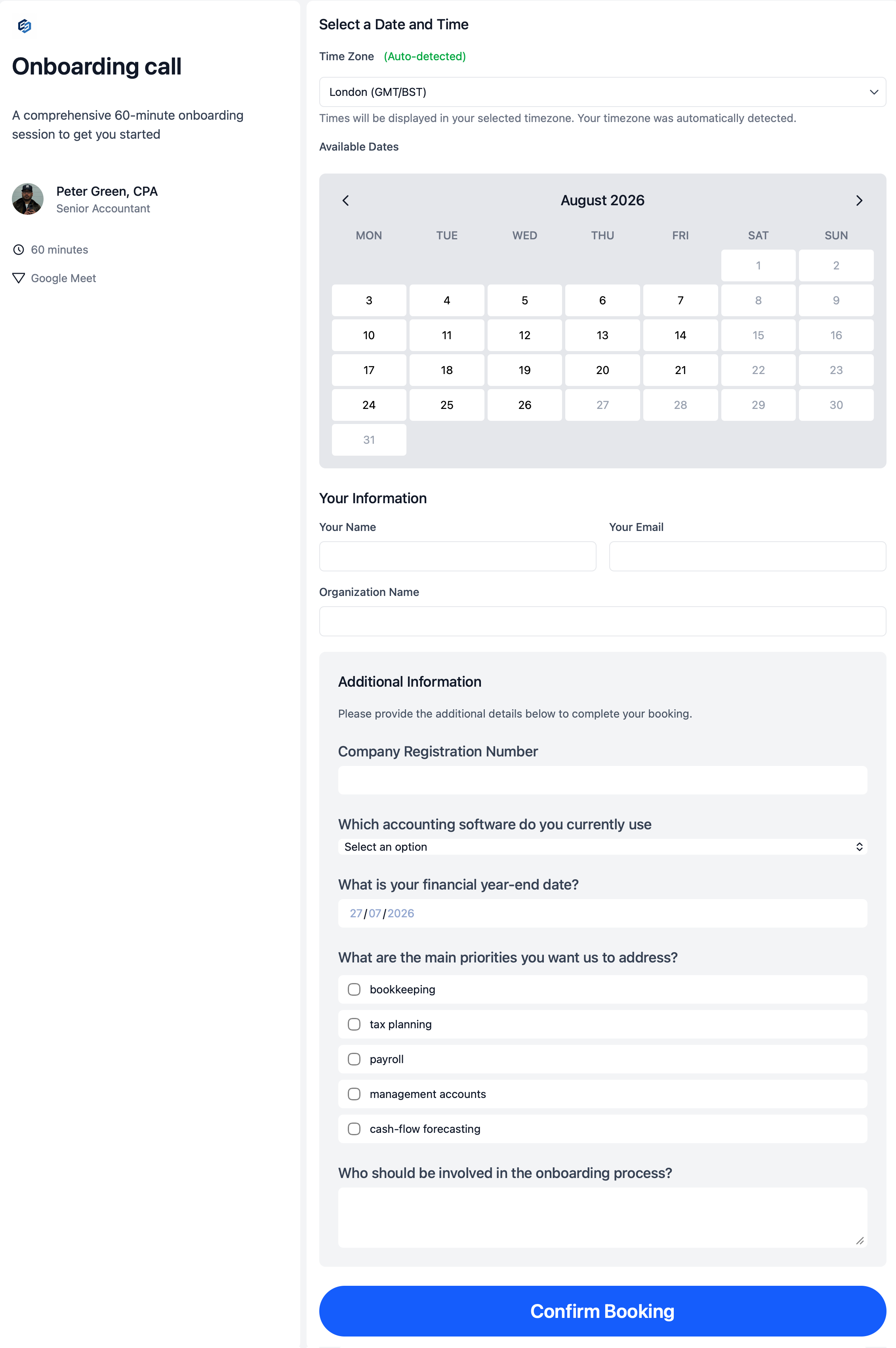
every page shows it.
Every link on the team, in one directory
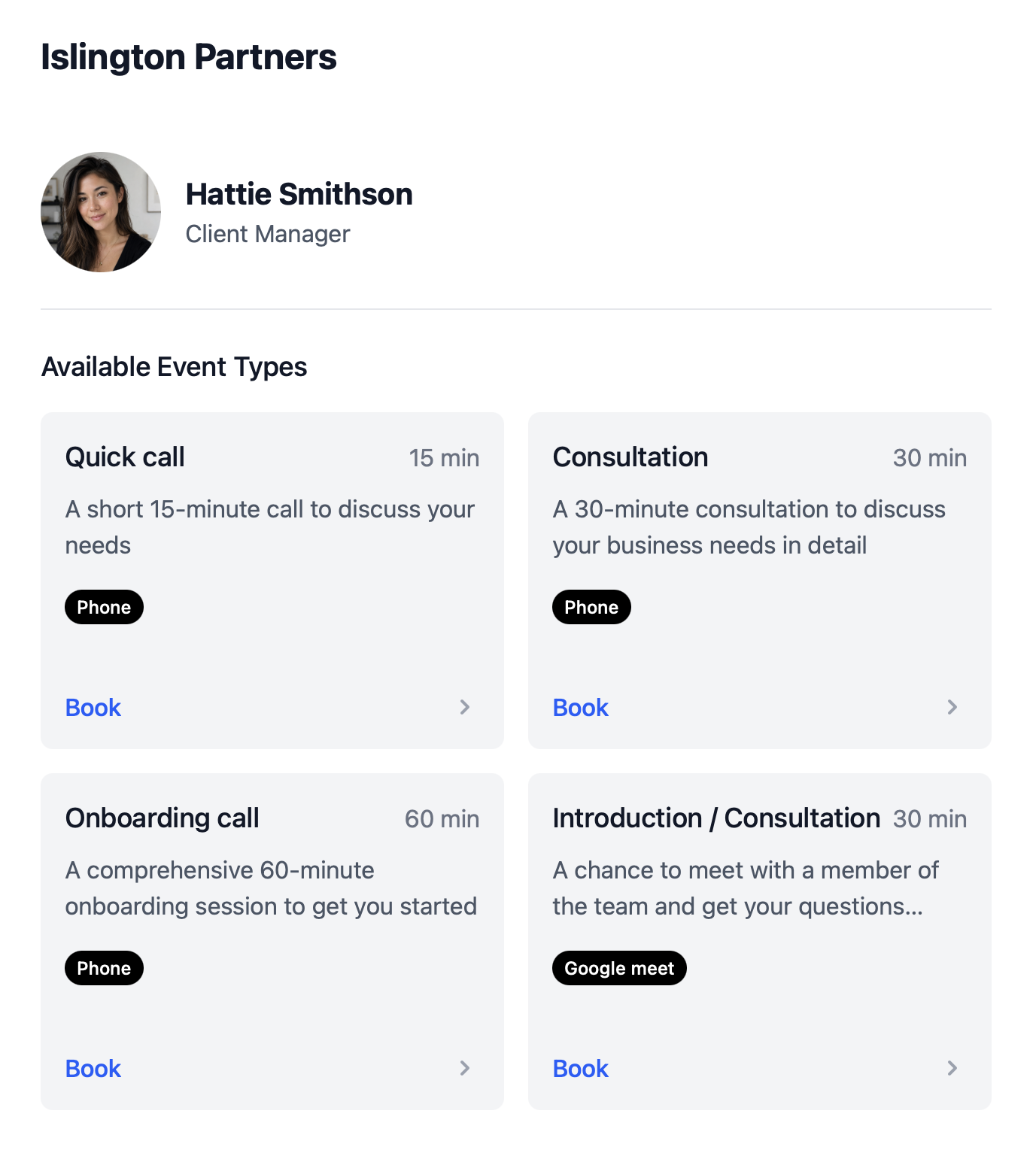
Search a colleague or meeting type. See all of the options. Click to copy the link and paste it wherever you need - emails, websites, Slack, SMS...
Nobody asks anybody for a link again.
And when someone hands in their notice, their links get redirected to another team member based on predefined rules.
- One page per person, with every meeting type they run
- Fallback options for when a team member is unavailable
- Team-wide reports by person and meeting type
calendr.so · Colleague booking page
Book 3 people with one link in seconds
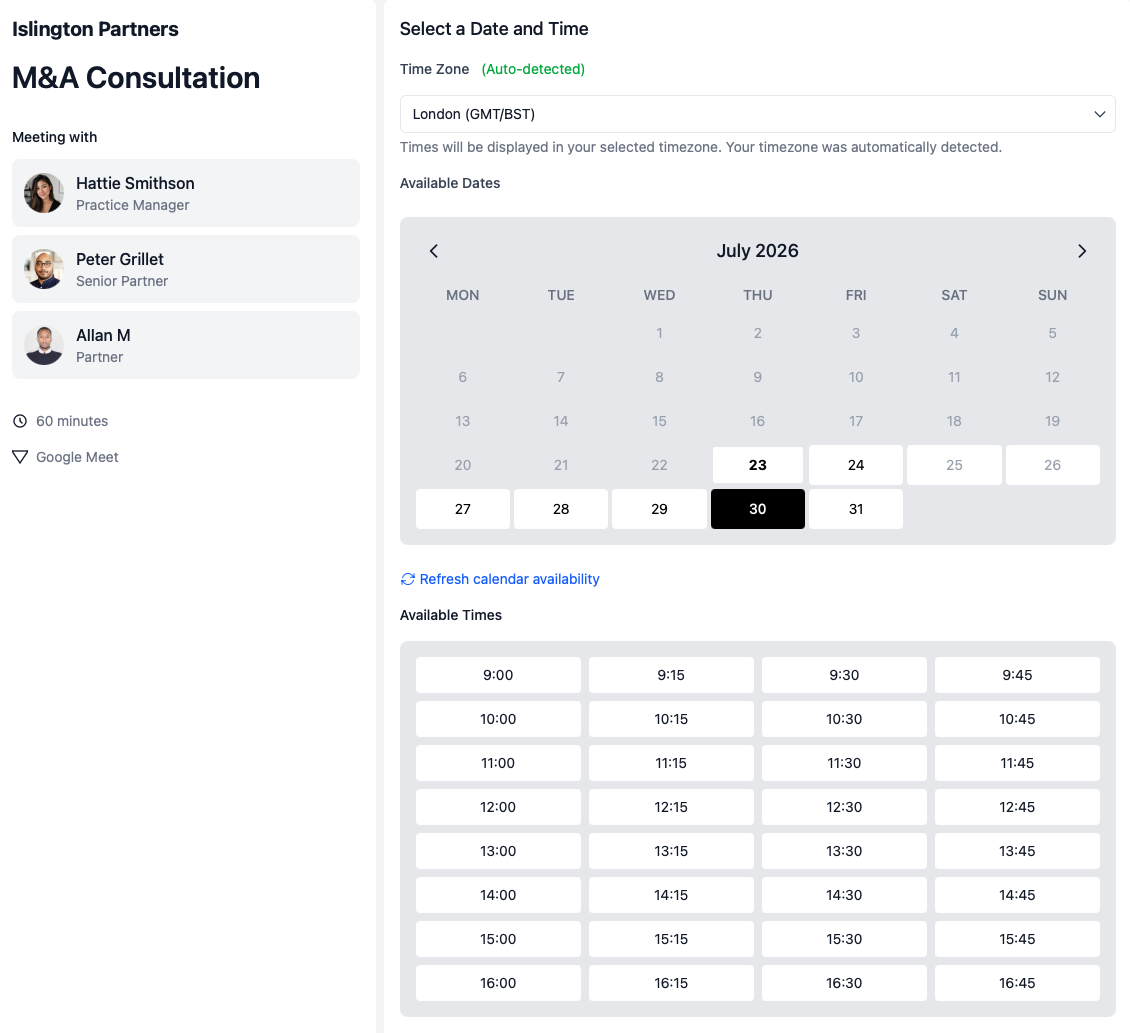
Select the people who need to be on the call. calendr.so builds the link. The client only sees times when all of them are genuinely free.
No shared draft. No "does Thursday work for you both". No rebooking because the second diary was full.
- Bookings instantly appear in all of the team members' calendars
- Each team member can link multiple calendars
- Each host can set their own availability settings
- Clients can reschedule with a few clicks, no back and forth
- Private calendars stay private. Only availability is shared
calendr.so · Multi-host consultation
Getting started
Set up in less than 3 minutes
This short walkthrough shows how quickly a practice manager can get calendr.so working for the firm.
In the video, you will see:
- How to set up a new account
- How to update your availability
- How to share a link for your first meeting
- How to invite your colleagues
Built with input from more than 200+ teams
An appointment scheduling app designed for teams, admins and the customer experience.
Our team has worked with everyone from Accountants to Sales, across more than 200 growing businesses, with teams from 5 to 150+ staff. The reality is, most teams have an individual responsible for making changes while team members are only concerned with managing their own availability. So that's what we've built.
calendr.so · Dashboard
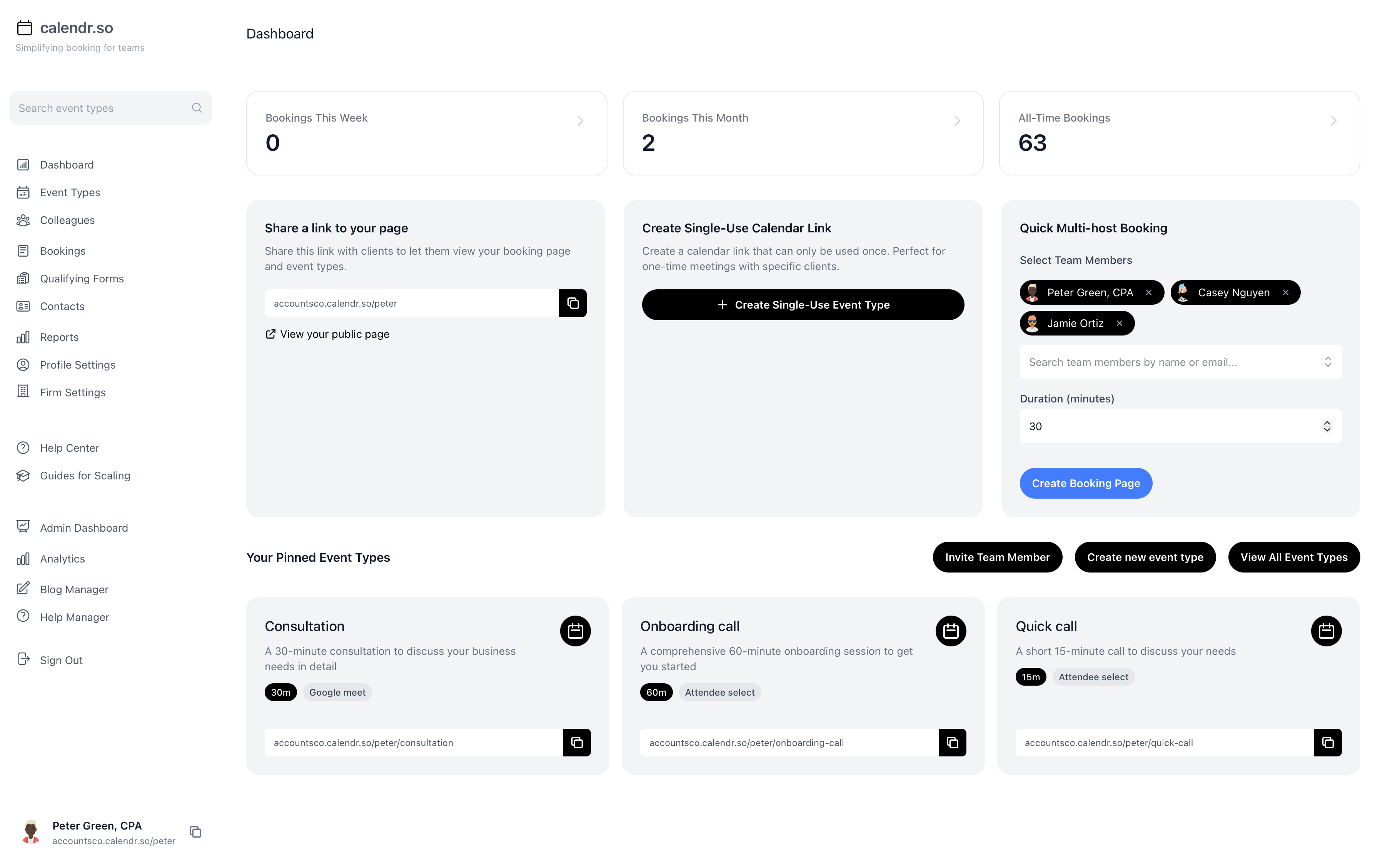
in under a minute
- Multi-host Booking Pages
- Allow clients and prospects to book calls with more than one person, ensuring all are available for the meeting by sharing a single link.
- Standardise & Manage Meeting Types
- Individuals can create their own booking pages & admins can create event types that anyone in a team can use, ensuring consistency for the client but also allowing for fallbacks if the team member is no longer available.
- Capture Data
- Add customised forms to booking pages to collect data ahead of meetings & save contact data for anyone who schedules a meeting which can then be pushed to other systems.
- Connect Multiple Calendars
- Each team member can connect multiple calendars (personal and work) to ensure their availability is accurate & up to date, while maintaining privacy.
- Flexible Fallback Options
- When a specific team member isn't available, you can allow clients and prospects to select a team member, you can select someone or you can nominate someone automatically with "round-robin".
- Provide a Professional Experience
- Add your brand name to the link, then your logo with an image of your team member's details to booking pages so clients book with confidence.
Pick your team and see what changes
Individual linksWith calendr.so
Every fee earner wrote their own consultation description. What the client reads depends on who they got.
One firm-approved description on every consultation page, regardless of who runs it.
The M&A consultation needs the partner and the practice manager, so the client gets three emails before a time is agreed.
One multi-host link. The client only sees slots when both are free.
A client books an annual review with a manager who left in March, because the link is still in an old email.
The links instantly redirects using pre-built fallbacks.
Nobody can say how many onboarding meetings the practice ran last quarter.
Reports by person and meeting type, without a spreadsheet.
The test
If fee earners regularly have to book client meetings with multiple team members relying on an individual (that could be off sick at any moment) to coordinate everyone's schedule, then you haven't got a robust system.

Individual linksWith calendr.so
One CSM asks useful questions before the call. Another lets customers book same-day with no prep time.
Team meeting types with the same intake questions and notice periods for every CSM.
The QBR needs the CSM and the AE, so the customer picks a time and you check the other diary afterwards.
Multi-host booking. Only slots when both are genuinely free.
Old links sit in help docs and onboarding emails long after that person moved on.
Reassign pages and redirect links when someone changes role.
"How many onboarding calls did we run this month" takes a spreadsheet and a round of self-reporting.
Booking reports by person and meeting type, ready when leadership asks.
The test
Can you quickly roll out a change to the Quarterly Review meeting type, so the customer gets the right questions and notice period without having to notify every CSM AND check?

Individual linksWith calendr.so
Every rep wrote their own discovery call description, so the promise changes depending on who picked up the lead.
Sales-approved meeting types with consistent messaging on every rep's page.
The technical demo needs an AE and a solutions engineer. The rep sends their link and checks the SE's diary afterwards.
One link for both. No follow-up email to find a time that works.
A lead lands on a rep who's on annual leave, sees no availability, and goes quiet.
Round robin and fallback routing keep inbound calls moving.
Qualification questions are optional in practice, because they live in each rep's own settings.
Qualifying forms on team meeting types, so every discovery call starts prepared.
The test
Can you quickly see which salespeople met their quota, and which didn't? How many calls were booked, rescheduled, cancelled? ...without having to wait for each rep to fill in a spreadsheet?

When you shouldn't use calendr.so
We're not trying to win every scheduling use case, and it's quicker for both of us to say so here.
- You're one person who needs one link. A personal scheduling tool does that well.
- Nobody in your business ever joins someone else's client call.
- You want a CRM, a proposal tool or invoicing. We do scheduling, and hand off to what you already run.
If more than one person meets clients, and your company's name is on that experience, this was built for you.
What people say once they've tried calendr.so
"Team event types let us standardise client consultation and review meetings across the firm — so partners and managers share the same professional booking experience without everyone maintaining their own links."
"calendr.so makes it easy for customers to book with the right CSM or sales person — round robin and shared team pages mean handovers happen without chasing links or waiting on replies."
"Booking forms on our consultation pages collect the briefing details we need before a call — clients book in one step and our team shows up prepared instead of spending the first ten minutes on basics."
"Booking reports give me a firm-wide view of what is actually being scheduled — by person and meeting type — without exporting calendars. That's the oversight a growing team needs."
"We rolled calendr.so out quickly — Google Calendar sync, team booking pages, and multi-host meetings worked out of the box without a heavy IT project or custom integration."
"Standardising our meeting types and having booking reports in one place has dramatically saved time. We spend less time coordinating calendars and more time in conversations that matter."
Pricing
One plan. The team features aren't an upsell.
Multi-host booking pages, round robin, central admin and reporting are the product. You don't need to pay more for them.
$12
no team tier.per user, per month. Also in GBP, EUR, CAD and AUD.
- Unlimited calls, meeting types and contacts
- Team meeting types and central profile management
- Multi-host, round robin and fallback routing
- Team-wide reports and admin dashboard
- Custom domain and logo
- UK, EU or US data region
No credit card required
this is the tier.
Need to know
Need to run this by someone else?
If you think your team would benefit the time savings and consistency calendr.so would bring, let them know what you've found.
Here's a quick summary of what they will want to know.
The case, in four lines
- It's 40% cheaper than the alternatives. Only $12 a head, on one plan.
- It replaces what you already pay for. Individual subscriptions, scattered across expense claims.
- Most teams are live the same afternoon. Connect calendars, create a team meeting type, invite colleagues.
- Reporting just works. Booked meetings, reschedules, cancellations, last month, by person and by meeting type. Going back as far as you need.