

For law firms & practice managers
Appointment Scheduling Software for Lawyers
calendr.so helps practice managers create & manage booking workflows for consultations, document signing appointments, matter reviews, and partner-led client meetings without asking every lawyer to manage another tool.
Multi-host Booking - Booking Forms - Team Management
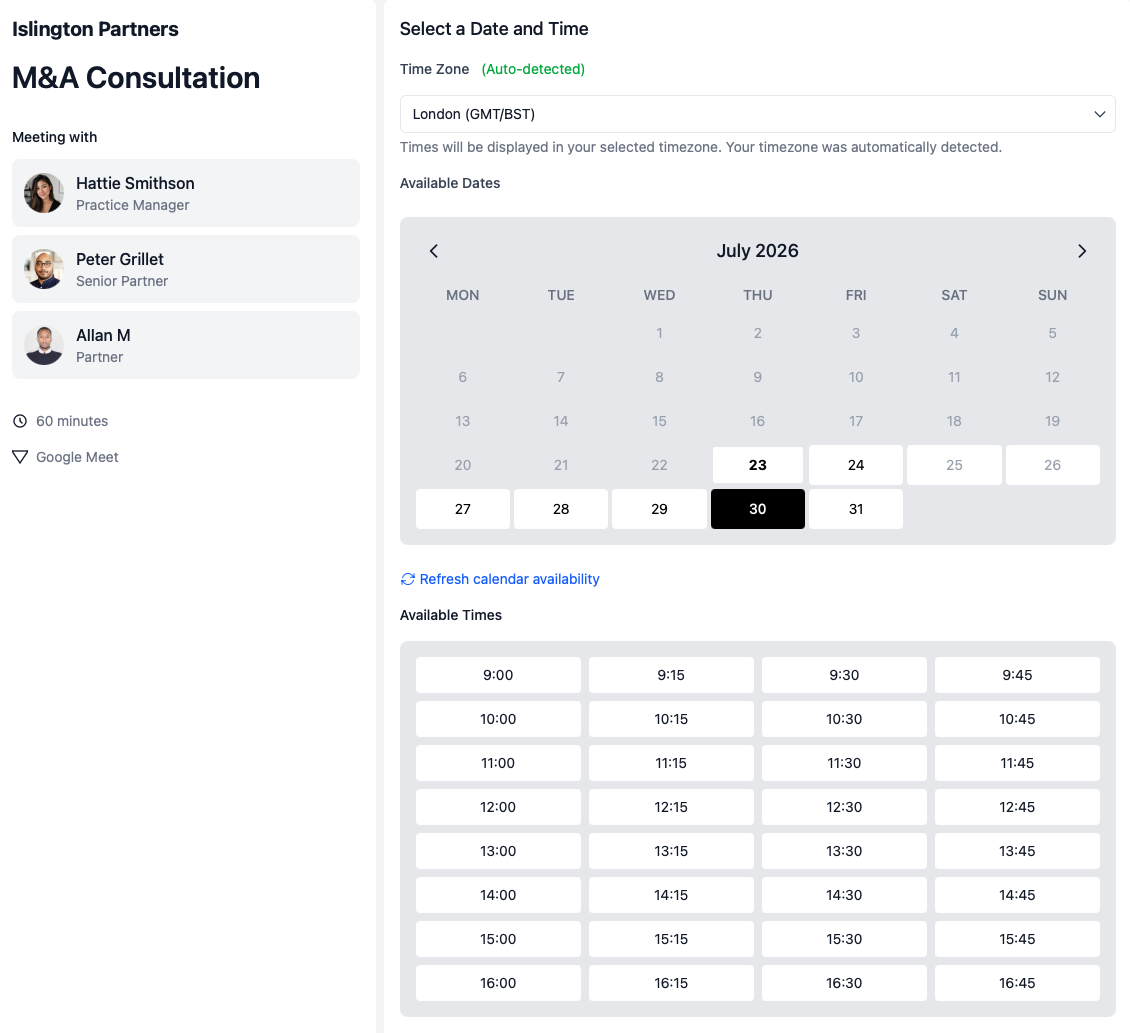
Stop checking three diaries by hand
Use multi-host booking when a client meeting needs a lawyer plus a paralegal, notary, associate, or partner.
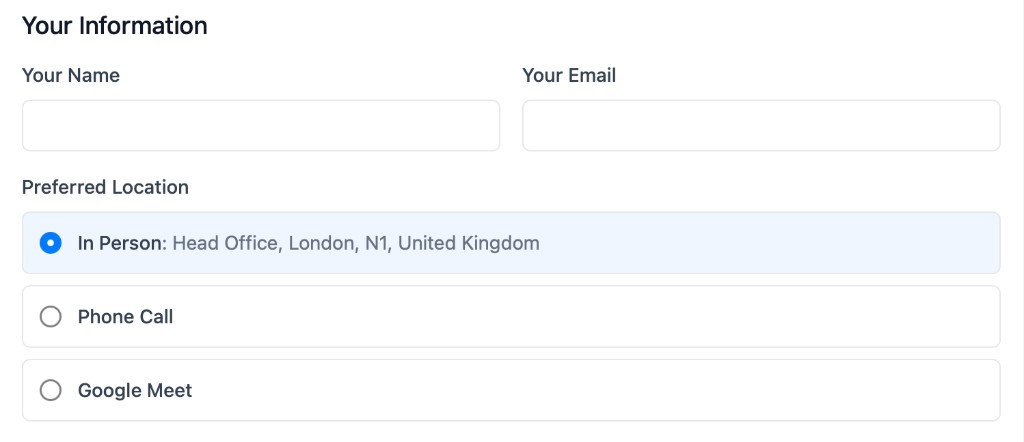
Let the client pick the right location
Offer in-office, phone, or video options from one booking flow when the meeting type allows it.
Keep partners out of setup work
Admins can manage team profiles and booking pages so lawyers keep control of availability without configuring every page themselves.
Use cases
Speed up and simplify the scheduling process for legal client meetings
Legal meetings are rarely just "book a call." The meeting type controls who needs to attend, where it can happen, how much partner time is exposed, and whether the client knows what to do next.
Consultations
Initial client consultations
Give prospects and clients a clear route into the right first meeting without sending every enquiry through a manual diary thread.
- Ensure everyone is available.
- Use multi-host booking when a consultation needs a lawyer and paralegal or associate available together.
- Set the consultation window.
- Choose the length, buffers, and days this type of meeting can be booked.
- Offer the right location.
- Let the client choose phone, video, or in-office when the matter allows it.
- Protect lawyer availability.
- Show only the booking windows the firm is comfortable making available.
Signing appointments
Document signing and closing meetings
Signing appointments often need the right person, the right room, and a narrow time window. That is where generic booking links create confusion.
- Make in-office appointments clear.
- Give clients one route to book the appointment when they need to attend the office.
- Require the right internal people.
- Use multi-host booking when a lawyer, notary, or paralegal must be available.
- Separate it from general consultations.
- Keep signing appointments, consultations, and matter reviews as distinct booking flows.
Partner time
Partner-led or multi-person client meetings
Some legal conversations need a partner, associate, lawyer, or support person in the same meeting. The client should not have to wait while admin compares calendars.
- Show shared availability.
- Clients only see times when the required internal people are free.
- Use controlled links.
- Send single-use booking pages for sensitive or specific client meetings.
- Reduce avoidable reschedules.
- Fewer meetings need to be rebooked because the right person was not included first time.
How to setup
How to get set up in less than 2 minutes 30 seconds
This short walkthrough shows how quickly a practice manager can get calendr.so working for the firm.
In the video, you will see:
- How to set up a new account
- How to update your availability
- How to share a link for your first meeting
- How to invite your colleagues
Team management
Set up the meeting types once, then keep them consistent across the firm
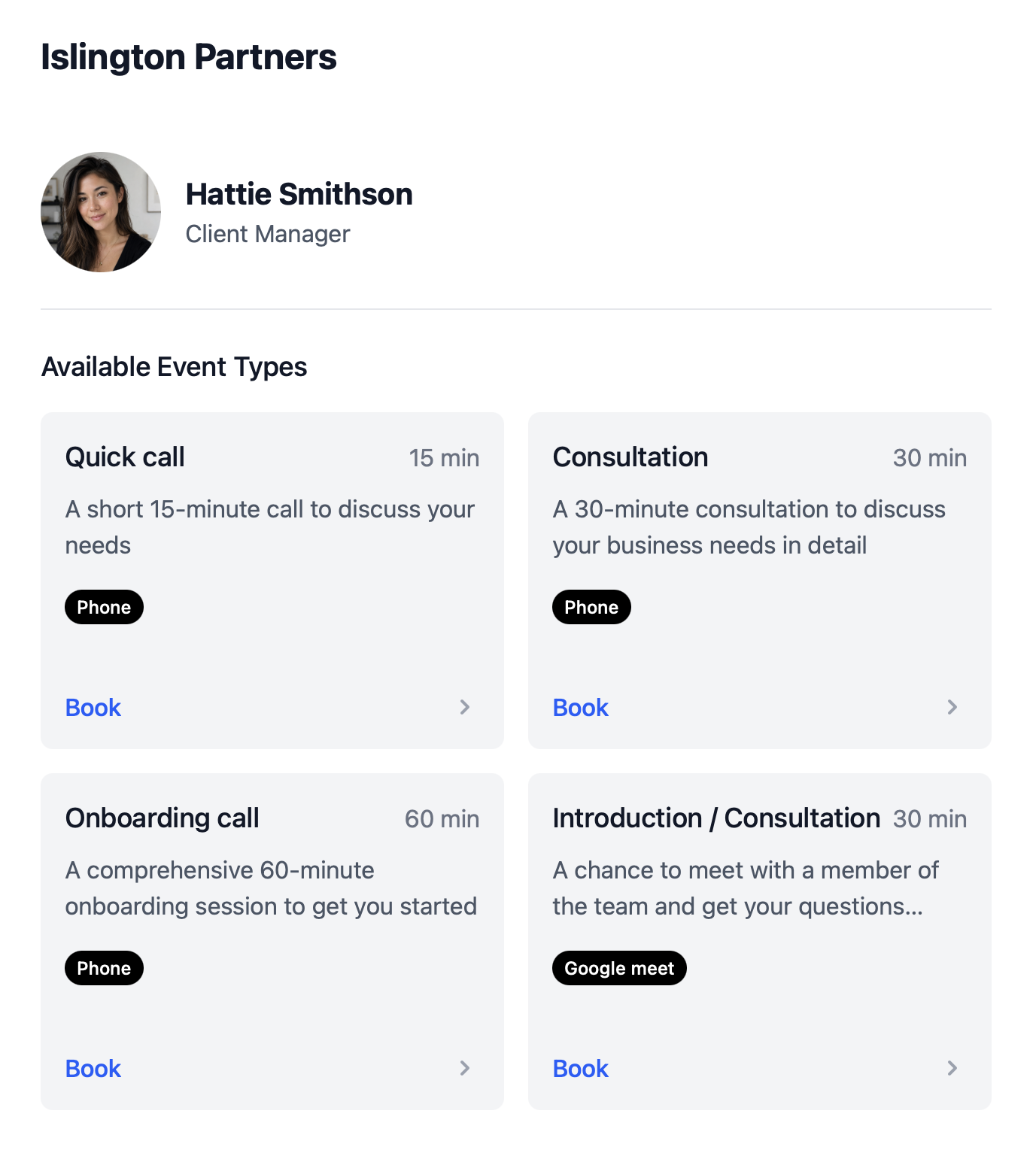
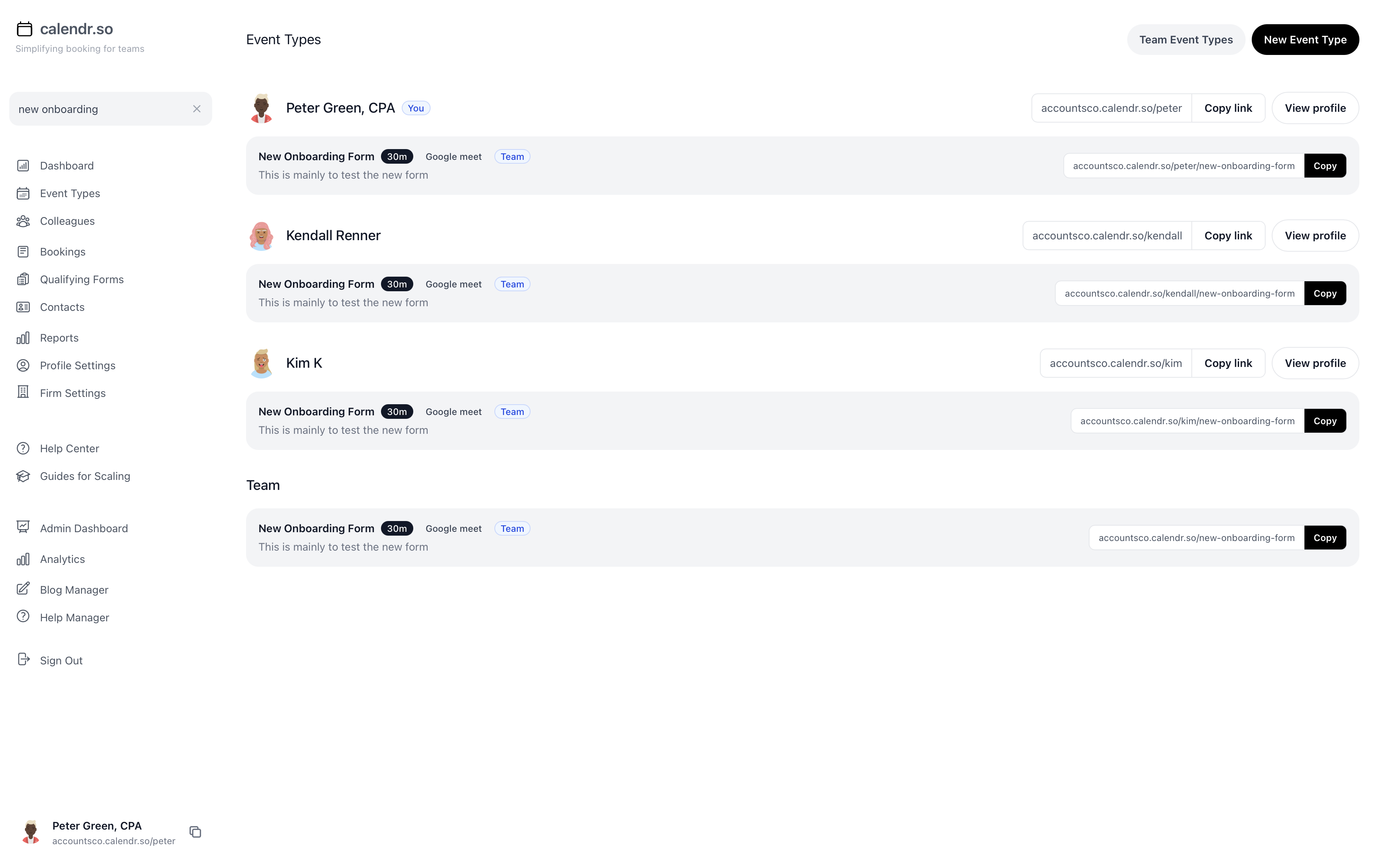
Most booking tools make every lawyer, partner, and assistant maintain their own links. calendr.so gives practice managers a central way to create meeting types, roll them out across the team, and still let each person control their own time.
- Multi-host booking pages
- Allow clients to book meetings that need a lawyer plus a paralegal, notary, associate, or partner, with availability checked for everyone at once.
- Standardise and manage meeting types
- Create firm-approved booking flows for consultations, signings, reviews, and partner meetings so every client gets the same clear process.
- Context for each appointment
- Use the meeting type, duration, location options, and client instructions to make sure the right preparation happens before the appointment.
- Connect multiple calendars
- Let team members connect the calendars they rely on so client-facing availability stays accurate without exposing the whole diary.
- Controlled one-off links
- Send single-use booking pages for sensitive or specific client meetings where a reusable link should not keep circulating.
- A professional client experience
- Give clients a clear, controlled booking flow that feels appropriate for legal work and reduces the need for admin to chase by phone or email.
Share this with the decision maker
Need a partner, office manager, or senior admin to take a look?
Practice managers often spot the scheduling problem before they own the buying decision. Use the button to open an email with a short note and a link to this page.
Share this pageLegal practice experience
Trusted by practice managers and client-facing teams
From initial consultations and signing appointments to partner-led reviews — law firms use calendr.so to manage booking workflows without asking every lawyer to maintain their own links.
"Booking forms on our consultation pages collect the briefing details we need before a call — clients book in one step and our team shows up prepared instead of spending the first ten minutes on basics."

"Multi-host booking pages mean clients can schedule workshops when every facilitator is free — one link, no internal calendar coordination, and a smoother experience for everyone."

"Team event types let us standardise client consultation and review meetings across the firm — so partners and managers share the same professional booking experience without everyone maintaining their own links."

"I recommend calendr.so to firms I implement because team event types make it easy to roll out standard onboarding and consultation pages — practice managers set them up once and share them across the team."

"You don't need to be technical to get calendr.so working. We had booking pages set up and shared with the team quickly — without IT or a long implementation project."

Sharon De'Athe, CPA, CGA
Partner at WL Buck

Frequently asked questions
- Is calendr.so a practice management system?
- No. calendr.so is the booking layer around legal meetings. It helps clients book the right consultation, signing appointment, or follow-up meeting without replacing your matter, document, or billing systems.
- Can admins manage booking pages for lawyers and partners?
- Yes. Managed team profiles help admins create and maintain booking pages for lawyers, partners, paralegals, and support staff while each person keeps control of their calendar availability.
- Can we book meetings that need more than one internal person?
- Yes. Multi-host booking lets clients choose from times that work for everyone required on the meeting, such as a lawyer and paralegal, partner and associate, or lawyer and notary.
- Can clients choose whether a meeting is in office, by phone, or on video?
- Yes. Attendee-selected meeting locations let one booking flow offer the location options that make sense for that meeting type.
Ready to simplify your booking workflows?
Create your account and share your booking links within 3 minutes.
No credit card required
Blog
More ways calendr.so can help client-facing teams

Google Calendar Appointment Schedule vs a Proper Booking Tool
Google Calendar Appointment Schedule is a useful option when one person needs a simple booking page. It starts to feel limited when a growing team needs consistent meeting types, multi-person availability, lead routing, controlled booking links, and reporting that goes beyond checking individual calendars.

How Event Types Make Interview Scheduling Easier for Hiring Teams
Interview scheduling gets messy when every stage is treated like the same calendar link. This video shows how different event types can help hiring teams manage screening calls, hiring manager interviews, final interviews, required hosts, fallback options, and ad hoc meetings without rebuilding the process in email every time.

Appointment Scheduling Software for Client-Facing Teams: A Calendr.so Overview
If your team books sales calls, onboarding sessions, support reviews, legal appointments, or client consultations, a basic booking link can start to create more admin than it removes. This video walkthrough shows how calendr.so helps client-facing teams control meeting types, find the right colleague's link, coordinate multi-person meetings, and report on booking activity without turning scheduling into another spreadsheet.