

For practice managers
Client onboarding scheduling that gives new clients a clear first step
Client onboarding scheduling helps practice managers at accounting and legal firms create kickoff workflows with booking forms and multi-host booking pages, so new clients book the right meeting with the right people and context from the start.
The operating problem
Why onboarding scheduling matters for accounting and legal practice managers
New client onboarding breaks down when every first meeting depends on admin chasing calendar options, the wrong internal person joins the call, or the team starts without basic client context. That creates delays before the relationship has even begun and puts extra work on practice managers who already coordinate people, process, and client experience.
Client onboarding scheduling gives firms one controlled booking journey instead of ad hoc links and inbox threads. Practice managers can define the meeting types, collect intake details up front, and include the right combination of partner, manager, lawyer, or support staff without asking every fee-earner to configure their own onboarding flow.
How it works
Build onboarding as a repeatable booking workflow
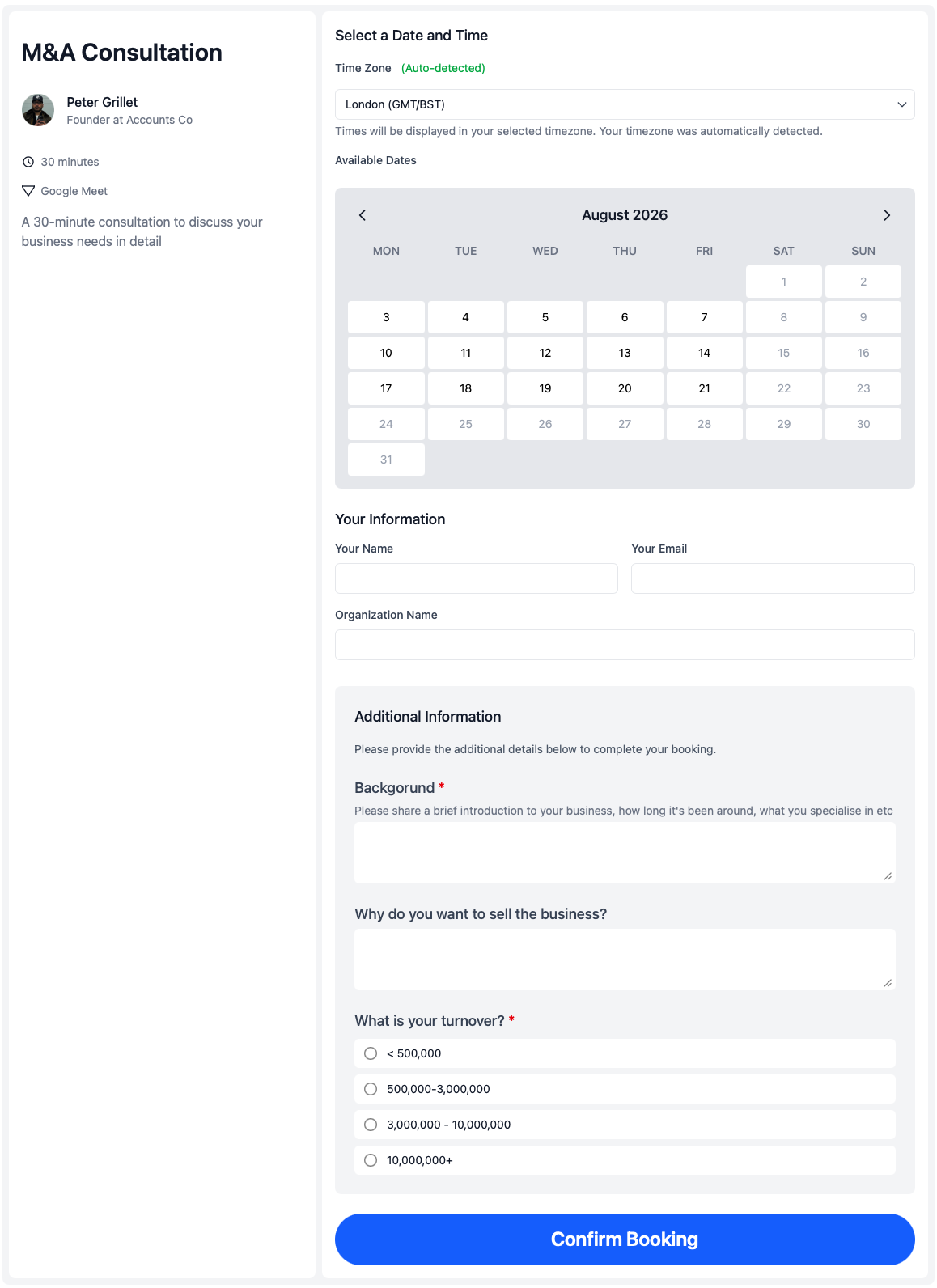
calendr.so helps practice managers turn onboarding into defined booking pages with intake forms, shared availability rules, and multi-person meetings where the firm needs them.
Collect intake before the call
Use booking forms to gather business background, matter details, document lists, and preparation notes while the client is booking.
Include the right internal people
Multi-host booking pages check availability for every required person before a kickoff or setup meeting is confirmed.
Separate each onboarding step
Create distinct pages for kickoff, document collection, setup, and early check-ins instead of one vague “book a call” link.
Roll out firm-approved flows
Practice managers can standardise onboarding pages across the team while each person keeps control of their own calendar availability.
Workflows
Onboarding workflows for accounting and legal firms
Accounting firm kickoff calls
Appointment scheduling for accountants often starts with a new client onboarding call that needs a partner or manager plus intake details about systems, deadlines, and records. Booking forms and multi-host pages keep that first step structured.
Legal matter onboarding
Appointment scheduling for lawyers can use separate onboarding, consultation, and signing flows so new clients know what happens next and the right lawyer, paralegal, or associate is included from the start.
Setup and early check-ins
After kickoff, firms can offer booking pages for setup sessions, document reviews, and early check-ins with the same intake discipline, using team management to keep meeting types consistent as the firm grows.
Works with calendr.so
Client onboarding scheduling fits the wider firm workflow
Pair onboarding pages with availability management when kickoff calls need tighter booking windows, and with meeting location options when clients may choose phone, video, or in-office meetings during onboarding.
Practice managers can also use branded booking pages so onboarding links feel appropriate for professional firms, and fallback scheduling options when the primary onboarding owner is unavailable or team membership changes.
See how client onboarding scheduling fits with other confirmed capabilities on the features overview. calendr.so stays focused on the booking layer around client meetings — not replacing your matter, document, billing, or practice systems — while making the first steps of the client journey much easier to manage.
Frequently asked questions
- Can accounting and legal firms create separate onboarding meeting types?
- Yes. Practice managers can create distinct booking pages for kickoff calls, setup sessions, document collection meetings, and early check-ins so new clients always book the right next step.
- Can we collect client information before the onboarding call?
- Yes. Booking forms gather business background, matter details, required documents, stakeholders, and preparation notes before the meeting is confirmed, so the team arrives prepared instead of chasing information afterward.
- Can onboarding meetings need more than one internal person?
- Yes. Multi-host booking pages let clients book onboarding calls only when every required person is available, such as a partner and client manager at an accounting firm or a lawyer and paralegal at a law firm.
- Can practice managers manage onboarding pages for the team?
- Yes. Managed team profiles and team scheduling help practice managers create firm-approved onboarding flows, roll them out across lawyers, accountants, and support staff, and still let each person control their own availability.
- What happens if the assigned onboarding owner is unavailable?
- Fallback scheduling options and round robin routing help keep new clients moving when the primary owner is away, on leave, or no longer the right person for that booking flow.
- Is calendr.so a practice management system?
- No. calendr.so is the booking layer around client meetings. It helps firms schedule onboarding calls, consultations, reviews, and follow-ups without replacing matter, document, billing, or practice management systems.
Build cleaner onboarding booking workflows for your firm
Create kickoff, setup, and check-in pages with booking forms and multi-host availability so new clients know the next step and your team shows up prepared.
No credit card required