

Team management
Keep booking consistent across the firm and eliminate email back-and-forth
Calendr.so's unique team management features help practice managers and admins create firm-approved booking workflows, roll them out across lawyers and accountants, and maintain consistency as the team grows — without asking every fee-earner to configure their own links.
The operating problem
Why team management matters for practice managers and admins
Booking breaks down in growing firms when every partner, lawyer, accountant, and assistant creates their own event types, links, intake questions, and availability rules. Admin staff spend time fixing mismatched pages, chasing the right link, and coordinating calendars by email instead of running the firm.
Practice managers need one place to define how client meetings should work, then roll that standard out across the team while each person keeps control of their own calendar. That is the job team management is built for — whether you run an accounting firm or a law firm.
Features for admins
The team management features practice managers rely on most
calendr.so gives admins the controls to create meeting types once, share them consistently, coordinate multi-person meetings, and let clients choose the location that fits the appointment.
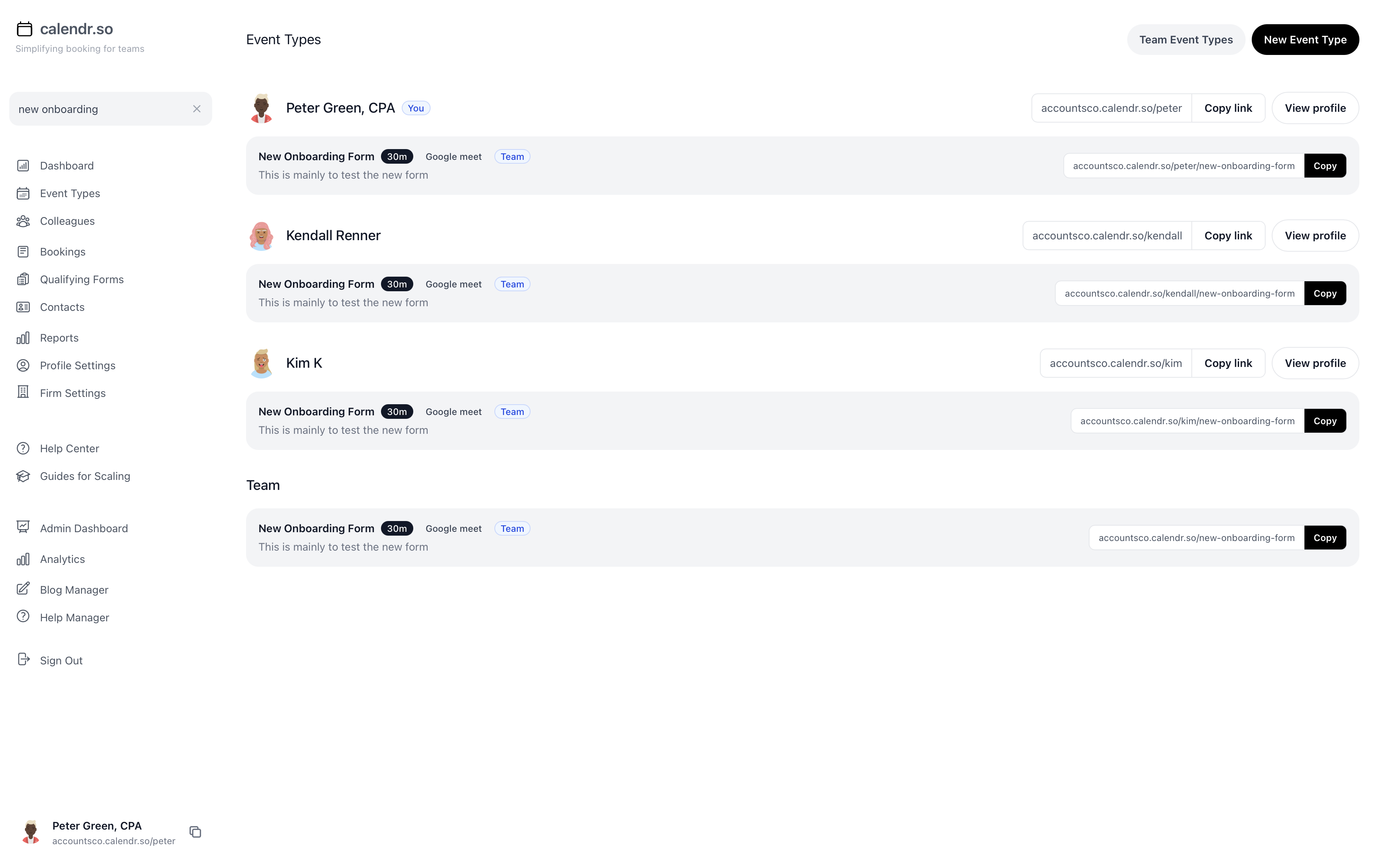
Team event types
Create one event type and connect it to multiple people
Instead of every fee-earner building their own version of the same meeting, practice managers can create one team event type and connect it to the people who should use it.
- Standardise meeting types once.
- Build firm-approved pages for reviews, onboarding, consultations, signings, and advisory calls from one central setup.
- Connect multiple team members.
- Attach the same event type to the lawyers, accountants, managers, or support staff who should share that booking flow.
- Reduce admin drift.
- Stop mismatched durations, intake questions, and booking links from spreading across the firm as headcount grows.
Profile pages
Make it easy to find and share team members' booking pages
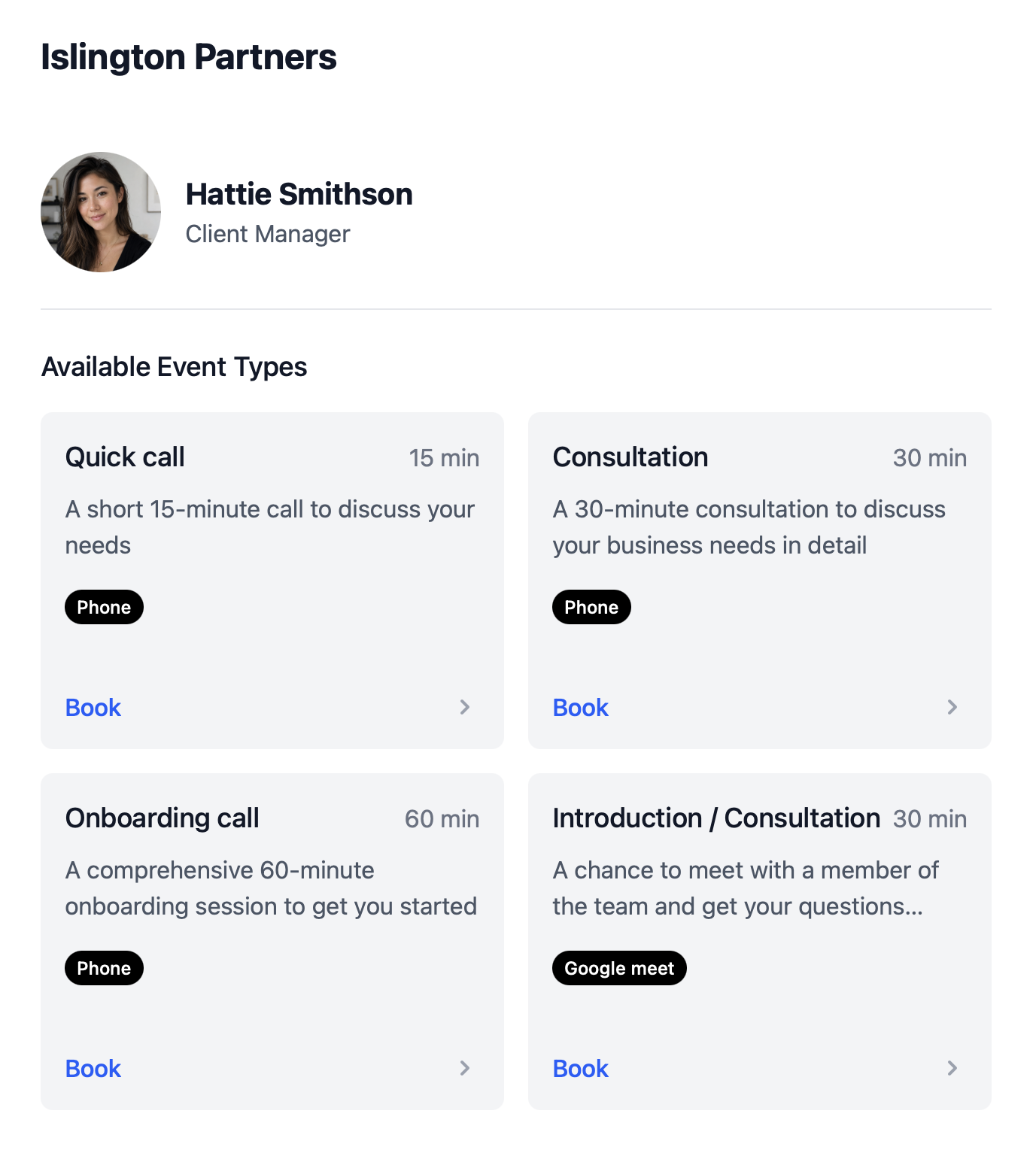
Profile pages give practice managers and admin staff one professional place to find colleagues, see their event types, and share the right booking link without digging through inboxes.
- Find the right person quickly.
- Search colleagues and see who can run which meeting type instead of asking around for the latest link.
- Share from one team page.
- Give clients and internal staff one profile link that surfaces the appropriate meeting types for each team member.
- Keep sharing consistent.
- Use the same professional booking experience in email signatures, client emails, and front-desk workflows.
Multi-host booking
Stop coordinating calendars by email
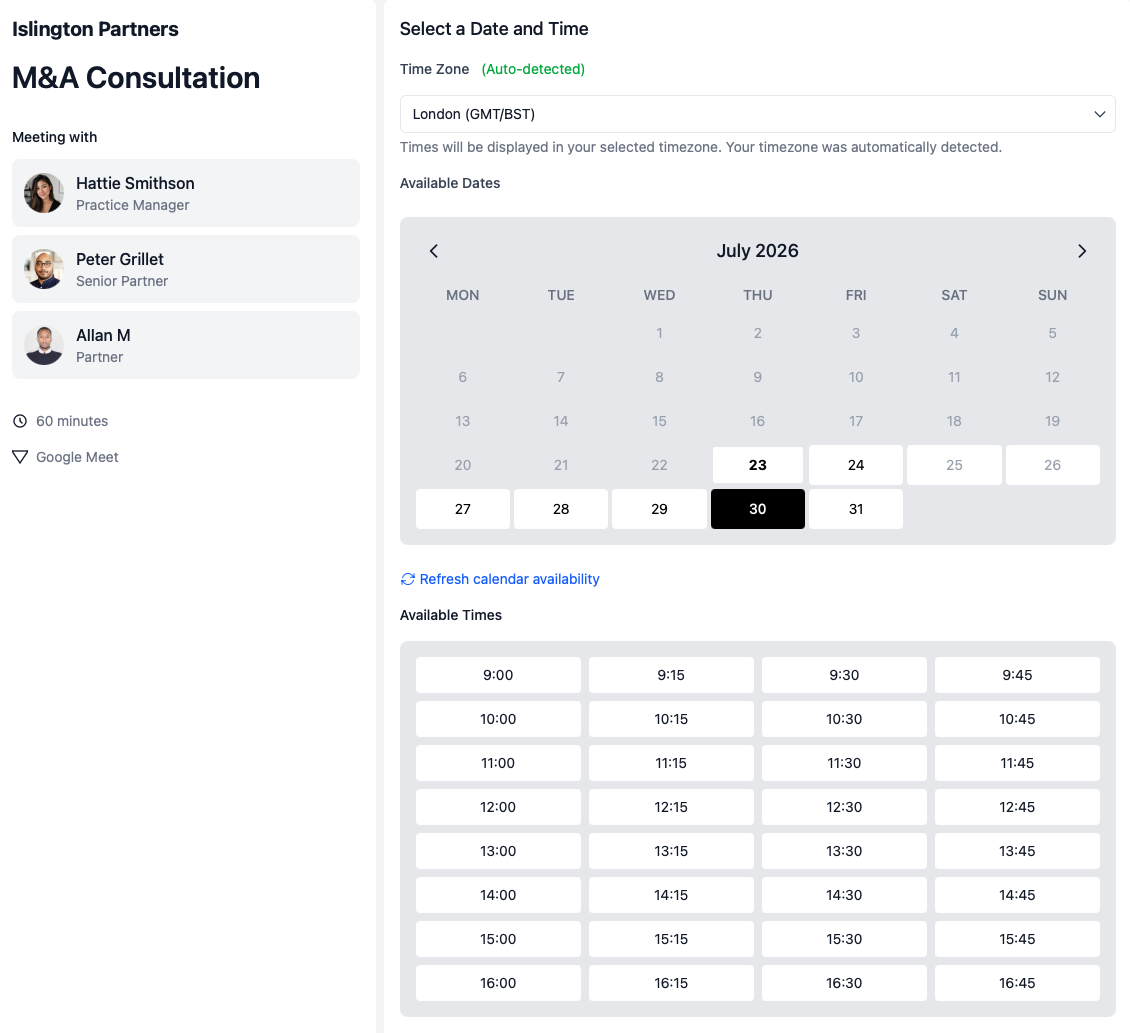
When a client meeting needs more than one internal person, admin staff should not have to compare diaries manually. Multi-host booking pages show clients only the times when everyone required is actually free.
- Check every required calendar.
- Clients book from slots where the partner, manager, lawyer, paralegal, or support person is all available together.
- Cut down inbox back-and-forth.
- Replace the email thread of “Can you do Tuesday?” with one booking page the client can use directly.
- Fewer avoidable reschedules.
- Include the right people from the start so meetings are less likely to be rebooked because someone was missing.
Meeting locations
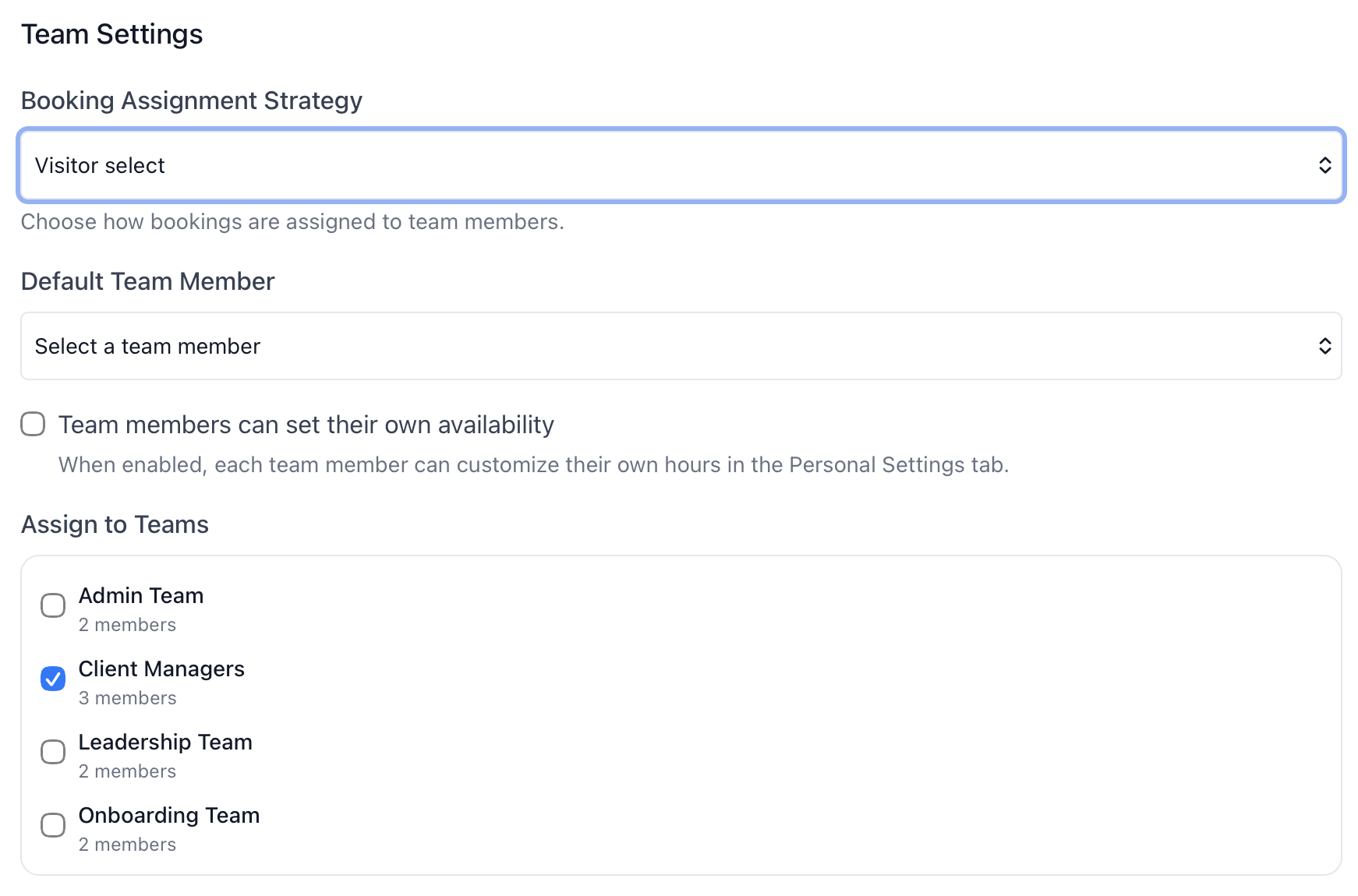
Let clients choose video or an in-office visit
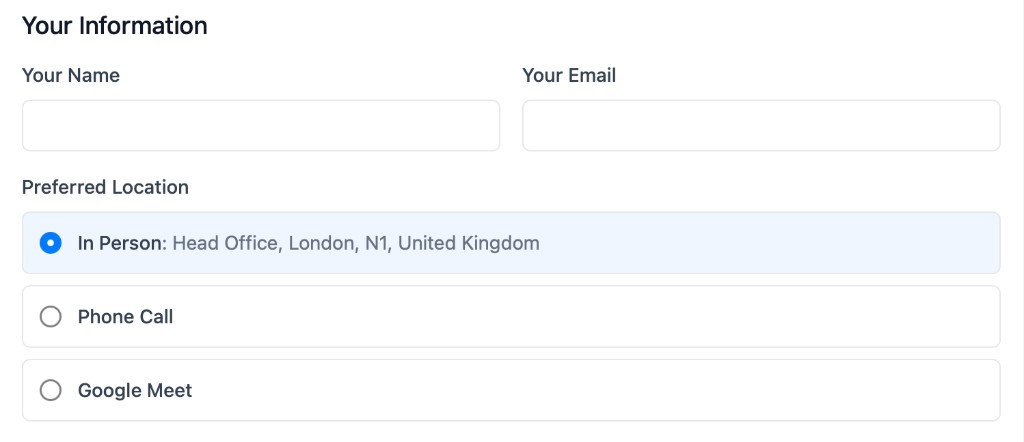
Client-facing firms often need one booking flow to support more than one meeting format. Location selection lets clients choose phone, video, or in-person when the appointment allows it.
- Offer the formats clients expect.
- Let clients choose Microsoft Teams, Google, phone, or in-office from one booking page instead of creating separate links.
- Support office visits cleanly.
- Make in-office consultations, signings, and review meetings easy to book when the client needs to stop by the firm.
- Keep one controlled booking flow.
- Practice managers set the location options once on the team event type instead of handling location choices manually after booking.
Use cases
Where practice managers use team management most
Accounting firm rollout
Practice managers create team event types for annual reviews, onboarding, and advisory calls, then connect them to the right accountants and managers across the firm.
Law firm client meetings
Admin teams standardise consultations, signings, and matter reviews while using multi-host booking when a lawyer and paralegal both need to attend.
Onboarding new team members
New hires inherit managed team profiles and shared event types through client onboarding scheduling workflows instead of rebuilding booking pages from scratch.
Works with calendr.so
Team management fits alongside the rest of the scheduling workflow
Pair team event types with booking forms when intake should stay consistent across the firm, and with round robin scheduling when inbound meetings should be distributed across available team members.
Use availability management to protect partner and manager calendars, meeting location options when clients need flexible formats, and fallback scheduling options when team membership changes or the primary host is unavailable.
See how team management fits with other confirmed capabilities on the features overview. calendr.so stays focused on the booking layer around client meetings — not replacing your existing practice systems — while giving admins the controls to keep scheduling consistent as the firm grows.
Frequently asked questions
- Can admins create one event type and connect it to multiple people?
- Yes. Team event types let practice managers create one firm-approved booking page and connect it to the team members who should use it, instead of asking every person to build their own version.
- Can clients choose between video and in-office meetings?
- Yes. Attendee-selected meeting locations let one booking flow offer phone, Microsoft Teams, Google, or in-person options when the meeting type allows it.
- Can practice managers share team members' booking pages easily?
- Yes. Profile pages make it easier to find colleagues, see their event types, and share the right booking link from one professional team page.
- Can team management reduce calendar coordination by email?
- Yes. Multi-host booking pages show clients only the times when every required internal person is free, so admin staff do not need to compare diaries manually.
- Is calendr.so a practice management system?
- No. calendr.so is the booking layer around client meetings. Team management helps firms standardise scheduling without replacing matter, document, billing, or practice management systems.
- Can new team members inherit the firm's booking setup?
- Yes. Managed team profiles and shared team event types help new lawyers, accountants, and support staff start with the right booking defaults instead of rebuilding everything individually.
Give your firm one scheduling system to manage
Create team event types, share profile pages, coordinate multi-host meetings, and keep booking consistent as your team grows.
No credit card required