

For executive assistants at agencies & studios
Get client meetings in everyone's diary by simply sharing a link
Account directors and creative leads say "can you get this booked?" and the work lands on you: whose diary, which link, phone or office, and who else needs to attend. calendr.so lets you set up controlled booking pages for the people you support, so clients pick a valid time without another email thread.
Team Management - Multi-host Booking - Meeting Locations
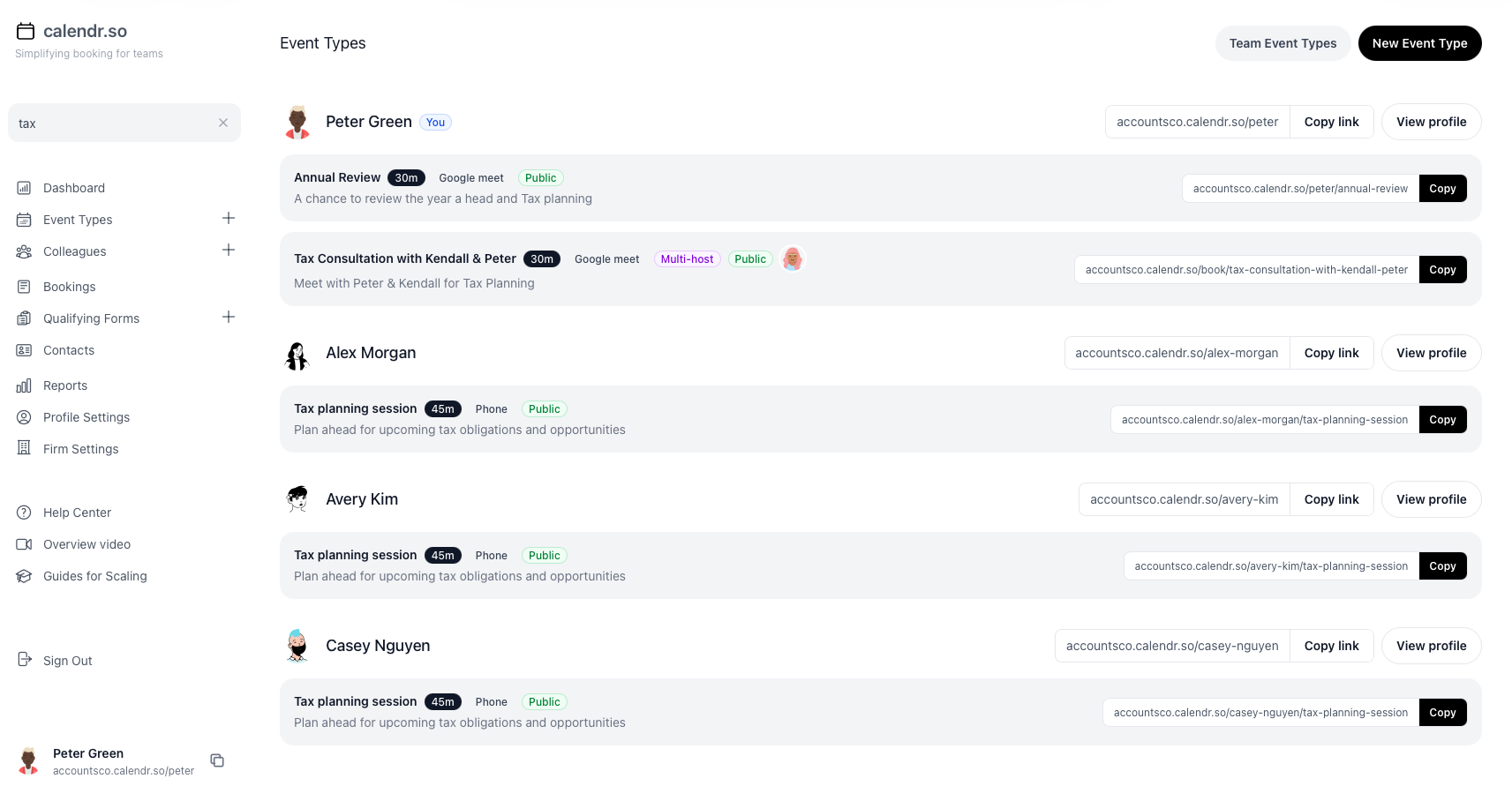
calendr.so · Event types search
Use cases
Book client meetings without becoming the routing layer for every diary
Client meetings at agencies and studios have more rules than the attendee sees. The meeting type decides who attends, which days are allowed, where it can happen, and how much of a senior diary you can safely expose.
Booking on behalf of senior team members
Set up booking pages for directors and account leads who will not configure the tool themselves
You own the setup. They keep control of when they are actually free. That split is how appointment scheduling for marketing agencies already works for client services teams, and it fits PR firms, design studios, and creative agencies too.
- Create the pages they will actually send.
- Use team management to set up booking pages for account directors and creative leads, then keep the client-facing details consistent.
- Protect the diary they asked you to protect.
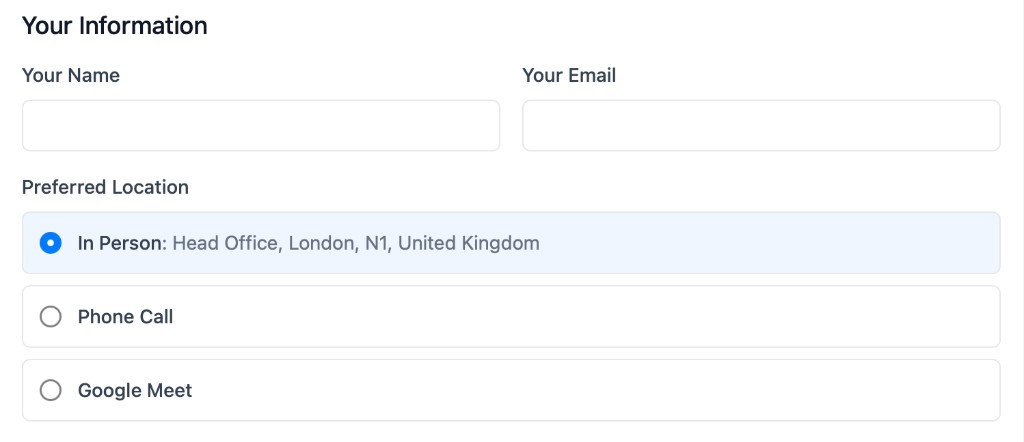
- Show only the days and hours that meeting type is allowed to use, so a client cannot take a slot the director never offered.
- Keep one source of truth for meeting types.
- Stop guessing which link is safe to send when directors, templates, and old emails all hold a different version.
Multi-person meetings
Book meetings that need more than one internal person
An account director plus strategist, creative director plus producer, or client lead plus specialist should not wait while you compare three calendars by hand.
- Show shared availability.
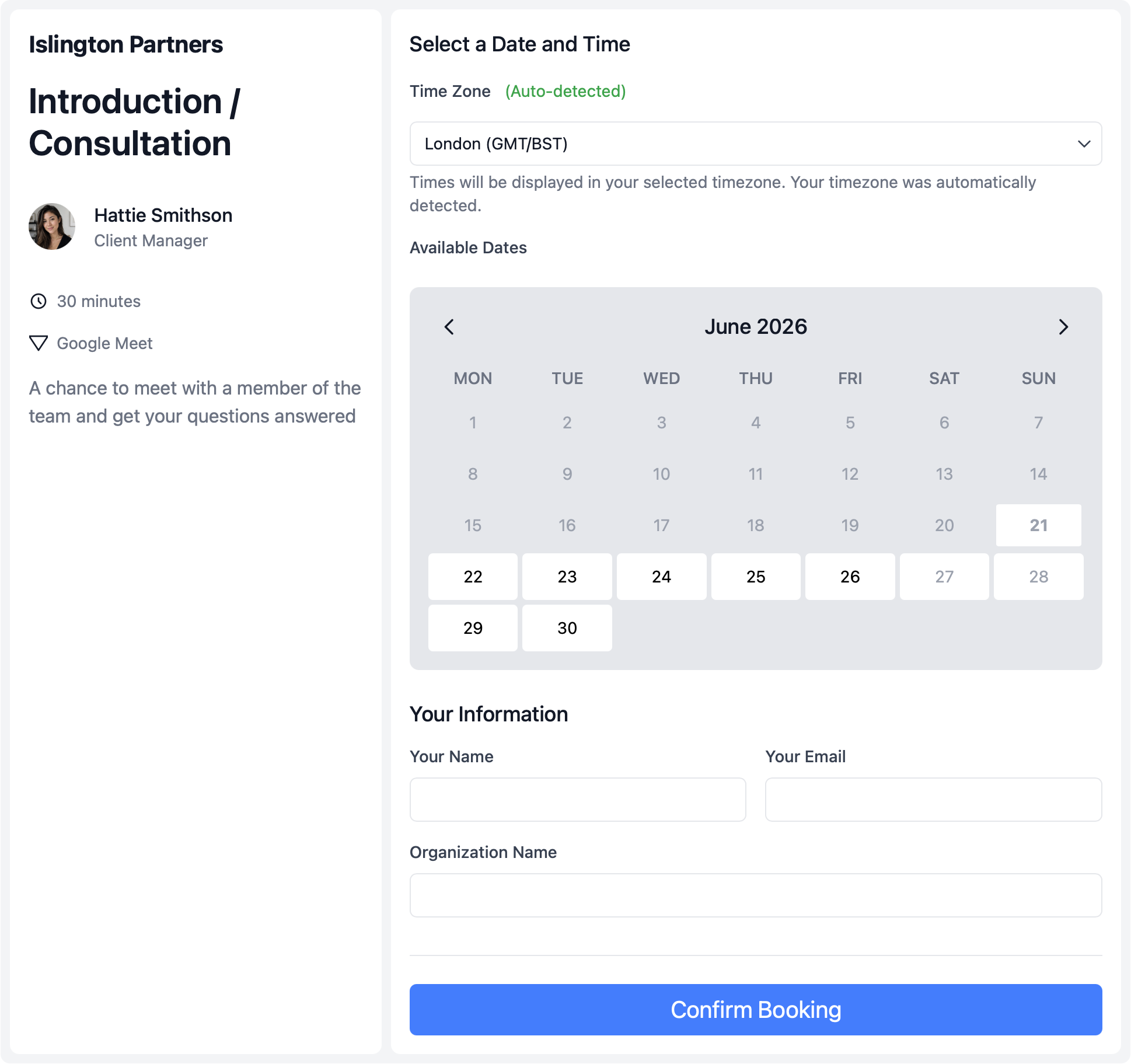
- Use multi-host booking so clients only see times when everyone required is free.
- Send a controlled link when the meeting is specific.
- Use a single-use booking page for a named client meeting instead of circulating a reusable director link.
- Reduce avoidable reschedules.
- Fewer meetings need to be moved because the second internal person was never free in the first place.
Client instructions
Stop answering phone, video, or office after the invite is sent
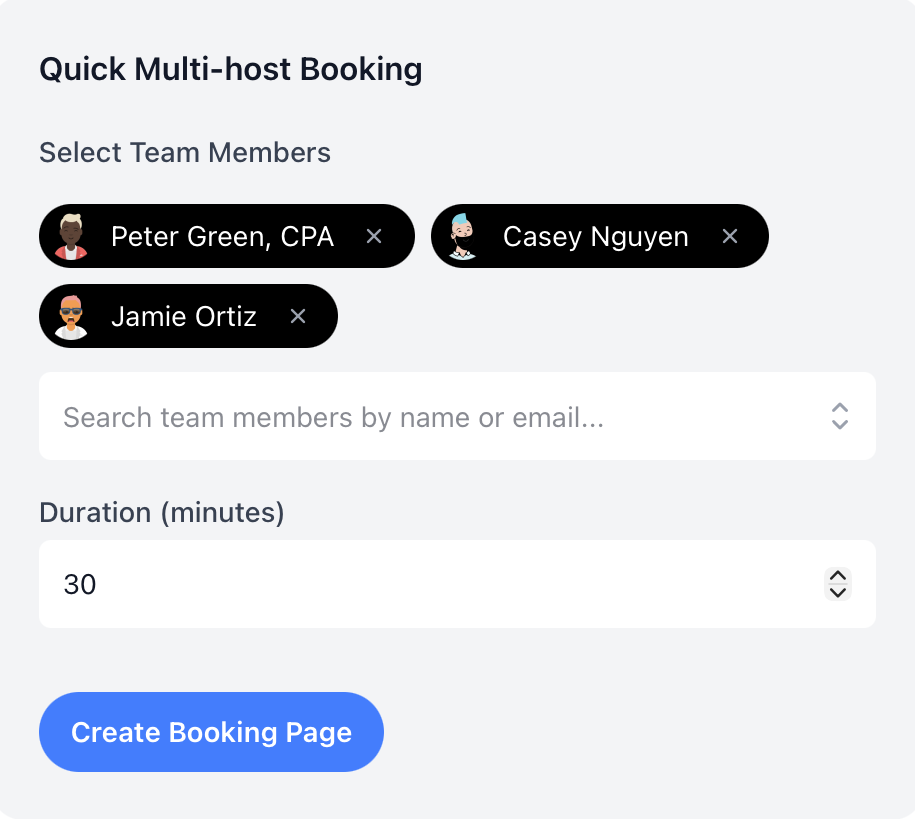
Clients need clear instructions. One booking flow can offer the location options that meeting type allows, instead of another round of clarification emails.
- Let the client choose the location.
- Offer phone, video, or in-office from meeting locations when that meeting type allows it.
- Separate the meeting types.
- Keep kickoffs, reviews, and approvals as distinct booking flows so the right link is obvious.
- Collect context before the questions come back.
- Ask for the meeting purpose, attendees, and prep details before the invite lands in the account director's calendar.
How to setup
Get set up in less than 3 minutes
This short walkthrough shows how quickly an assistant can get calendr.so working for the people they support.
In the video, you will see:
- How to set up a new account
- How to update availability for the people you book
- How to share a link for the first meeting
- How to invite colleagues and senior team members
Team management
Set up the meeting types once, then keep them consistent across the team you support
Most booking tools make every director and account lead maintain their own links. calendr.so gives assistants a central way to create meeting types, roll them out across the team, and still let each person control their own time. That is the same team scheduling approach agencies use when admins, not senior people, own the booking process.
See how scheduling features fit together for managed profiles, multi-host meetings, and client-facing booking pages.
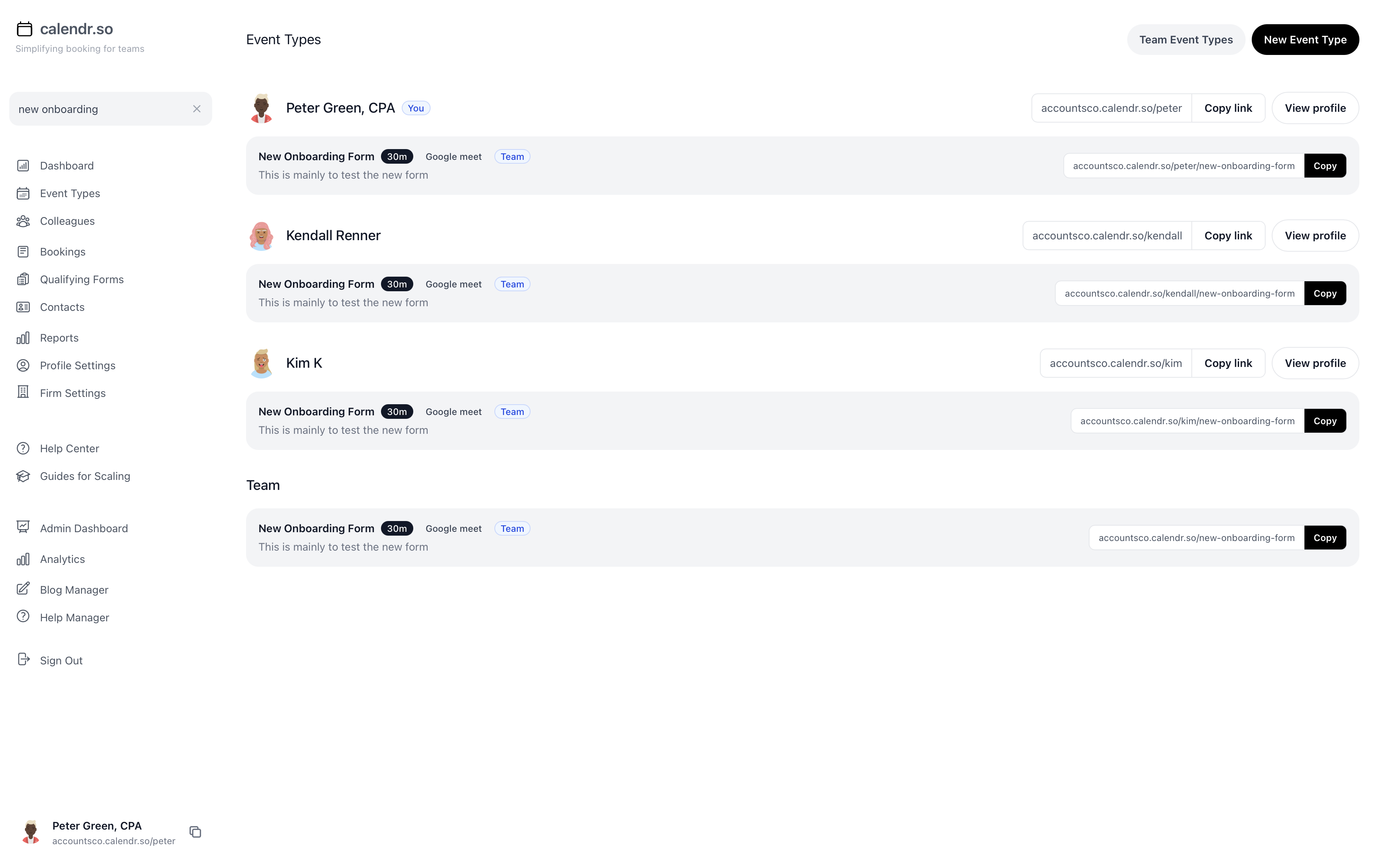
- Managed booking pages
- Create and maintain booking pages for account directors and creative leads who are too busy, or not technical enough, to configure them. They still control their own availability.
- Standard meeting types
- Keep kickoffs, reviews, and approvals as distinct flows so you always know which link to send.
- Multi-host booking pages
- Let clients book meetings that need an account director plus a strategist or producer, with availability checked for everyone at once.
- Availability windows
- Use availability management so certain meeting types only open on the days that director actually does that work.
- Fallback when people leave
- Use fallback options so old template links do not dump clients into a dead end when someone is unavailable.
- Context before the meeting
- Use booking forms to gather the purpose, attendees, and prep details before the invite hits their calendar.
Executive assistant experience
Trusted by teams where admins run the booking process
From client kickoffs to multi-person reviews, assistants and coordinators use calendr.so to manage booking pages without asking every senior person to maintain their own links.
"You don't need to be technical to get calendr.so working. We had booking pages set up and shared with the team quickly — without IT or a long implementation project."

Sharon De'Athe, CPA, CGA
Partner at WL Buck
"I recommend calendr.so to firms I implement because team event types make it easy to roll out standard onboarding and consultation pages — practice managers set them up once and share them across the team."

"Standardising our meeting types and having booking reports in one place has dramatically saved time. We spend less time coordinating calendars and more time in conversations that matter."

"Multi-host booking pages mean clients can schedule workshops when every facilitator is free — one link, no internal calendar coordination, and a smoother experience for everyone."

"Team event types let us standardise client consultation and review meetings across the firm — so partners and managers share the same professional booking experience without everyone maintaining their own links."


Frequently asked questions
- Can I set up booking pages for directors and account leads who will not use the tool themselves?
- Yes. Managed team profiles let you create and maintain booking pages for account directors, creative directors, and other senior client-facing people while each person keeps control of their own calendar availability.
- Can clients book meetings that need more than one internal person?
- Yes. Multi-host booking shows times when everyone required is free, such as an account director and strategist, creative director and producer, or client lead and specialist.
- Will senior team members lose control of their calendars?
- No. You manage the booking pages and meeting types. Directors and account leads still control which hours are available, which calendars are connected, and how much of their diary clients can see.
- Can we offer phone, video, or in-office from one booking page?
- Yes. Attendee-selected meeting locations let one booking flow offer the location options that make sense for that meeting type.
- What happens if someone leaves and old links are still in email templates?
- Fallback options keep a booking flow from hitting a dead end when the original person is unavailable or has left. That matters when links live in templates for months.
- Do we need to replace our project management tool or CRM?
- No. calendr.so is the booking layer around client meetings. It sits alongside the email, calendar, CRM, or project tools you already use.
Give your admin team a booking process they can actually run
Create booking pages for the people you support, then share them without another diary chase.
No credit card required
Blog
Guides for executive assistants booking client meetings

How Executive Assistants Can Stop Client Meeting Scheduling Taking Over Their Day
Client meeting scheduling can take over an executive assistant's day when every booking depends on manual calendar checks, old links, unclear attendees, and missing context. This shorter guide explains how to reduce the repeat admin without losing control of the client experience.

How to Schedule Client Meetings With Multiple Team Members Without the Email Chase
Client meetings get harder to book when several internal people need to attend. This post gives assistants, coordinators, and client-facing teams a practical way to define who is required, capture the right context, and use multi-host booking so clients can choose a time without another round of calendar chasing.

A Better Way to Book Meetings on Behalf of Busy Senior Teams
If you book meetings for senior people, the hard part is not just finding an open slot. This post explains how assistants and coordinators can reduce calendar chasing by standardising meeting types, required attendees, booking forms, and team links without removing control from the people being booked.
Share this with the decision maker
Need an operations lead, studio manager, or agency director to take a look?
Assistants often spot the scheduling problem before they own the buying decision. Use the button to open an email with a short note and a link to this page.
Share this page