

Appointment Scheduling Software for Tax Preparers
5 out of 5 stars
"Tax season used to mean endless email threads to book document drop-offs. Now clients pick a time, tell us what they are bringing, and we know who is free."

Angela S.
Partner, CPA firm
5 out of 5 stars
"Round robin booking stopped one preparer becoming the bottleneck when appointment requests spiked in March."

Sonia M.
Tax practice manager
5 out of 5 stars
"Our office manager set up the booking pages once and rolled them out across the preparer team without everyone learning another tool."

Joanna P.
Operations manager
5 out of 5 stars
"Tax season used to mean endless email threads to book document drop-offs. Now clients pick a time, tell us what they are bringing, and we know who is free."
Angela S.
Partner, CPA firm
5 out of 5 stars
"Round robin booking stopped one preparer becoming the bottleneck when appointment requests spiked in March."
Sonia M.
Tax practice manager
5 out of 5 stars
"Our office manager set up the booking pages once and rolled them out across the preparer team without everyone learning another tool."
Joanna P.
Operations manager
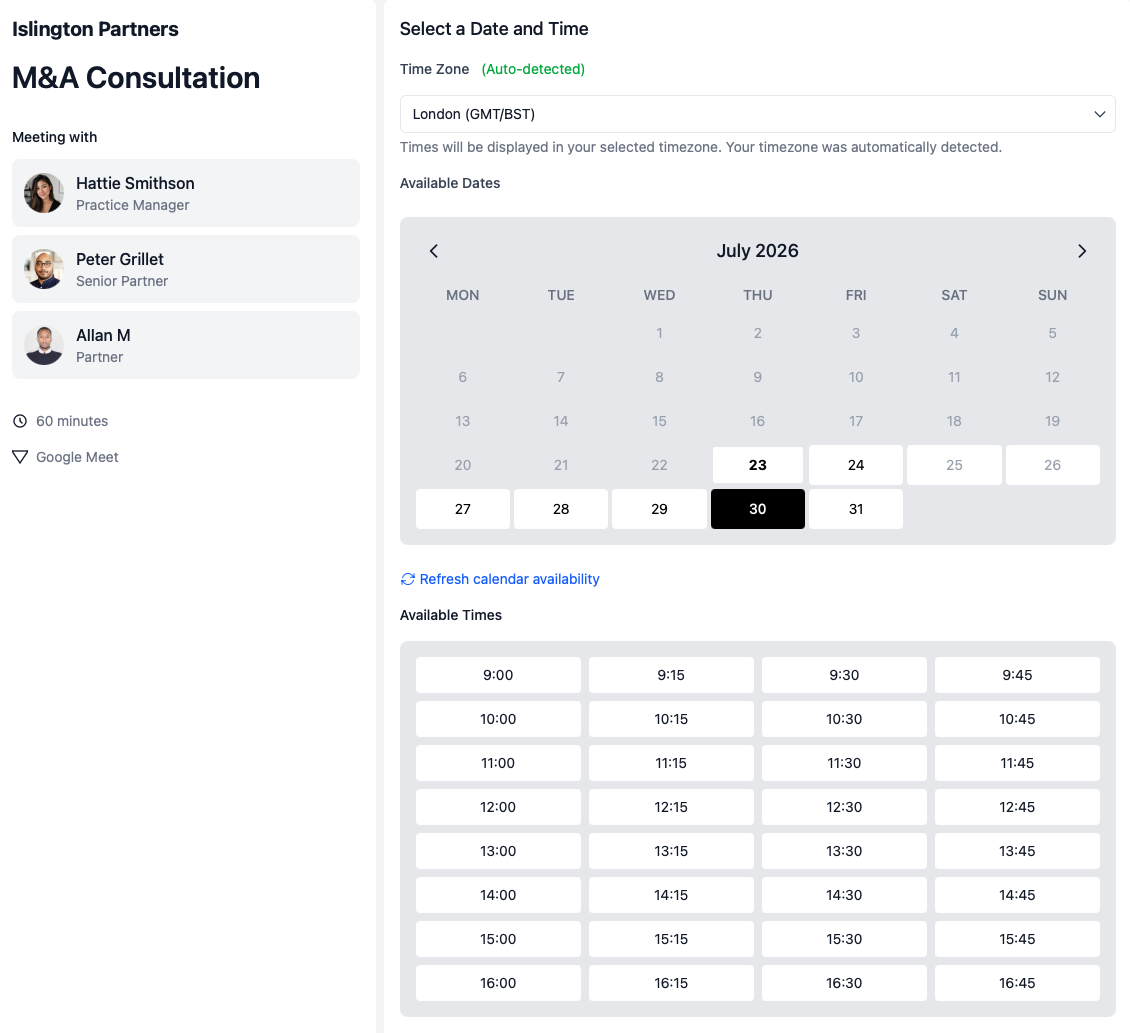
calendr.so is tax preparer scheduling software that helps CPA firms and tax practices handle tax season volume with clearer tax preparation appointment scheduling, document collection, and filing review bookings — without replacing the systems you already rely on. For year-round firm workflows, see our accountant scheduling software page or explore the full calendr.so platform.
Handle tax season volume without more chasing
Give clients one booking route for document drop-offs, intake calls, and filing reviews when appointment requests spike, instead of routing every request through admin by hand.
Collect documents before the appointment
Use booking forms to gather intake details and missing documents before the preparer sits down with the client.
Route clients across preparers with round robin
Use round robin scheduling to spread tax season bookings across available preparers and scale capacity up or down as the firm needs.
Use cases
Tax preparation appointment scheduling built for the busy season
Tax season scheduling is rarely just "book a call." The meeting type controls what documents the client should bring, which preparer needs to be involved, whether the meeting is in office or remote, and how much partner time gets exposed when volume spikes.
Document collection
Document drop-off and intake appointments
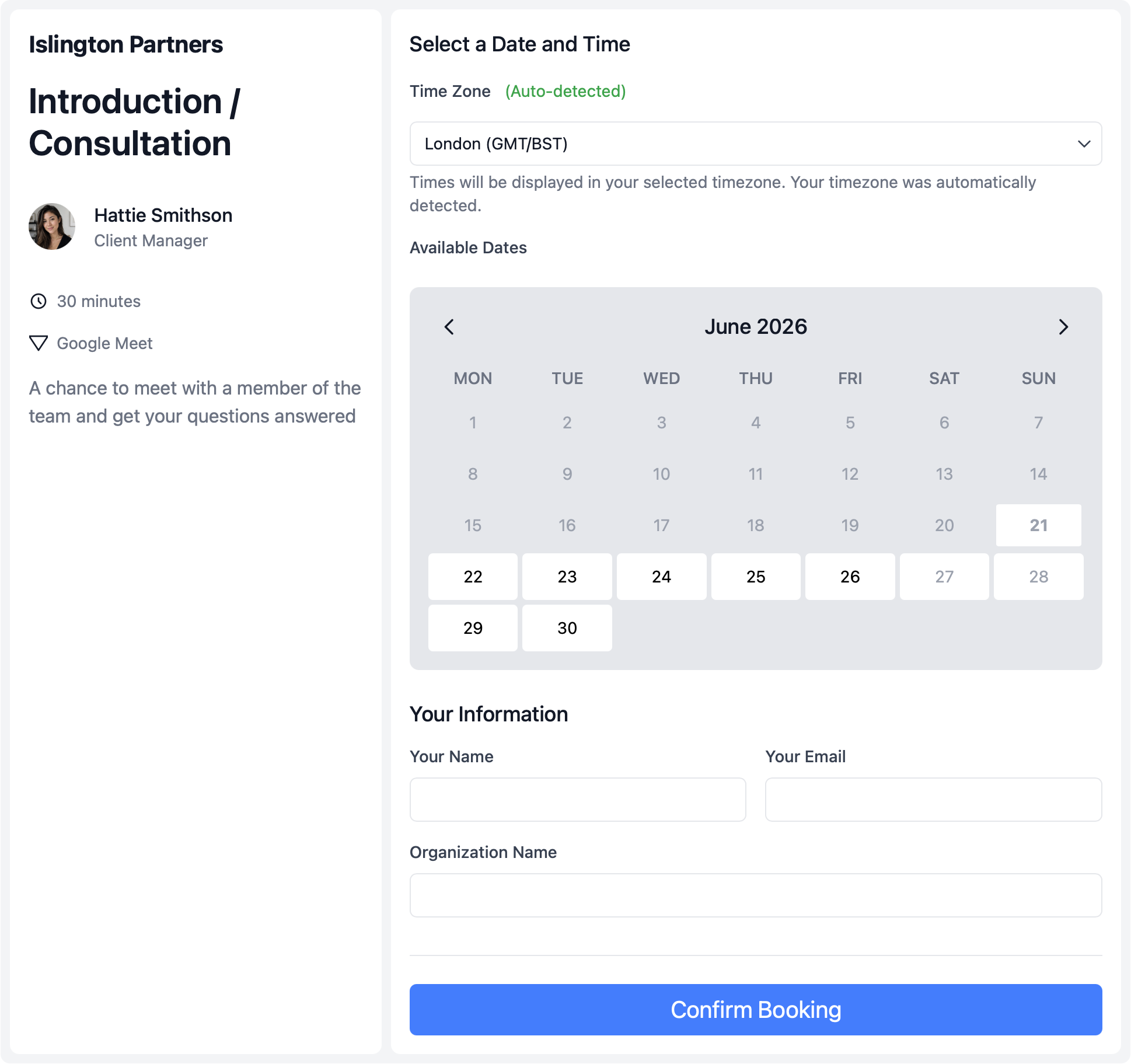
Stop spending the first ten minutes of every appointment asking for documents you should already have. Give clients a booking flow that collects what you need upfront.
- Add intake forms to the booking flow.
- Ask for filing status, missing forms, and prep notes before the appointment is confirmed.
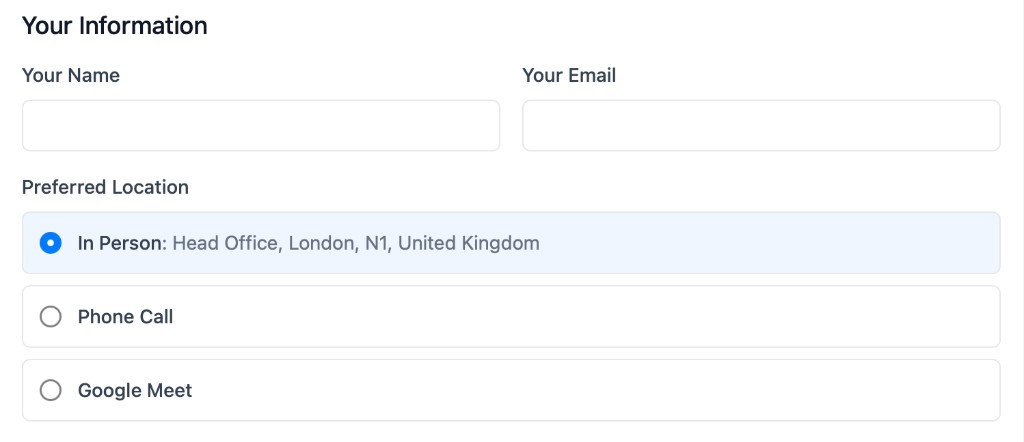
- Offer in-office or remote options.
- Let clients choose drop-off, phone, or video when the meeting type allows it.
- Control tax season windows.
- Open more availability during peak filing weeks and tighten booking later in the year.
Filing reviews
Schedule filing review meetings
Filing reviews need the right preparer, the right documents, and a clear time window. Generic booking links make that harder when clients are already anxious about deadlines.
- Separate review meetings from intake.
- Keep document collection, filing reviews, and extension conversations as distinct booking flows.
- Include the right preparer.
- Use multi-host booking when a senior preparer and reviewer both need to be available.
- Protect preparer availability.
- Show only the review slots the firm is comfortable offering during peak season.
Multi-preparer teams
Manage tax season across a preparer team
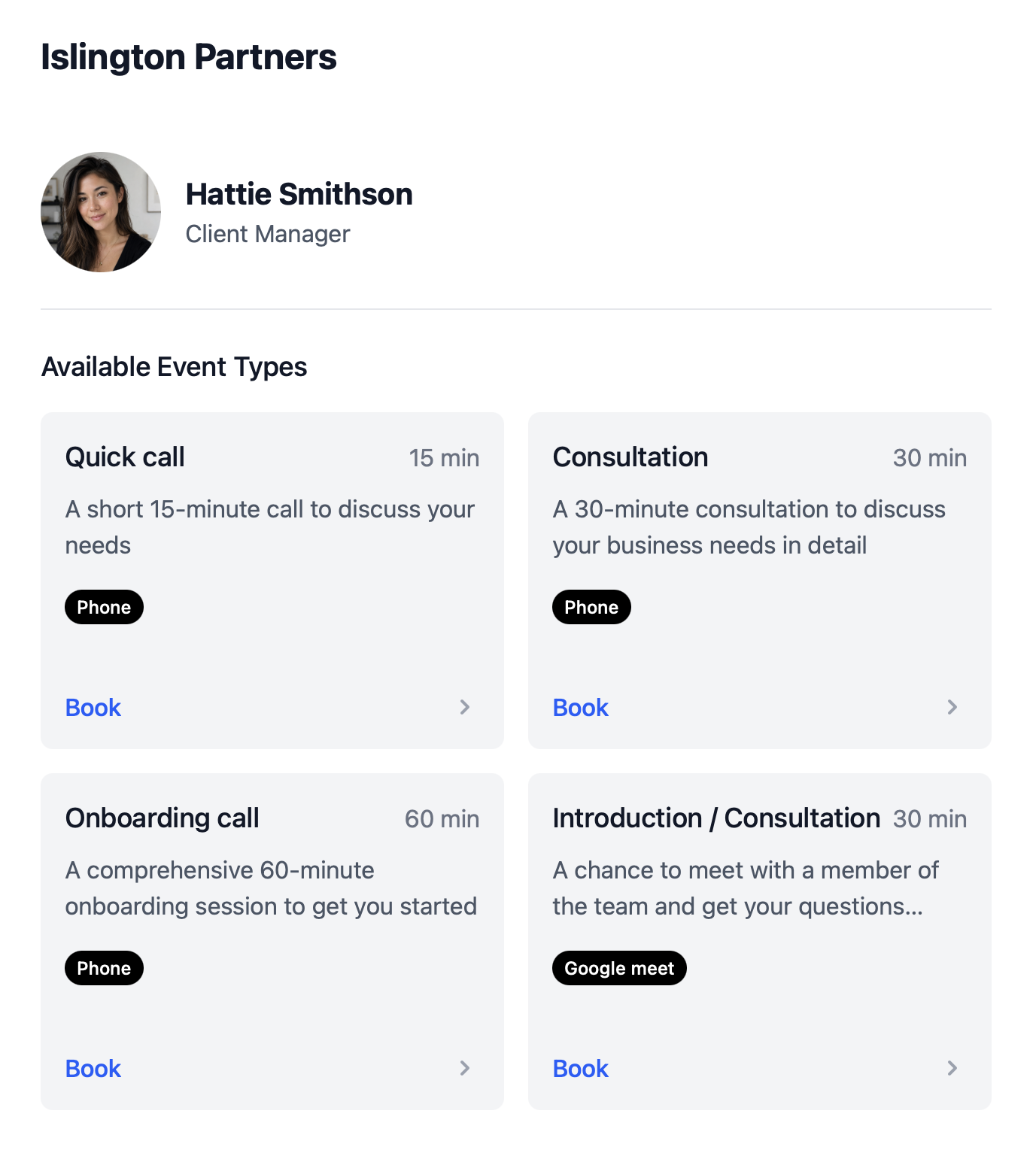
When inbound booking requests jump, one preparer's calendar is not enough. Firms need a way to route clients across the team without admin comparing diaries by hand.
- Distribute bookings with round robin.
- Spread new client appointments across available preparers during tax season spikes.
- Scale meeting types up and down.
- Roll out seasonal booking flows when volume rises, then simplify them after filing season.
- Keep routing consistent.
- Admins manage booking pages centrally so every client gets the same clear process.
How to setup
How to get set up in less than 2 minutes 30 seconds
This short walkthrough shows how quickly a tax practice can get calendr.so working before the next busy season.
In the video, you will see:
- How to set up a new account
- How to create a document collection or review meeting type
- How to share a booking link with clients
- How to invite preparers and roll out round robin routing
Team management
Set up tax season booking once, then keep it consistent across the firm
Most booking tools make every preparer maintain their own links. calendr.so gives office managers and ops leads a central way to create meeting types, roll them out across the preparer team, and still let each person control their own calendar. See the full features overview for everything included.
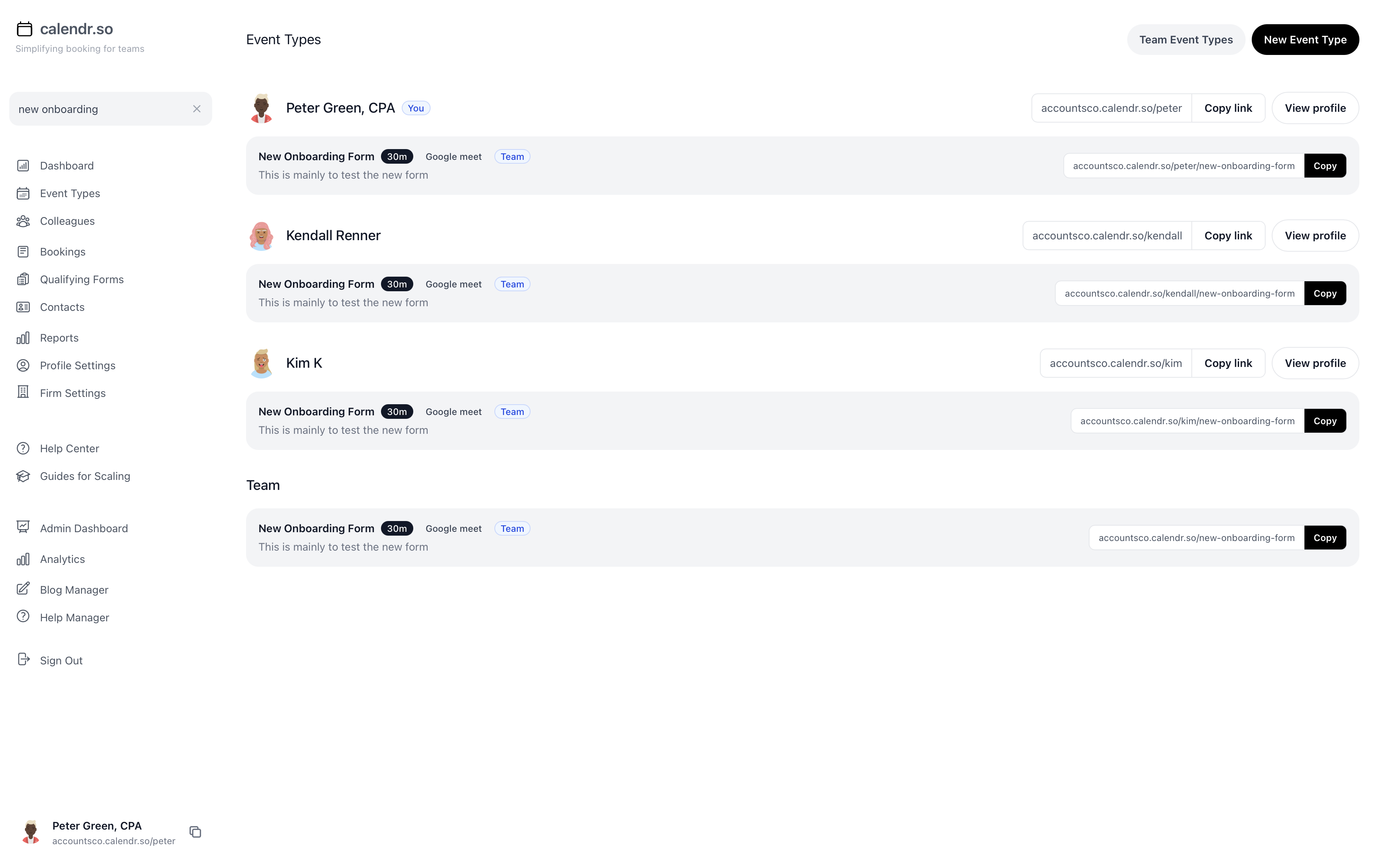
- Round robin for preparer teams
- Route new tax clients and appointment requests across available preparers when tax season volume spikes, without manual diary checks.
- Standardise seasonal meeting types
- Create firm-approved booking flows for document collection, filing reviews, extensions, and planning calls so every client follows the same process.
- Booking forms for document intake
- Collect the documents and context preparers need before the meeting starts, reducing rework and last-minute chasing.
- Connect multiple calendars
- Let preparers connect the calendars they rely on so client-facing availability stays accurate without exposing the whole diary.
- Scale availability through the year
- Open more booking capacity during tax season and tighten workflows in quieter months without rebuilding your setup from scratch.
- Works alongside accounting workflows
- Use this page for tax season booking, then extend into year-round client workflows with our accountant scheduling software.
Share this with the decision maker
Need a firm owner, partner, or office manager to take a look?
Ops and office teams often spot the tax season scheduling problem before they own the buying decision. Use the button to open an email with a short note and a link to this page.
Share this pageFrequently asked questions
- Is calendr.so tax preparation software or practice management?
- No. calendr.so is tax preparer appointment scheduling software that sits alongside the tools you already use. It gives clients a clearer way to book document drop-offs, filing reviews, and tax planning calls without replacing your tax prep or practice management systems.
- Can we route appointments across multiple preparers during tax season?
- Yes. Round robin scheduling distributes inbound client bookings across available preparers, which helps firms handle tax season volume spikes without every client waiting on one person's calendar.
- Can we scale booking availability up and down through the year?
- Yes. You can adjust availability windows, meeting types, and team routing as tax season ramps up, then tighten or simplify booking flows in quieter months without rebuilding everything from scratch.
- How is this different from the accountant scheduling page?
- This page focuses on tax preparation appointment scheduling, document collection, filing reviews, and seasonal team routing. The accountant page covers year-round firm workflows such as annual reviews, onboarding, and advisory meetings.
Tax practice experience
Trusted by partners, office managers, and preparer teams
From document collection and filing reviews to round robin routing during peak season — tax practices use calendr.so to handle client booking without adding more admin chasing.
"You don't need to be technical to get calendr.so working. We had booking pages set up and shared with the team quickly — without IT or a long implementation project."

Sharon De'Athe, CPA, CGA
Partner at WL Buck
"I recommend calendr.so to firms I implement because team event types make it easy to roll out standard onboarding and consultation pages — practice managers set them up once and share them across the team."

"Booking reports give me a firm-wide view of what is actually being scheduled — by person and meeting type — without exporting calendars. That's the oversight a growing team needs."

"Team event types let us standardise client consultation and review meetings across the firm — so partners and managers share the same professional booking experience without everyone maintaining their own links."

"Standardising our meeting types and having booking reports in one place has dramatically saved time. We spend less time coordinating calendars and more time in conversations that matter."


Ready to simplify tax season booking?
Create your account and share your first tax preparation booking links within 3 minutes.
No credit card required
Blog
Seasonal workflow ideas for client-facing teams

Google Calendar Appointment Schedule vs a Proper Booking Tool
Google Calendar Appointment Schedule is a useful option when one person needs a simple booking page. It starts to feel limited when a growing team needs consistent meeting types, multi-person availability, lead routing, controlled booking links, and reporting that goes beyond checking individual calendars.

How Event Types Make Interview Scheduling Easier for Hiring Teams
Interview scheduling gets messy when every stage is treated like the same calendar link. This video shows how different event types can help hiring teams manage screening calls, hiring manager interviews, final interviews, required hosts, fallback options, and ad hoc meetings without rebuilding the process in email every time.

Appointment Scheduling Software for Client-Facing Teams: A Calendr.so Overview
If your team books sales calls, onboarding sessions, support reviews, legal appointments, or client consultations, a basic booking link can start to create more admin than it removes. This video walkthrough shows how calendr.so helps client-facing teams control meeting types, find the right colleague's link, coordinate multi-person meetings, and report on booking activity without turning scheduling into another spreadsheet.