

Booking reports
Booking reports that show what your team is actually scheduling
Booking reports help heads of sales, practice managers, and ops leads see meetings booked, cancelled, and rescheduled across the business — broken down by team member, event type, and campaign, without exporting calendar data by hand.
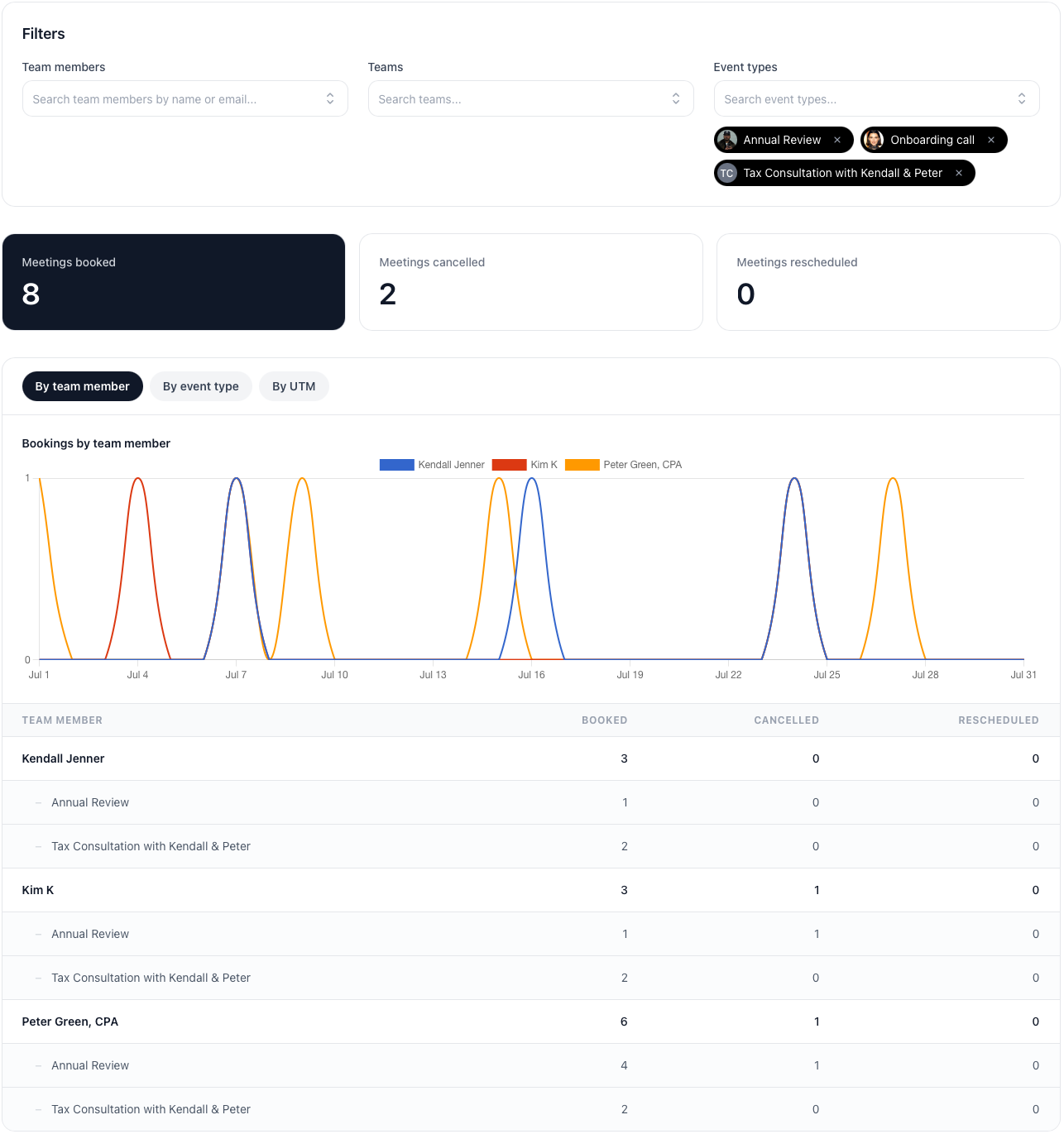
The operating problem
Why booking reports matter once scheduling scales beyond one calendar
When several people share booking pages, run different meeting types, and hand meetings off through round robin or multi-host flows, the calendar alone stops answering the questions leaders actually ask: who is taking meetings, which booking pages are working, and whether reschedules or cancellations are creeping up.
Spreadsheets and calendar exports break quickly. They miss the context behind each booking page, struggle with shared meetings, and rarely show campaign attribution. Team scheduling only stays manageable when someone can review activity at firm level — not just inside one inbox.
How it works
Start with the headline numbers, then drill into the detail
Pick a timeframe, apply the filters you need, and move between summary metrics, trend charts, and nested breakdowns without leaving the report.
Summary metrics
See meetings booked, cancelled, and rescheduled for the selected period at a glance before you dig into the breakdown.
Flexible timeframes
Switch between this week, this month, last month, all time, or a custom date range when you need a board update or a campaign post-mortem. There is no cut-off date on your data — all time includes your full booking history.
Filter as you go
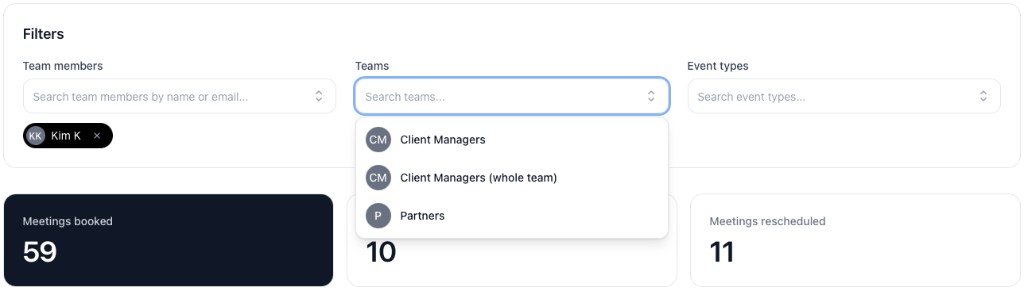
Narrow the report by team members, teams, or event types. Filters apply immediately so the summary, chart, and table stay in sync.
Export and saved views
Download CSV for spreadsheets or leadership updates, and save filter presets when you revisit the same report every week.
Filter by the people and booking pages that matter
Search team members, teams, and event types to focus on one pod, one booking page, or one part of the business. Summary cards update as soon as you add or remove a filter.
By team member
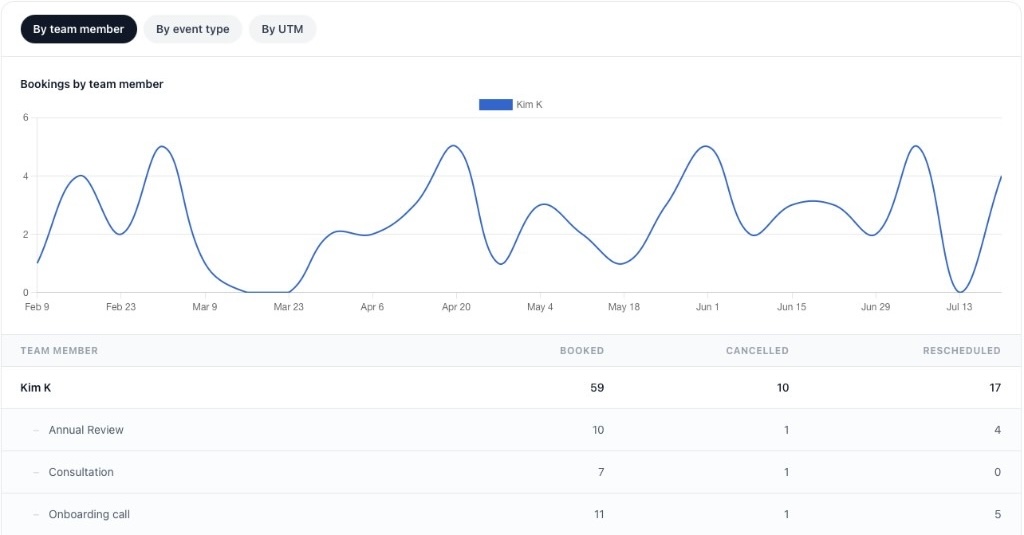
See each person’s booked, cancelled, and rescheduled totals, with event types nested underneath. A line chart shows how their booking volume changes over the selected period.
By event type
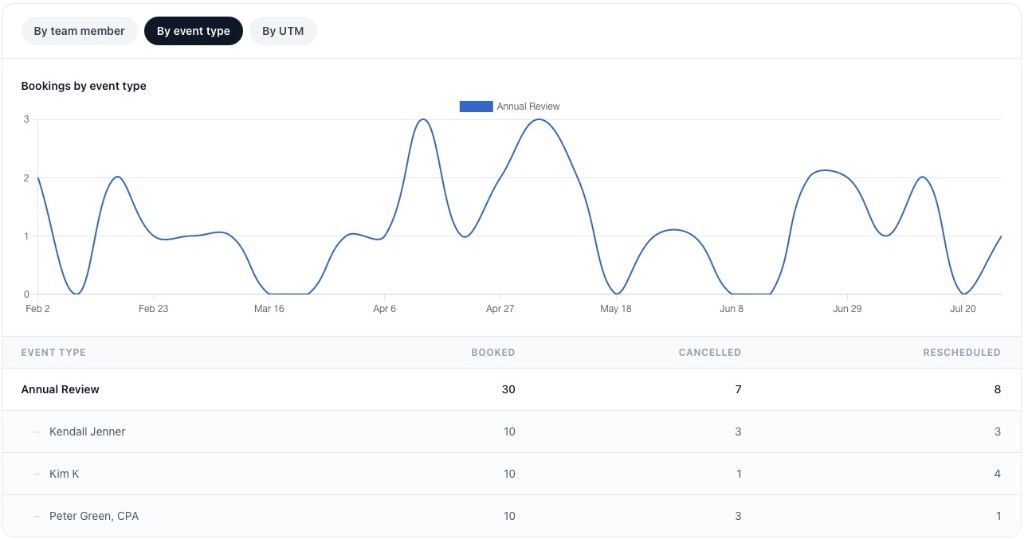
Flip to event type view when the question is about booking pages rather than people — for example, which consultation links or onboarding calls are generating meetings, and which hosts are attached to each one.
Use cases
Practical reports for rapidly evolving teams
Sales leadership reviews
Sales teams can compare discovery-call and demo volume by rep, spot uneven routing after changing round robin scheduling, and check whether reschedules are rising on high-intent pages.
Firm-wide scheduling oversight
Accounting firms and other client-facing teams can review consultation, onboarding, and review-meeting activity across partners and managers without asking everyone to export their calendars.
Campaign and channel checks
When booking links carry UTM parameters from email, ads, or partner sites, the By UTM tab shows which campaigns are turning into booked meetings — useful alongside branded booking pages and website embeds.
Leverage your team event types
Calendr.so was built with team management in mind
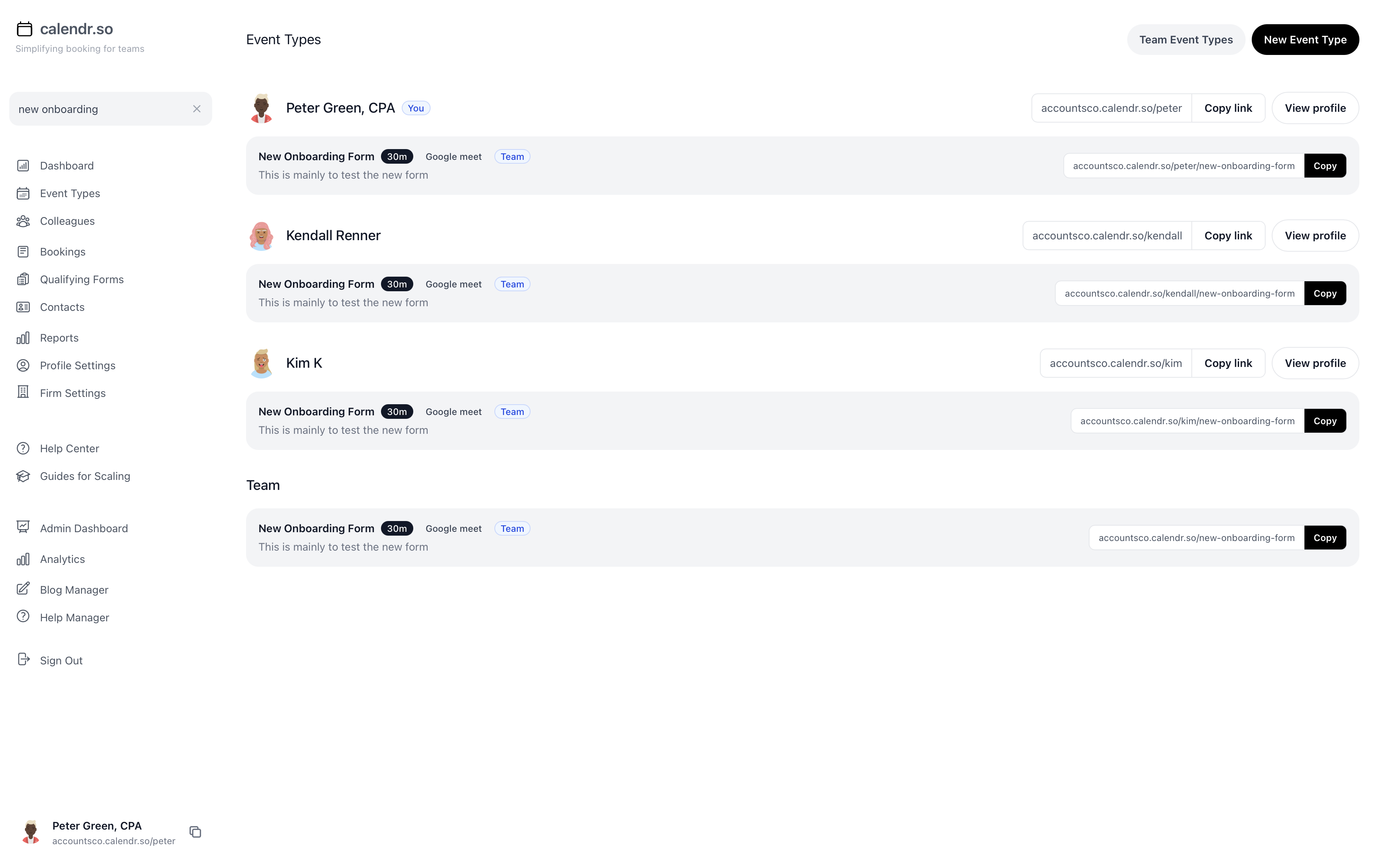
Calendr.so was built with team management in mind. One of the core capabilities is the ability to create team event types. Team event types allow leaders to create standardized booking pages that are easy to identify and report on. As a result with a couple of clicks you can see what is actually being booked, cancelled or rescheduled.
Frequently asked questions
- Who can see business-wide booking reports?
- Firm admins always have access. You can enable reporting for all team members with one setting, or choose individual team members in firm settings when only some people should see business-wide totals and breakdowns.
- What booking activity do the reports include?
- Reports track meetings booked, cancelled, and rescheduled. Summary totals count distinct bookings, while breakdowns by team member and event type credit each host on multi-host meetings so shared bookings are reflected fairly.
- Can I filter reports by team, person, or event type?
- Yes. Choose a timeframe, then filter by team members, teams, or event types. Filters apply as you add or remove them, so you can quickly narrow a view without rebuilding the report from scratch.
- Can I export booking report data?
- Yes. Export CSV downloads the current summary, team member breakdown, and event type breakdown for the selected period and filters.
- Can I save a report view to come back to later?
- Yes. Saved reports store your filter preset — timeframe, team members, teams, and event types — so you can return to the same view without setting everything up again.
- Do booking reports show marketing campaign data?
- When bookings include UTM parameters, the By UTM tab groups booked meetings by source, medium, campaign, content, and term so you can see which campaigns are generating meetings.
See what your team is booking, not just what is on the calendar
Start your trial and set up booking pages your team can report on — by person, event type, and campaign.
No credit card required