

For accounting firms & practice managers
Appointment Scheduling Software for Accountants
calendr.so is accountant scheduling software for tech-savvy accounting firms. Give clients a professional way to book partner meetings, client manager reviews, and onboarding calls without email back-and-forth.
Custom Forms - Multi-host Booking Pages - Simple Team Management - Attendee Location Selection
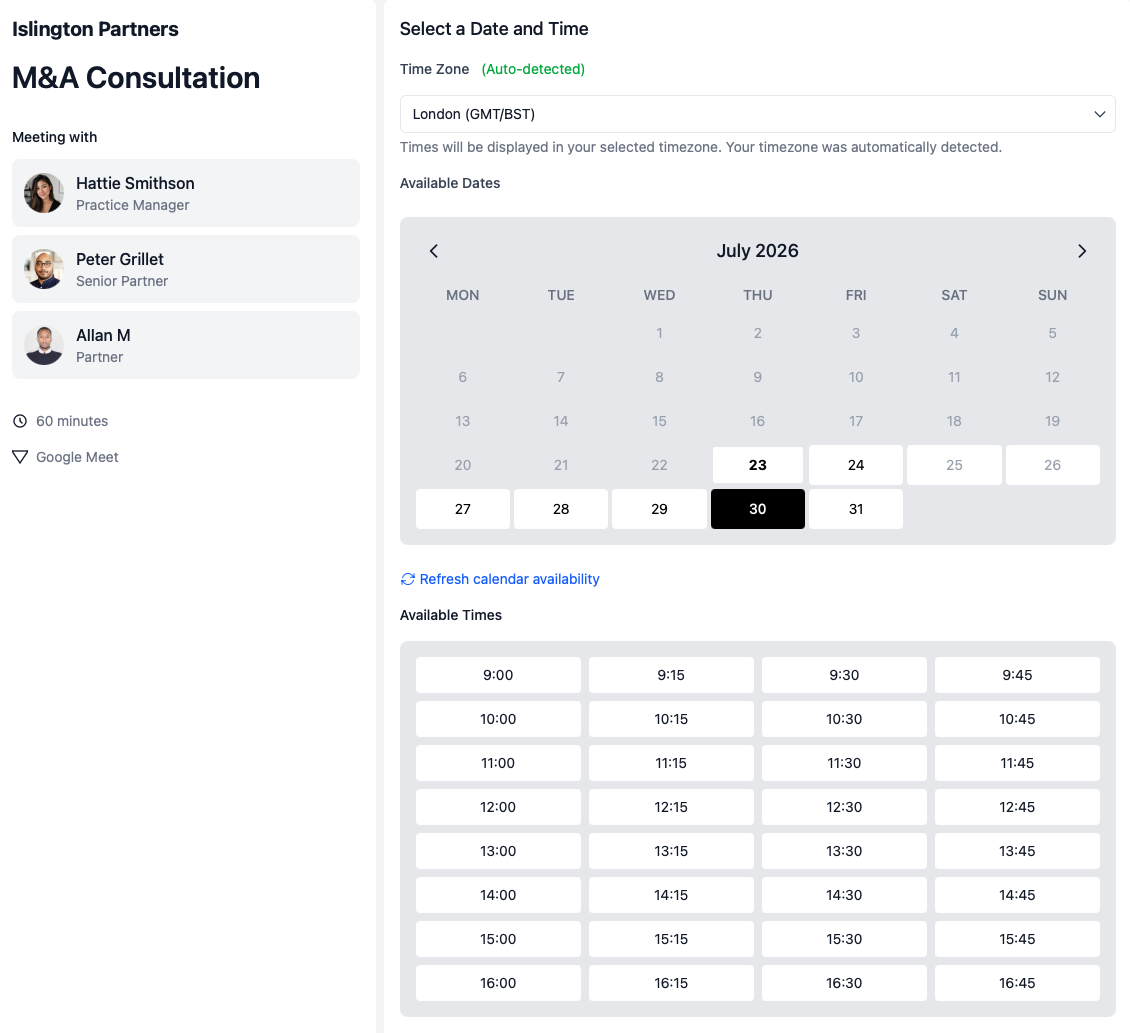
Automate client booking without losing control
Add booking links to recurring practice workflows so clients can schedule meetings when they're ready but without losing control of your team's availability.
Less admin chasing
Admins no longer have to chase clients or book meetings manually, freeing up time to focus on other tasks.
Partner oversight without back-and-forth
Multi-host booking pages mean client managers can share links to booking pages with partners or specialists when needed.
Built to be simple yet scalable
If your firm has grown beyond informal scheduling, you probably do not need another generic booking link. You need a cleaner way to control which clients book which meetings, who attends, and what happens before and after the call.
For ops and practice managers
Standardise booking pages across the team, reduce client chasing, protect partner calendars, and connect meeting links to the workflows your firm already uses.
For senior accountants and client managers
Get annual reviews, fee reviews, and advisory conversations into the diary without becoming the person manually chasing every client and colleague.
For partners
Keep visibility over important client conversations without being pulled into every standard review, onboarding call, or scheduling thread.
Use cases
Designed for the meetings accountants should host regularly
Most accounting firms already have practice management software, email templates, and recurring jobs. The booking step often sits outside that process — and that is where clients book the wrong meeting, chase the wrong person, or never confirm a time at all.
Optimise onboarding and fee reviews
Add tailored booking pages to existing workflows
Add booking links to your practice management system or email templates so admins no longer have to chase clients or book meetings manually.
- Trigger meetings without losing control.
- The relevant client manager, with tailored availability settings and meeting types, mean the context is clear from the start and there are fallback options if the team member is unavailable.
- Collect context before the call.
- Use booking forms to gather documents and client information before the review begins.
- Route to the right person.
- Make sure the client manager or partner who should attend is included from the start.
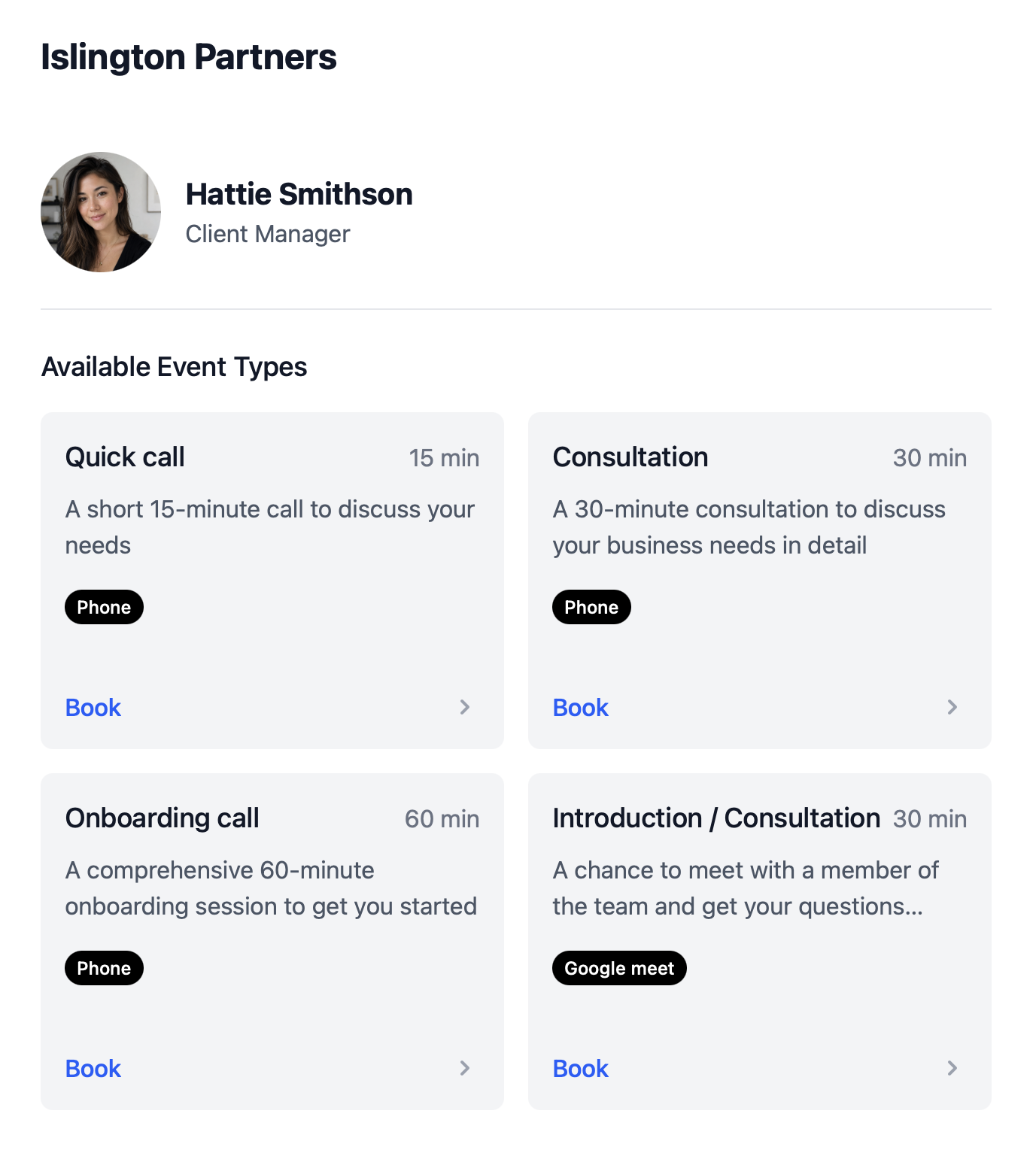
Tax season
Tax return pickup and collection appointments
When clients come in to pick up a tax return, sign documents, or hand over records, they often need to choose how they want to meet — in the office, by phone, or on video. One booking flow can offer every option without your team creating separate links for each location type.
- Let clients pick where to meet.
- Offer in-office, phone, and video options in one flow when clients book time to collect their tax return or drop off documents.
- Reduce front-desk coordination.
- Clients confirm the appointment type and location themselves instead of admin chasing preferences by email.
- Keep tax season moving.
- Separate tax return collection from general catch-ups so the right meeting type, duration, and preparation apply.
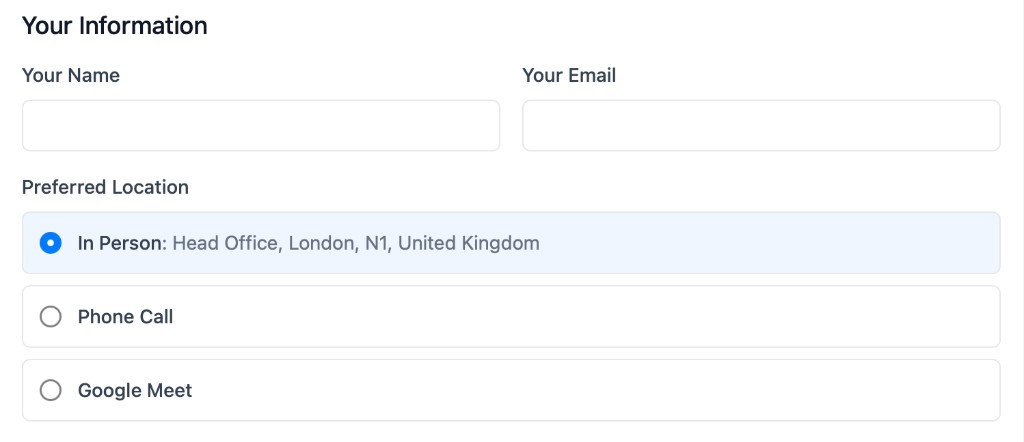
Fee reviews & partner time
Partner-led and multi-person client meetings
Fee reviews, advisory calls, and complex onboarding often need more than one internal person. Clients should not have to wait while admin compares diaries by hand.
- Require the right internal people.
- Use multi-host booking when a partner, client manager, bookkeeper, or tax specialist must all be available.
- Protect partner calendars.
- Partners join commercially important conversations without becoming the bottleneck for every standard review.
- Fewer reschedules.
- Clients only see times when everyone required on the meeting is free, which cuts down on follow-up diary checking.
Booking workflows for the client meetings that matter most
Annual client reviews
Add annual review booking links into recurring practice management templates. Trigger the review before annual accounts work begins, collect client context before the meeting, and make sure the right client manager or partner is involved.
Fee review conversations
Use controlled booking links for clients whose fee no longer matches the work, complexity, or scope. Keep the conversation separate from general catch-ups and make sure the right internal person approves or attends when needed.
Client onboarding calls
Give new clients a clear first step after signup. Route them into the right onboarding call, collect the information your team needs, and avoid manual coordination between admin, accountants, bookkeepers, and partners.
Advisory and specialist meetings
When a client needs tax planning, payroll support, bookkeeping cleanup, forecasting, or management reporting, make it easy to book the right specialist without another round of internal diary checking.
Partner or multi-person meetings
For higher-value clients or sensitive conversations, use multi-host booking so clients only see times when the required people are available.
One-off client meetings
Not every client should receive a reusable link. Create single-use booking pages for controlled conversations that should be booked once and then closed.
Accounting firm experience
Trusted by partners, practice managers, and firm advisors
From onboarding calls and annual reviews to fee meetings and advisory conversations — accounting firms use calendr.so to standardise client booking without replacing their practice management system.
"You don't need to be technical to get calendr.so working. We had booking pages set up and shared with the team quickly — without IT or a long implementation project."

Sharon De'Athe, CPA, CGA
Partner at WL Buck
"I recommend calendr.so to firms I implement because team event types make it easy to roll out standard onboarding and consultation pages — practice managers set them up once and share them across the team."

"Team event types let us standardise client consultation and review meetings across the firm — so partners and managers share the same professional booking experience without everyone maintaining their own links."

"Booking reports give me a firm-wide view of what is actually being scheduled — by person and meeting type — without exporting calendars. That's the oversight a growing team needs."

"Booking forms on our consultation pages collect the briefing details we need before a call — clients book in one step and our team shows up prepared instead of spending the first ten minutes on basics."


How to setup
Get set up in less than 3 minutes
This short walkthrough shows how quickly a practice manager can get calendr.so working for the firm.
In the video, you will see:
- How to create meeting types for reviews, onboarding, and tax season appointments
- How to add booking links to practice management templates and client emails
- How to use booking forms and location options before the client arrives
- How to invite colleagues and standardise booking pages across the team
Team management
Standardise booking pages across the firm
Growing firms need consistency. If every accountant, bookkeeper, or client manager creates their own booking setup, the process becomes hard to control. calendr.so gives practice managers a central way to create meeting types, roll them out across the team, and still let each person control their own time — with the same scheduling features firms use for recurring client workflows.
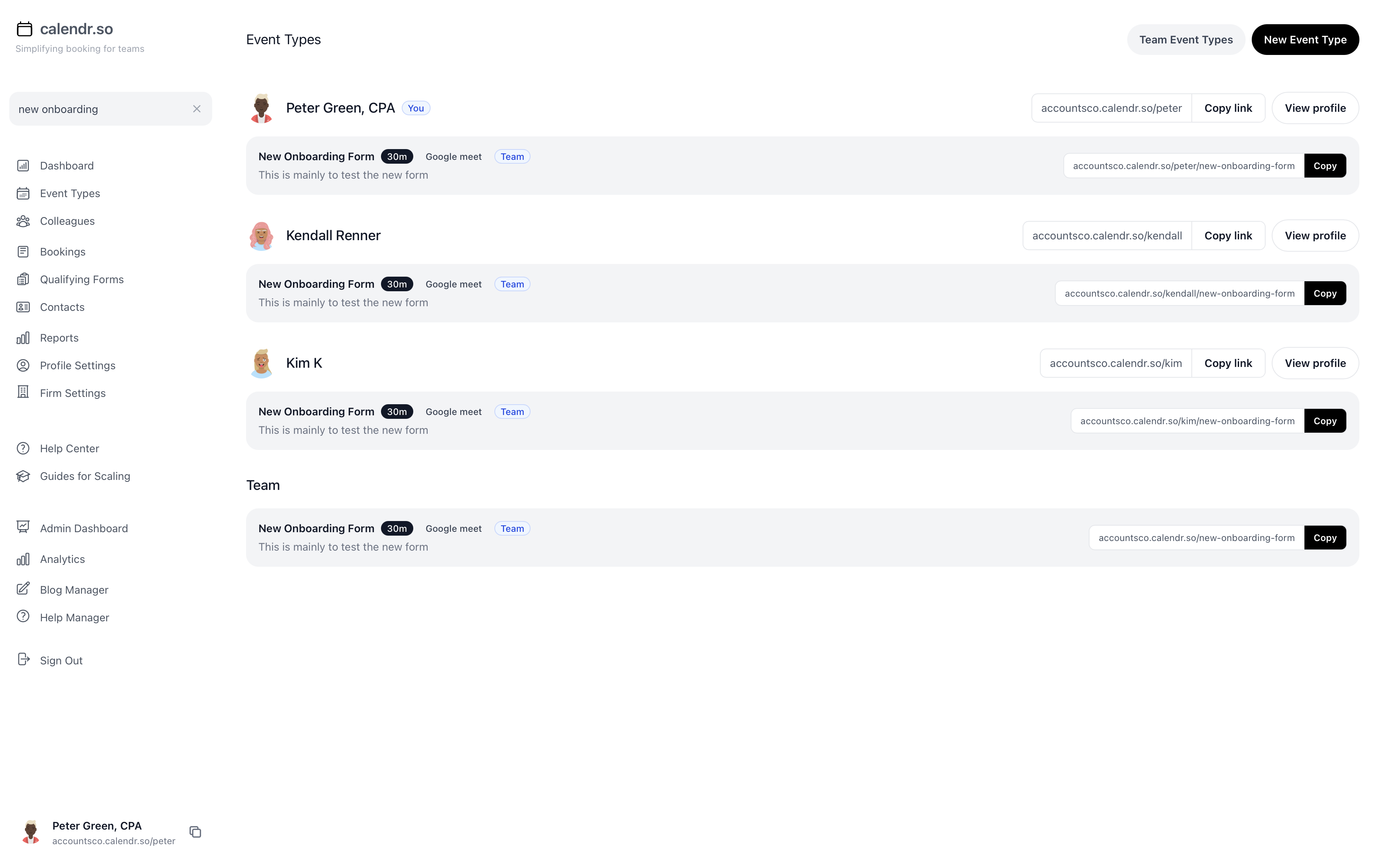
- Multi-host booking pages
- Allow clients to book fee reviews, advisory calls, and onboarding meetings that need a partner plus a client manager, with availability checked for everyone at once.
- Standard meeting types for recurring workflows
- Create firm-approved booking flows for annual reviews, tax season appointments, onboarding, and partner meetings so every client gets the same clear process.
- Document collection before the call
- Use booking forms to gather records, context, and client information before reviews and advisory conversations begin.
- Embeddable booking in your existing tools
- Use embeddable booking to bring appointment booking directly into the client workflows your firm already runs.
- Controlled one-off links
- Send single-use booking pages for sensitive fee reviews or specific client handovers where a reusable link should not keep circulating.
- Cleaner handoffs when teams change
- Team-based booking and fallback options help prevent old workflow links from becoming dead ends when client managers move roles or leave the firm.
Special offer — today only
Book a free onboarding call
Get a 60-minute walkthrough to set up booking pages, connect your calendars, and get your team scheduling without the guesswork — free, today only.
Pick a time on Peter's calendar and we'll walk through setup live.

Onboarding call with Peter Grillet
60 minutes · Google Meet · Free today only
Frequently asked questions
- Do we need to replace our practice management system?
- No. calendr.so is not a practice management system. It works alongside the tools you already use by giving your client workflows a cleaner booking layer.
- Can we use calendr.so for annual review workflows?
- Yes. You can add calendr.so links to recurring annual review templates, client requests, or email workflows so clients can book the right meeting when the review task is triggered.
- What happens if the client manager changes?
- Team-based booking and fallback options help prevent old workflow links from becoming dead ends. If the original person is no longer available, the client can still be routed to the right team booking experience.
- Can partners be included only when needed?
- Yes. Standard reviews can be handled by client managers, while fee reviews, sensitive clients, or higher-value advisory conversations can use multi-host booking to include a partner or specialist.
- Is this only for annual reviews?
- No. Accounting firms can use calendr.so for onboarding calls, annual reviews, fee reviews, advisory conversations, tax planning calls, bookkeeping meetings, payroll discussions, and one-off client handovers.
Make client meetings easier to book, control, and repeat
Turn annual reviews, onboarding calls, fee reviews, and advisory conversations into booking workflows your team and clients can actually follow.
No credit card required
Blog
Still building the process?
If you are mapping annual reviews, fee reviews, or client onboarding workflows, these guides will help you think through the operating model before you build it.

The Profit Engine for Your Accounting Firm: Sales, Onboarding and Fee Reviews
Your accounting firm probably has systems for winning work, managing jobs and looking after clients. The profit leaks appear in the gaps between them. This video and guide show how to connect sales, onboarding and fee reviews so each important client conversation is booked with the right people, recorded in Karbon and given a clear next step.
24 Sep 2026

How Event Types Make Interview Scheduling Easier for Hiring Teams
Interview scheduling gets messy when every stage is treated like the same calendar link. This video shows how different event types can help hiring teams manage screening calls, hiring manager interviews, final interviews, required hosts, fallback options, and ad hoc meetings without rebuilding the process in email every time.
21 Aug 2026
3 Ways Accounting Firms Can Use the Karbon Integration in calendr.so
If your accounting firm uses Karbon, a booking form can do more than get a meeting into the diary. The bigger win is collecting the right client data during discovery, onboarding, and check-ins, then pushing that information into Karbon before the team has to chase or rekey it.
13 Aug 2026

Appointment Scheduling Software for Client-Facing Teams: A Calendr.so Overview
If your team books sales calls, onboarding sessions, support reviews, legal appointments, or client consultations, a basic booking link can start to create more admin than it removes. This video walkthrough shows how calendr.so helps client-facing teams control meeting types, find the right colleague's link, coordinate multi-person meetings, and report on booking activity without turning scheduling into another spreadsheet.
12 Aug 2026

How to Sign Up for calendr.so in Under 3 Minutes
If you are wondering how much setup calendr.so needs before someone can book a meeting with you, the short answer is: not much. This video shows the full signup flow, from creating a free trial to sharing a live booking link, in about two and a half minutes.
09 Jul 2026

Why a Calendr booking link beats email back-and-forth (and AI scheduling bots)
Email scheduling is slow, error-prone, and hard to scale across teams. A Calendr booking link gives clients a faster path to book while keeping your team’s availability, meeting rules, and timezone handling accurate.
23 Jun 2026
Share this with the decision maker
Need a partner, practice manager, or senior admin to take a look?
Practice managers often spot the scheduling problem before they own the buying decision. Use the button to open an email with a short note and a link to this page.
Share this page