
Accountants
Share booking links for tax return pickups in person, annual reviews, and document drop-offs—without admin chasing clients for a time that suits.
For accounting-firm practice managers
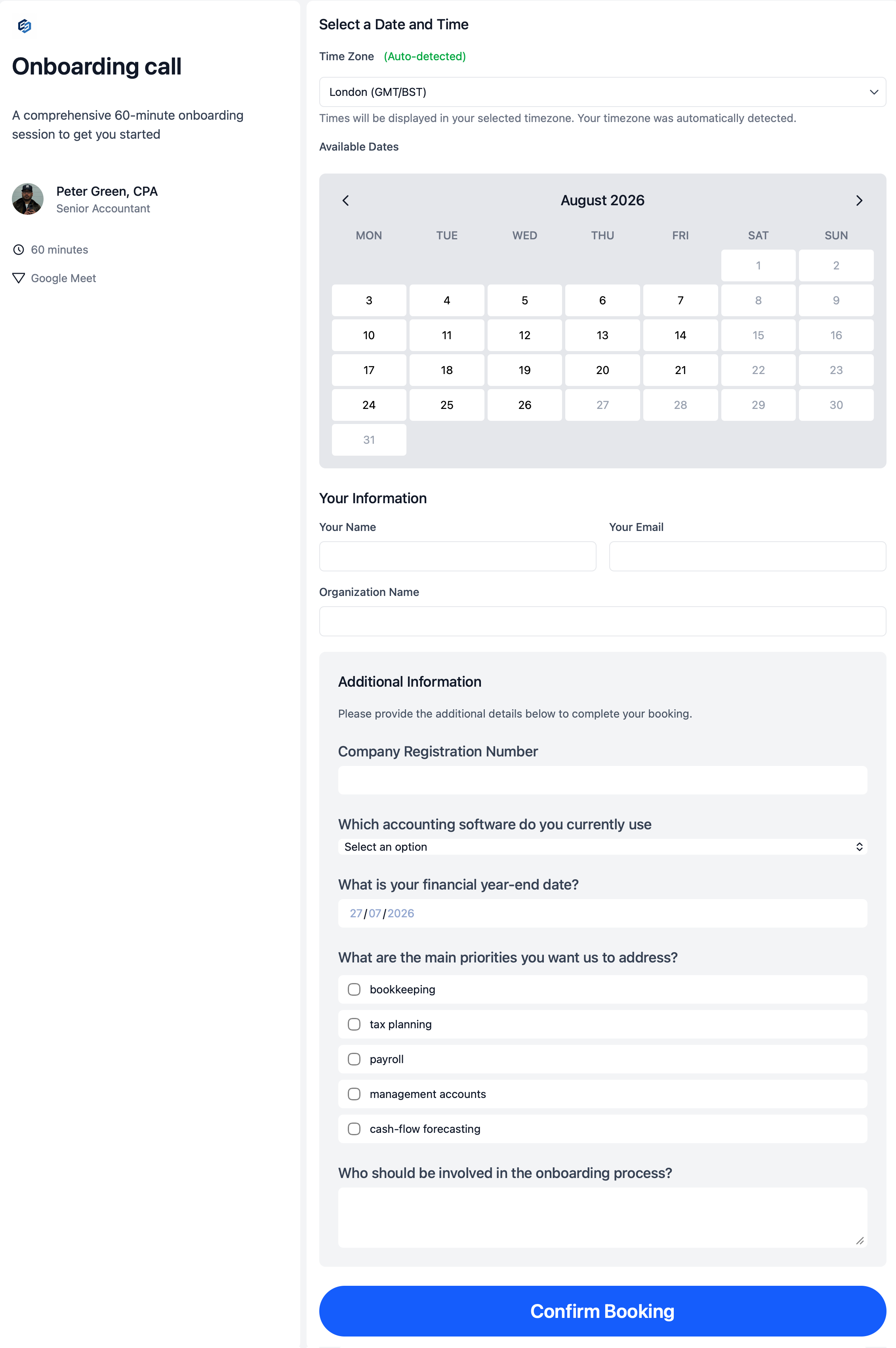
Simplify your client journey
Onboarding breaks down when the first meeting depends on admin chasing calendar options or the wrong internal person joins the call. One controlled booking journey replaces the inbox thread.
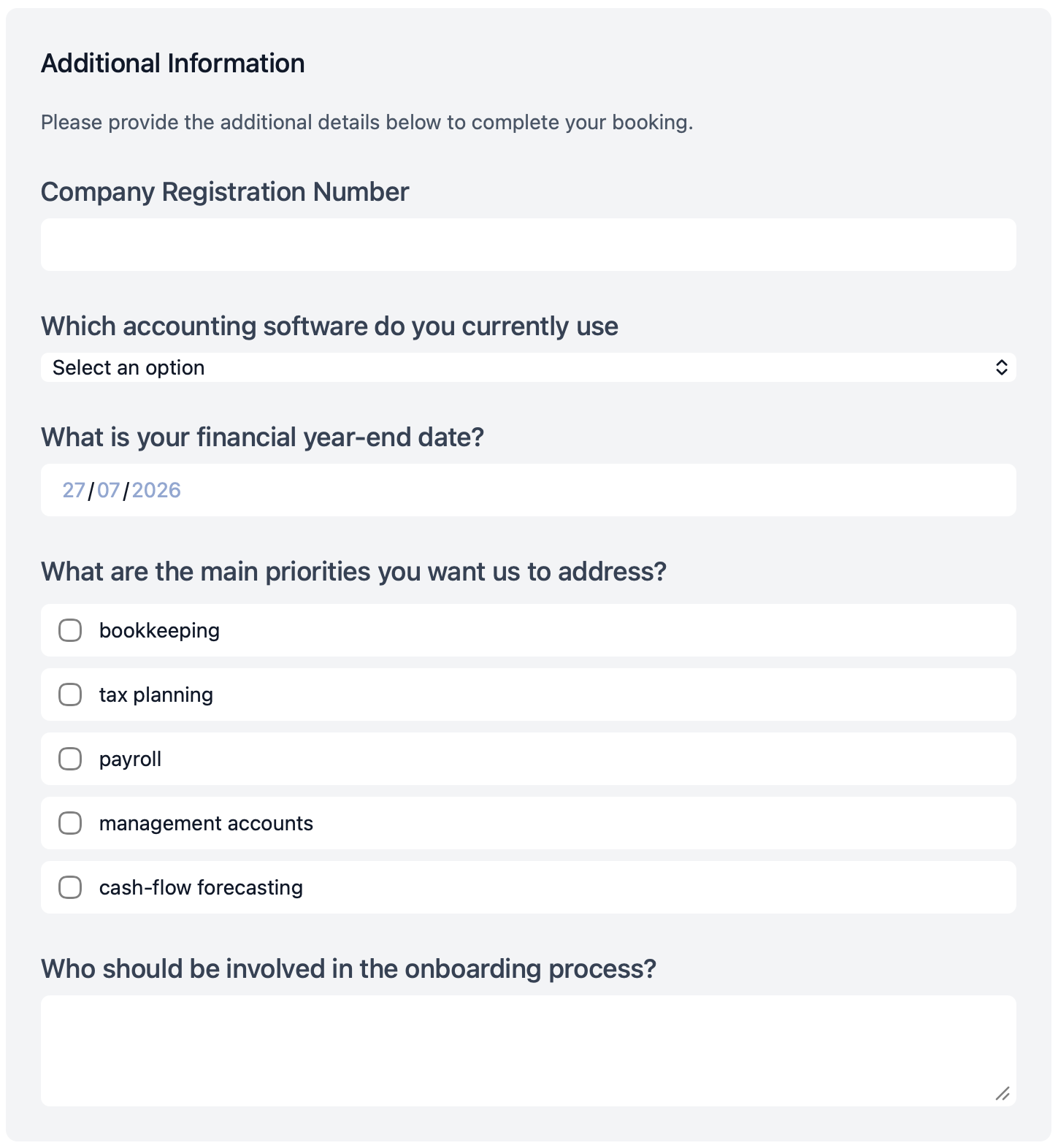
Create Custom Forms
Give new clients one firm-approved page where they choose a kickoff time and answer the questions your team needs before the call—not a generic “book a meeting” link with nothing attached.
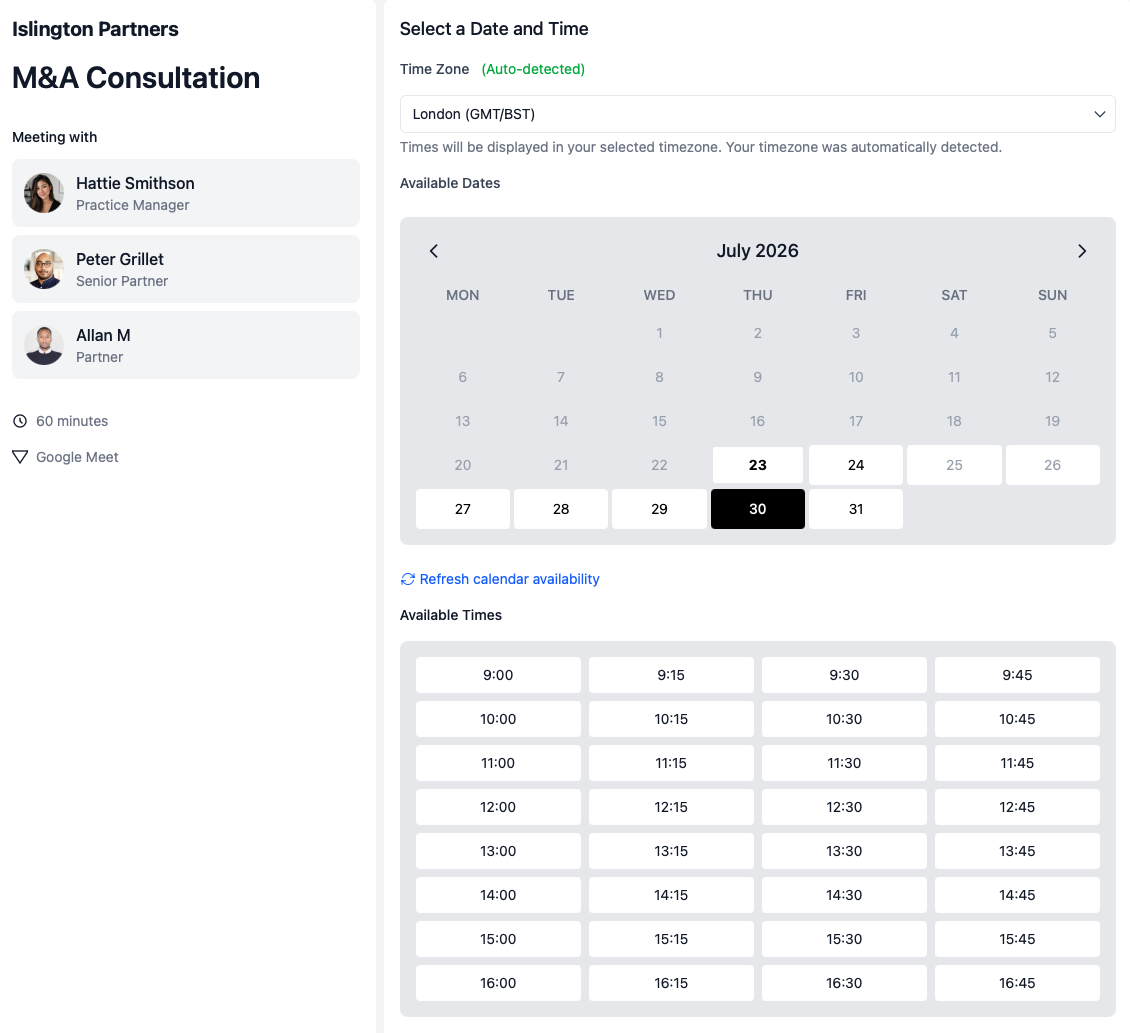
Multi-host booking
Kickoff calls often need more than one fee-earner. Clients should not wait while admin compares diaries by hand—or book a slot where the partner is free but the client manager is not.
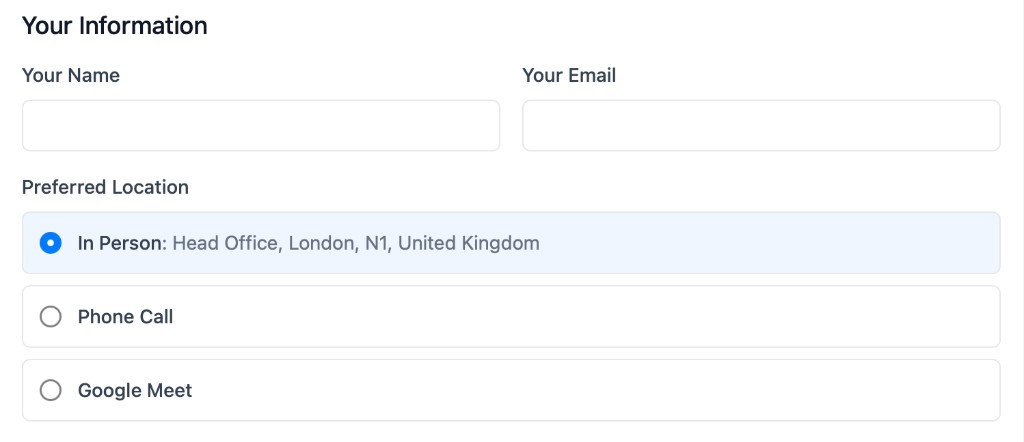
Meeting locations
Not every client meeting should default to video. With attendee-selected location options, one booking page can offer phone, video, or an in-person visit—so tax return drop-offs, document handovers, and kickoff meetings can happen at the office when that makes sense.
One platform for the whole firm
calendr.so is not only for onboarding. Once meeting types are set up, accountants, partners, and tax specialists can each run their own client-facing booking workflows while practice managers stay in control of the firm-wide process.
Share booking links for tax return pickups in person, annual reviews, and document drop-offs—without admin chasing clients for a time that suits.

Offer firm-approved pages for sales consultations and fee reviews, with availability and intake forms controlled before clients confirm a slot.

Client managers can use multi-host booking pages to bring tax partners into tax consultations and planning conversations—without practice managers manually coordinating calendars.

Set up onboarding, fee reviews, tax pickups, and consultations once—then stop manually booking every meeting on behalf of the firm.
Accounting-firm experience
Our team has worked with practice managers, client managers, and partners across more than 200 growing businesses. We know what breaks during onboarding when every first meeting depends on admin chasing calendars—and we built calendr.so around the booking layer firms actually need alongside tools like Karbon and other practice management systems.
"Once your firm grows beyond a certain size, you need to start thinking about how to scale your operations. calendr.so is a great tool to help you do that while keeping an eye on your profitability as the client base and team grow."

"I recently started recommending calendr.so to my clients and it has been a game changer for their business. I was able to set up a booking page in minutes and it has helped them streamline countless processes."
"Clients love it - We use calendr.so for sales, onboarding, client consultations and more. It's got rid of the back and forth and made the process so much smoother."

"Providing a seamless experience for clients is crucial. calendr.so has streamlined our onboarding process, reducing the back-and-forth with clients and allowing us to focus on delivering value."

"I recommend calendr.so all the time. It's easy to use and ideal for practice managers who are busy and want to streamline the onboarding process and other types of meetings across the practice."

Team management
Most booking tools make every accountant maintain their own links. calendr.so gives practice managers one place to create onboarding meeting types, roll them out across the firm, and still let each person control their own availability—with the same team scheduling approach growing firms use for every client-facing meeting.
Quick start
This short walkthrough shows how quickly a practice manager can get calendr.so working for the firm—connect a calendar, set availability, and share your first onboarding link.
In the video, you will see:
Takes less than 3 minutes to setup and test
Sign up, connect Google or Microsoft, and send test onboarding booking pages to yourself or the team to see what it's like. Only takes 2.5 minutes. No credit card required—then $12 per user/month if you keep using calendr.so after the trial.
Build a real onboarding booking page, share it internally, and see how intake forms, multi-host availability, and firm-wide meeting types work before you roll anything out to clients.
Start your free 14-day trial
Connect Google or Microsoft, invite colleagues, and send real booking pages within 5 minutes.
$12 USD per user/month after
No credit card required to start
No credit card required
