

Daily meeting limit
Daily meeting limits that protect capacity without turning booking off
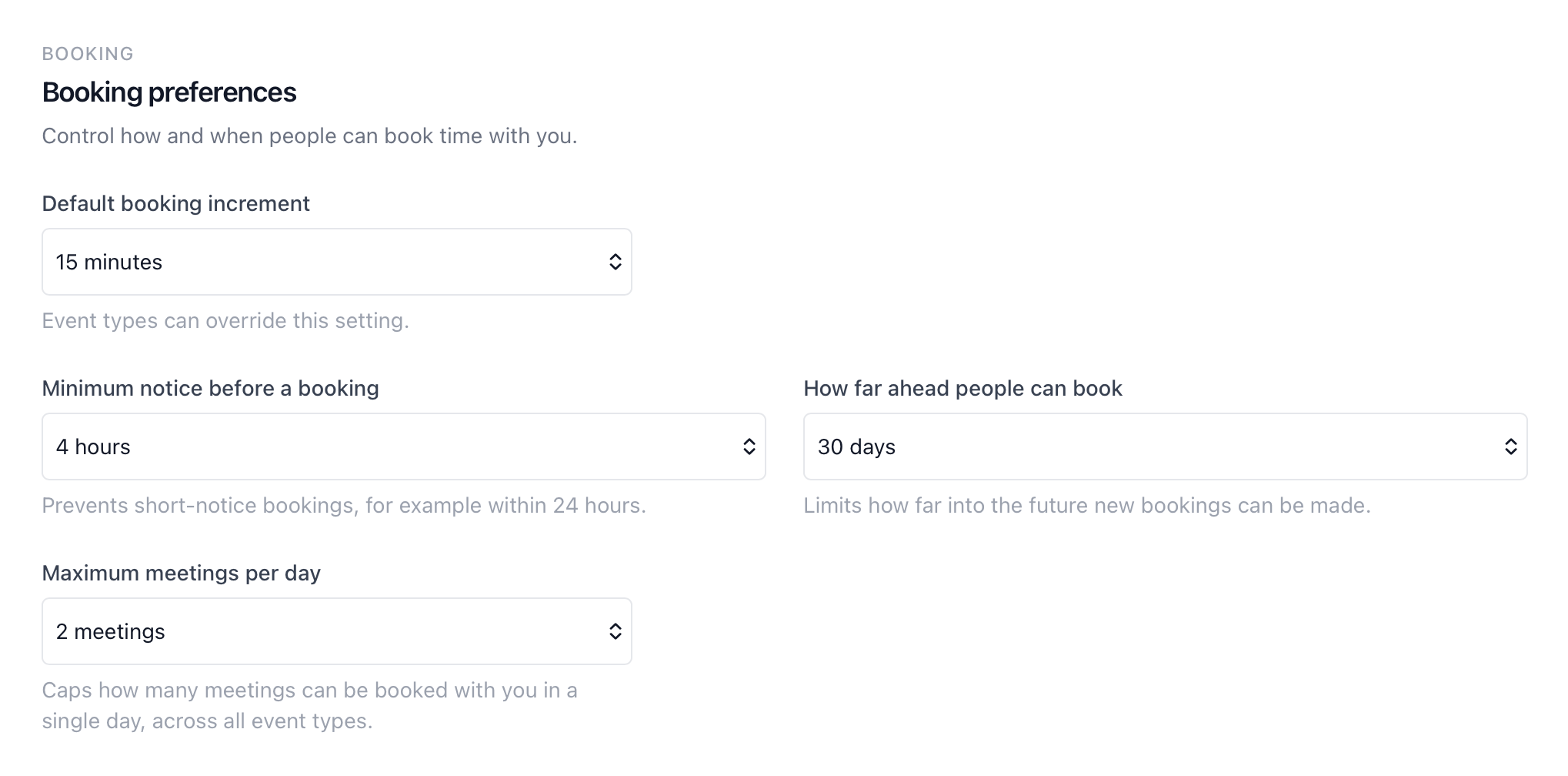
Daily meeting limits let each team member cap how many meetings can be booked with them in one day across every event type, so a full calendar of client calls does not quietly consume the whole working day.
The operating problem
Why a daily meeting limit matters for client-facing teams
Working hours and buffers help, but they do not stop a team member from ending up with six client meetings in a single day because three different booking pages all had open slots. The calendar looks available, yet there is no time left for prep, internal work, or travel between calls.
Manually blocking days or turning booking links off creates another admin task. Availability management handles when someone is generally bookable, and booking window controls handle lead time — but neither stops every event type from filling the same day once clients start booking.
How it works
Set a personal daily cap once, then let booking enforce it automatically
Each team member chooses a maximum number of meetings per day in profile settings. calendr.so counts active bookings across every event type where that person is the host, then hides remaining slots once the day is full.
Profile-level setting
Set the limit in personal profile settings alongside other booking preferences, so each person controls their own daily capacity.
Counts every hosted meeting
Pending, confirmed, and rescheduled bookings count toward the limit, whether they came from a sales page, onboarding link, or partner consultation event type.
Availability updates automatically
When the daily cap is reached, that date stops showing bookable times on every booking page where that person is the host.
Enforced at booking time
New bookings and reschedules are blocked server-side if the host is already at their limit for that day, not just hidden in the calendar UI.
Use cases
Where teams use daily meeting limits to stay bookable and sane
Accounting and advisory work
During peak season, appointment scheduling for accountants often needs tighter daily capacity than open working hours alone. A three-meeting cap keeps client calls bookable without filling every hour with back-to-back reviews.
Sales and customer success
Sales teams and customer success teams may run separate booking pages for demos, onboarding, and check-ins. A daily limit stops every page from stacking meetings on the same overloaded day.
Multi-page booking setups
When one person hosts multi-host booking pages and solo consultation links, the daily limit applies across all of them — so capacity stays personal even when the booking setup is complex.
Works with calendr.so
Daily limits work best alongside the rest of your availability rules
Pair a daily meeting limit with availability management for working hours and buffers, and booking window controls when the team also needs minimum notice or a shorter booking horizon.
Connected calendars through calendar sync still shape what clients see, while the daily cap adds a calendr-owned safeguard that counts bookings across every event type. For teams standardising how booking works, team scheduling and admin helps roll out consistent event types while each person keeps control of their own capacity.
See how daily meeting limits fit with other confirmed capabilities on the features overview.
Frequently asked questions
- What is a daily meeting limit in calendr.so?
- A daily meeting limit lets each person set the maximum number of meetings that can be booked with them on a single calendar day. Once the cap is reached, that day shows no available slots until a booking is cancelled or moved.
- Does the limit apply across all event types?
- Yes. The daily meeting limit is a personal profile setting. It counts every active booking where that person is the host, regardless of which booking page or event type the client used.
- What booking statuses count toward the limit?
- Pending, confirmed, and rescheduled bookings count toward the daily limit. Cancelled bookings do not.
- Can admins set limits for the whole team?
- Each team member sets their own daily meeting limit in profile settings. That keeps capacity decisions with the person doing the work while still giving growing teams a simple way to protect focus time.
- How is this different from availability management?
- Availability management controls working hours, buffers, and connected calendars. Booking window controls handle lead time and how far ahead clients can book. A daily meeting limit adds a capacity cap so one busy day cannot fill up with back-to-back meetings across every booking page.
Scheduling experience
Trusted by teams protecting client access and focus time
From advisory firms and sales teams to growing client-facing businesses — teams use calendr.so to stay bookable without letting one day disappear into meetings.
"You don't need to be technical to get calendr.so working. We had booking pages set up and shared with the team quickly — without IT or a long implementation project."

Sharon De'Athe, CPA, CGA
Partner at WL Buck
"Booking reports give me a firm-wide view of what is actually being scheduled — by person and meeting type — without exporting calendars. That's the oversight a growing team needs."

"I embed calendr.so booking links straight into landing pages and outreach — prospects pick a time without email ping-pong, and I keep control of when I'm actually available."

"Standardising our meeting types and having booking reports in one place has dramatically saved time. We spend less time coordinating calendars and more time in conversations that matter."

"Team event types let us standardise client consultation and review meetings across the firm — so partners and managers share the same professional booking experience without everyone maintaining their own links."


Stay bookable without filling every hour with meetings
Set a daily meeting limit in profile settings and let calendr.so enforce capacity across every booking page you host.
No credit card required