

Booking window controls
Booking window controls that set realistic lead times and horizons
Booking window controls let teams set minimum notice before a booking and limit how far ahead clients can schedule, so short-notice surprises and appointments months out do not disrupt the calendar.
The operating problem
Why booking windows matter for client-facing teams
Working hours alone do not solve every scheduling problem. Teams still get caught out by meetings booked with no prep time, or by clients reserving slots so far ahead that the calendar stops reflecting what the business can actually deliver.
Turning booking off or manually policing every request does not scale. Availability management handles when someone is generally bookable, but booking window controls handle the timing rules around lead time and scheduling horizon.
How it works
Set booking rules once, then override them where the workflow needs it
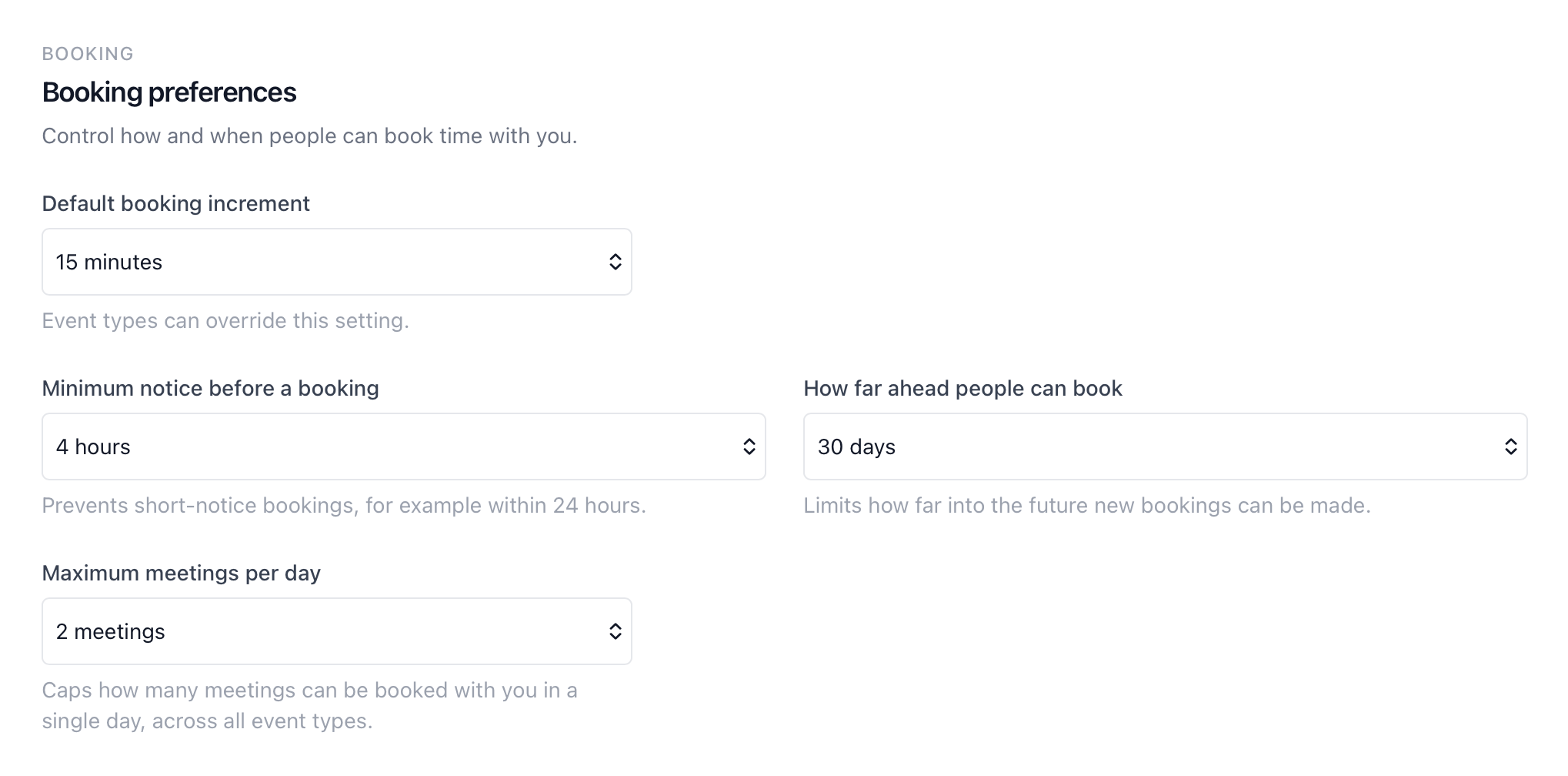
calendr.so booking preferences give teams profile-level defaults for booking increments, minimum notice, and how far ahead people can book. Event types can override those settings when a specific meeting needs different rules.
Default booking increment
Choose the default time interval clients can book in, such as 15 or 30 minutes, with event types able to override the setting.
Minimum notice
Prevent short-notice bookings by requiring a minimum lead time before a meeting can be confirmed.
Maximum booking horizon
Limit how far into the future new bookings can be made, so clients cannot reserve slots months ahead of when the team wants to work.
Event-type overrides
Keep sensible profile defaults, then tighten or loosen booking windows for specific meeting types without rebuilding every booking page.
Use cases
Where booking window controls protect the team's calendar
Sales and demo scheduling
Sales teams often need enough notice for discovery prep while still offering clear booking windows to prospects. A longer minimum notice on demos can protect focus time without closing booking altogether.
Seasonal client-facing work
During busy periods, appointment scheduling for accountants and similar firms may want shorter booking horizons and tighter lead times so the calendar reflects realistic near-term capacity.
Different rules per meeting type
A quick check-in can allow shorter notice, while onboarding or review meetings need more lead time. Pair booking windows with booking forms when the team also needs context before the slot is confirmed.
Works with calendr.so
Booking windows are one part of a broader availability strategy
Use booking window controls alongside availability management for working hours and buffers, and calendar sync when connected calendars should shape what clients actually see.
For growing teams, team scheduling and admin helps roll out consistent booking preferences while round robin scheduling handles fair distribution once the timing rules are in place.
See how booking window controls fit with other confirmed capabilities on the features overview.
Frequently asked questions
- What are booking window controls?
- Booking window controls let teams decide how soon someone can book and how far into the future new appointments can be made. calendr.so also lets you set the default booking increment clients see when choosing a time.
- Can we stop short-notice bookings?
- Yes. Minimum notice settings prevent meetings from being booked too soon, such as within a few hours or the next day, so the team has time to prepare.
- Can we limit how far ahead clients can book?
- Yes. You can cap how far into the future bookings are allowed, which is useful when teams want to keep calendars focused on near-term work instead of appointments months away.
- Can different event types use different booking windows?
- Yes. Profile-level booking preferences act as defaults, and individual event types can override minimum notice, maximum booking window, and booking increment where needed.
- How is this different from availability management?
- Availability management covers working hours, buffers, and connected calendars. Booking window controls focus on lead time and scheduling horizon — how soon and how far ahead a meeting can be booked.
Set lead times and booking horizons that match how your team works
Control minimum notice, booking increments, and how far ahead clients can schedule without turning booking off altogether.
No credit card required