

For law firms & practice managers
Share one booking link. Let clients book the whole legal team.
An entrepreneur selling their business should be able to book a call with the partner and paralegal who need to be in the room — without your admin team comparing three diaries over email. calendr.so makes that possible with one multi-host booking link.
Multi-host Booking - Booking Forms - Availability Control
Google
Microsoft 365
Sign up and send your first test booking page in less than 3 minutes.
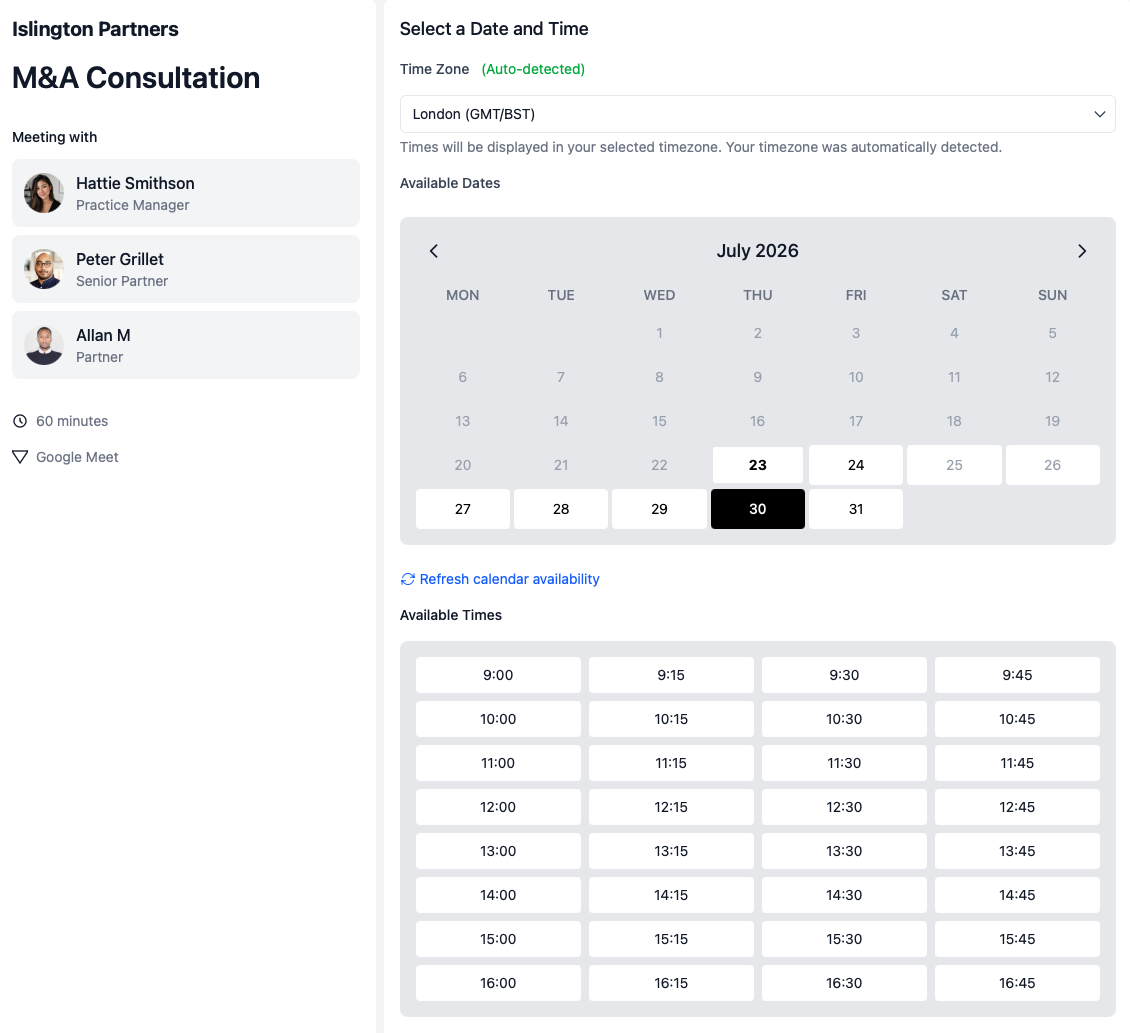
Stop checking three diaries by hand
Share one multi-host booking link when a client meeting needs a partner, lawyer, and paralegal available together.
Collect prep before the call
Use booking forms to gather background, goals, and matter details before the meeting is confirmed.
Protect partner availability
Use availability management so each fee-earner controls when this type of meeting can be booked.
How it should work
This is how easy booking a key legal meeting should be
High-value legal meetings rarely need just one person in the room. The booking experience should reflect that — without turning every enquiry into a manual diary exercise for admin staff.
Multi-host booking
Ensure everyone required is available
When a consultation needs a partner and paralegal, or a lawyer and associate, clients should only see times that work for the full group — not a slot that creates a reschedule later.
- One link for the full team.
- Share a single booking page when a client needs more than one internal person on the call.
- Shared availability check.
- Clients only book when the partner, lawyer, paralegal, or associate required for the meeting is free.
- No more inbox coordination.
- Replace the email thread of “Can you do Tuesday?” with a booking flow clients can use directly.
Booking forms
Collect the information your team needs to prepare
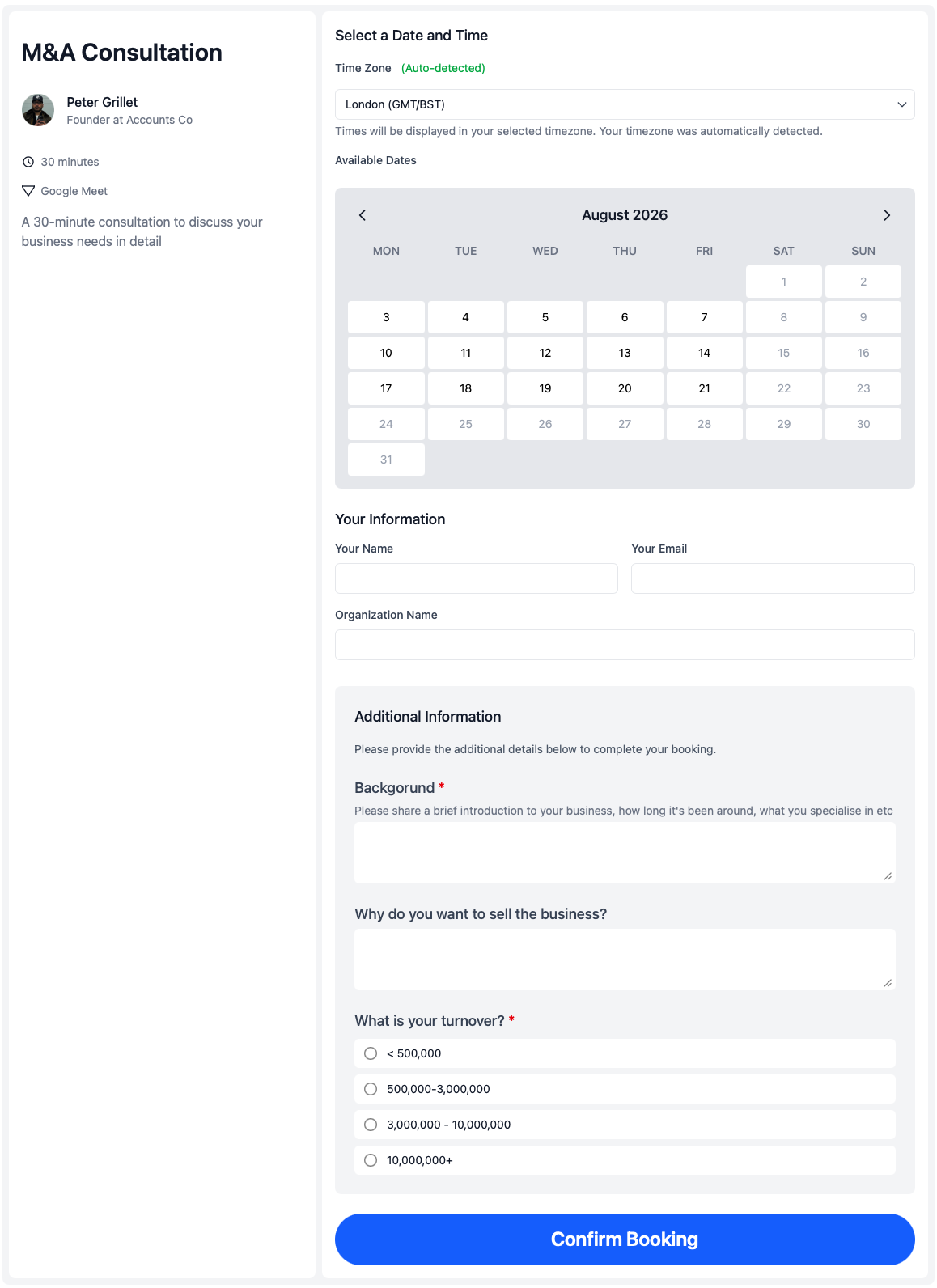
A business-owner consultation is not a generic call. Booking forms let you gather the background, urgency, and matter context while the client is still engaged with scheduling.
- Ask the right intake questions.
- Collect business background, transaction goals, and preparation notes before the meeting is confirmed.
- Use structured answers where helpful.
- Add multiple-choice or dropdown fields when you need consistent intake across consultations.
- Arrive prepared, not reactive.
- Give the partner and paralegal useful context before the first conversation starts.
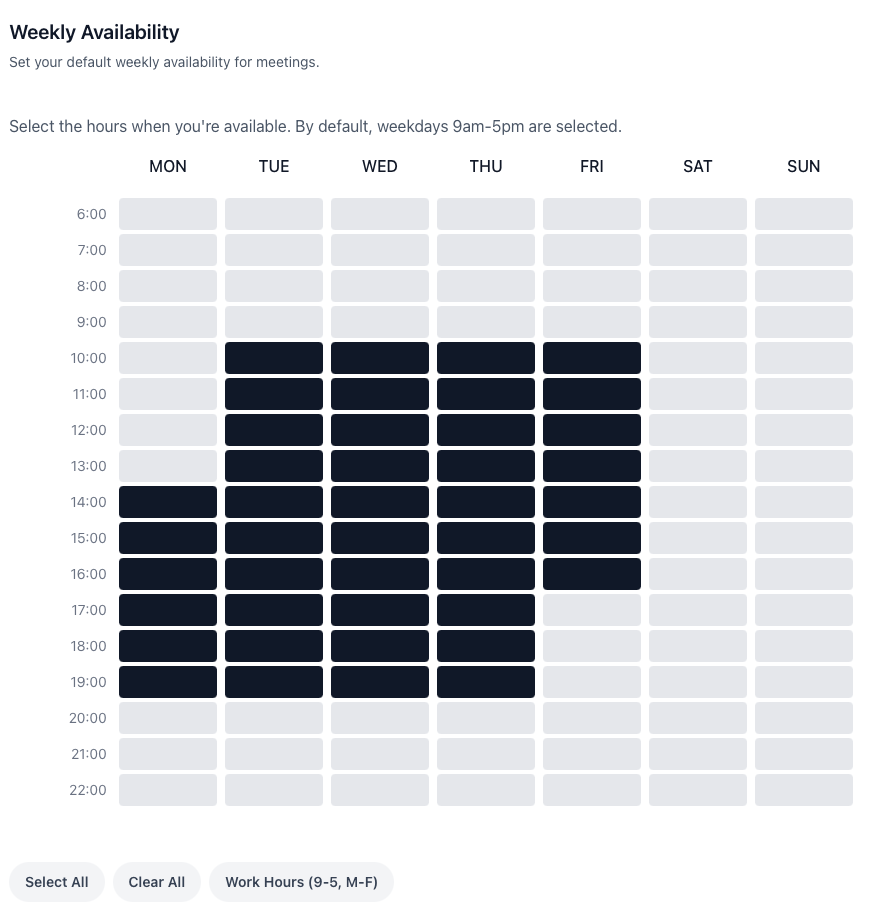
Availability control
Let each fee-earner control when they take these meetings
Practice managers need consistency. Partners need protection. Availability controls let the firm define the booking rules while each person decides when they are willing to be booked for this type of meeting.
- Review connected calendar availability.
- Booking pages reflect real calendar commitments instead of exposing the whole diary.
- Limit when meetings can be booked.
- Set booking windows, buffers, and lead times so partner time is offered deliberately.
- Keep control at individual level.
- Each lawyer or partner can limit when they take this meeting type without breaking the shared booking flow.
Try it yourself
Send your first test booking page in less than 3 minutes
Sign up, connect a calendar, and share a multi-host booking link you can send to a colleague or test yourself — before you roll it out across the firm.
In the setup video, you will see:
- How to create a new account
- How to connect your calendar and set availability
- How to build a multi-host booking page for the legal team
- How to share your first test link
Team management
Set up the booking flow once, then keep it consistent across the firm
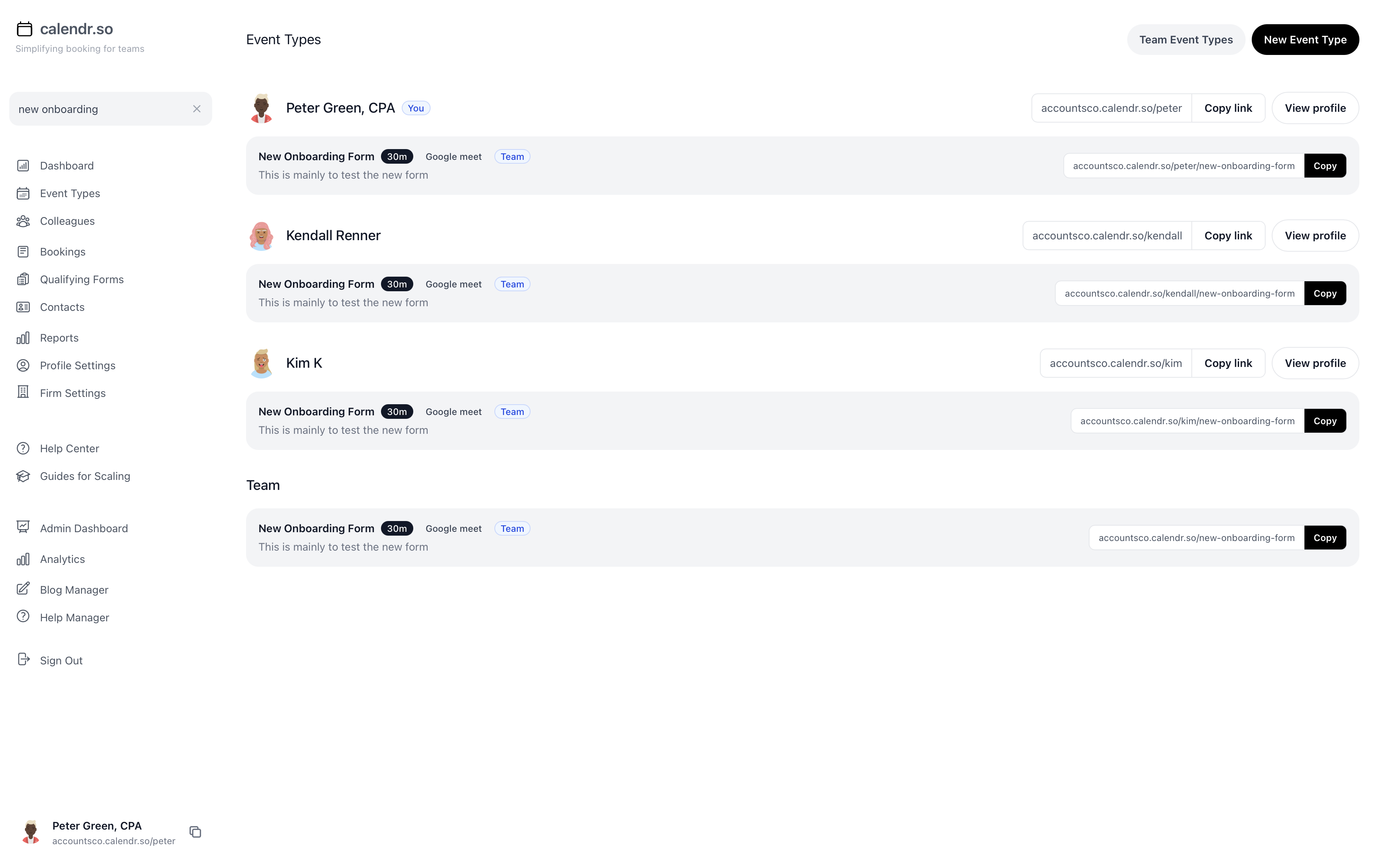
Practice managers should not need every lawyer and partner to maintain their own booking setup. calendr.so gives admins a central way to create meeting types, roll them out across the team, and still let each person control their own availability through the same team management approach used on appointment scheduling for lawyers pages.
- Multi-host booking pages
- Let clients book meetings that need a partner plus a paralegal, lawyer, or associate, with availability checked for everyone at once.
- Booking forms for intake
- Use booking forms to gather business background, matter context, and preparation notes before consultations begin.
- Availability controls
- Set booking windows and calendar rules so partners only expose the time they are comfortable offering for each meeting type.
- Managed team profiles
- Help admins create and maintain booking pages on behalf of fee-earners without asking every partner to configure another tool.
- Professional client experience
- Give prospects and clients one clear booking flow that feels appropriate for legal work and reduces admin chasing.
- Fast rollout for practice managers
- Sign up and send a first test booking page in less than 3 minutes, then expand the same flow across the firm.
Share this with the decision maker
Need a partner or senior admin to take a look?
Practice managers often spot the scheduling problem first. Use the button to open an email with a short note and a link to this page.
Share this pageBlog
More ways calendr.so can help client-facing teams

Google Calendar Appointment Schedule vs a Proper Booking Tool
Google Calendar Appointment Schedule is a useful option when one person needs a simple booking page. It starts to feel limited when a growing team needs consistent meeting types, multi-person availability, lead routing, controlled booking links, and reporting that goes beyond checking individual calendars.

How Event Types Make Interview Scheduling Easier for Hiring Teams
Interview scheduling gets messy when every stage is treated like the same calendar link. This video shows how different event types can help hiring teams manage screening calls, hiring manager interviews, final interviews, required hosts, fallback options, and ad hoc meetings without rebuilding the process in email every time.

Appointment Scheduling Software for Client-Facing Teams: A Calendr.so Overview
If your team books sales calls, onboarding sessions, support reviews, legal appointments, or client consultations, a basic booking link can start to create more admin than it removes. This video walkthrough shows how calendr.so helps client-facing teams control meeting types, find the right colleague's link, coordinate multi-person meetings, and report on booking activity without turning scheduling into another spreadsheet.
Frequently asked questions
- Can a client book a meeting with a partner and paralegal from one link?
- Yes. Multi-host booking pages let clients choose a time that works for every required person on the meeting, such as a partner, lawyer, and paralegal, without admin staff comparing calendars by email.
- Can we collect matter details before the consultation?
- Yes. Booking forms gather background, goals, and preparation details while the client is booking, so the legal team arrives prepared instead of starting the meeting cold.
- Can partners limit when these meetings can be booked?
- Yes. Availability controls let each lawyer or partner decide when they are willing to take a meeting type, while connected calendars keep the booking page accurate.
- How quickly can a practice manager send a test booking page?
- Most practice managers can sign up, connect a calendar, and share a first test booking page in less than 3 minutes.
- Can admins manage booking pages on behalf of lawyers and partners?
- Yes. Practice managers can create and maintain booking pages for fee-earners while each person keeps control of their own availability.
- Is calendr.so a practice management system?
- No. calendr.so is the booking layer around legal client meetings. It helps firms schedule consultations, signings, and multi-person meetings without replacing matter, document, or billing systems.
Send a test booking page in less than 3 minutes
Sign up now and send a test booking page to a colleague or test yourself — before you roll it out across the firm. It's free to try and literally takes seconds.
No credit card required