

For real estate agents & realtor teams
Appointment Scheduling Software for Real Estate Agents
calendr.so is real estate scheduling software that helps agents book property viewings, buyer consultations, and listing presentations with location options, co-listing support, and embeddable booking on property listings.
Multi-host Booking - Embeddable Booking - Meeting Locations
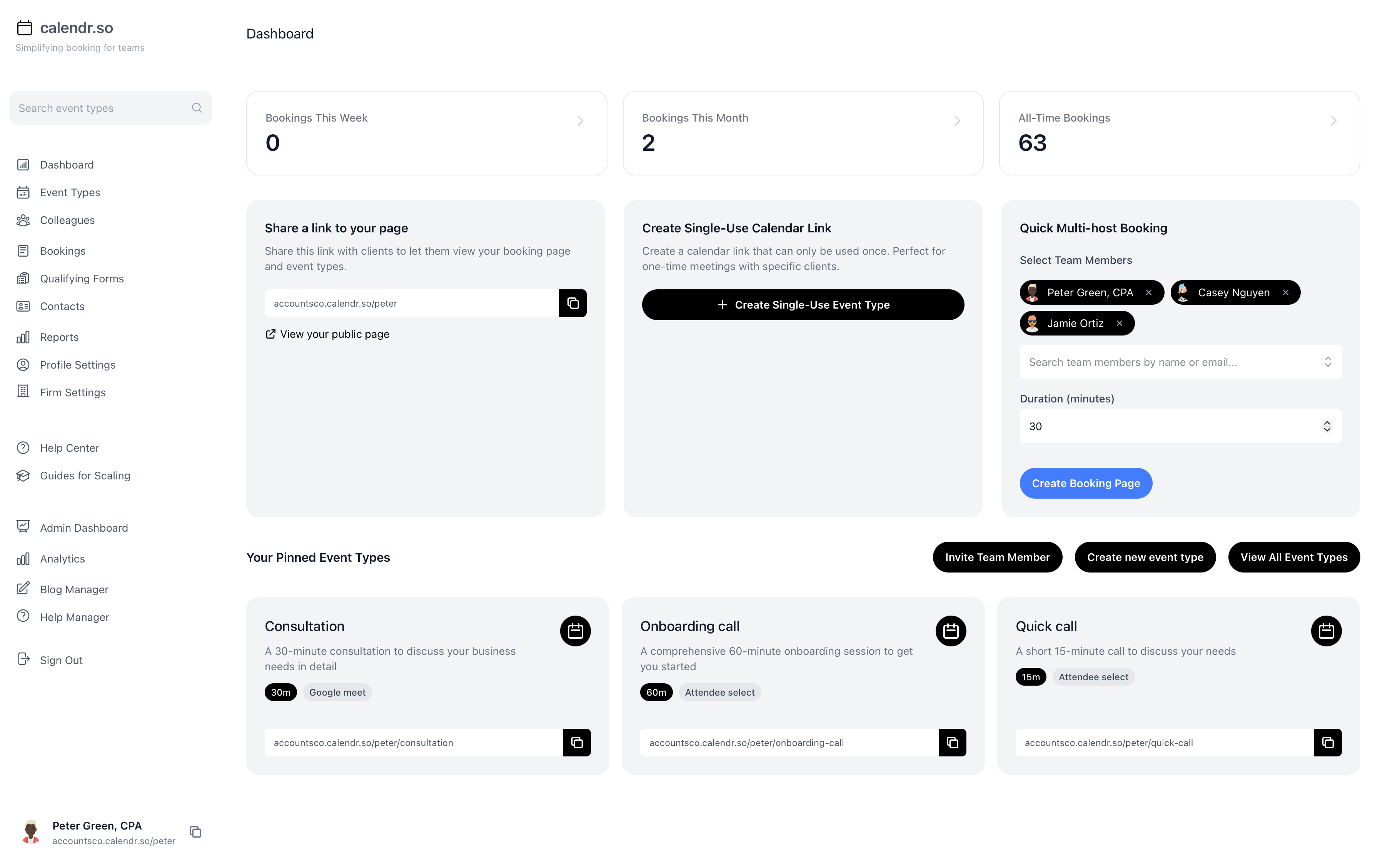
Book viewings faster
Let buyers book property viewing times from a link tied to the listing or agent workflow without endless text threads.
Flexible meeting locations
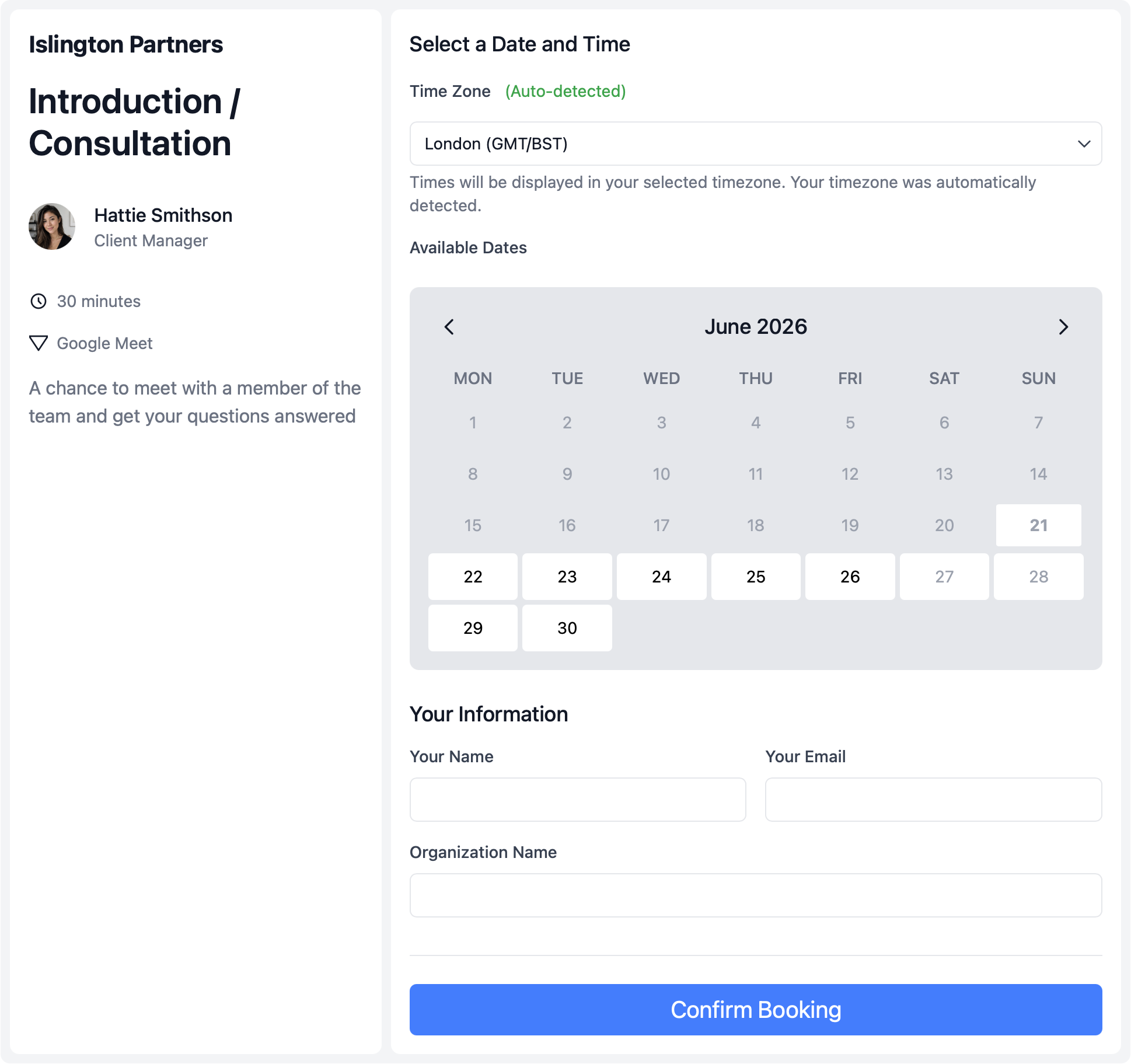
Offer office, property address, phone, or video options in one booking flow so clients pick what fits the conversation.
Co-listing made simple
Use multi-host booking when two agents both need to be available for a showing or listing presentation.
Use cases
Booking software for faster property conversations
Real estate appointment booking often happens in fast-moving conversations. Buyers want to see homes quickly, sellers expect responsive service, and agents need a scheduling process that keeps up. calendr.so gives real estate agents and realtor teams property viewing scheduling, multi-host support for co-listing agents, and location options for office, property address, or video calls.
Property viewings
Property viewings and buyer walk-throughs
Let buyers book viewing times from a link tied to the listing or agent workflow. Turn property interest into a confirmed appointment before momentum fades.
- Show only the times you offer.
- Control viewing availability around open houses, showings, and travel time between properties.
- Embed booking on listings.
- Add embeddable booking directly to property listings and agent websites.
- Reduce no-shows and confusion.
- Clients confirm the viewing time themselves instead of relying on back-and-forth texts.
Consultations
Buyer consultations and listing presentations
Give prospects a clear first step into the buying process. Make it easy for sellers to book strategy conversations with the right agent team.
- Let clients pick where to meet.
- Offer office, property address, phone, or video options with meeting locations in one flow.
- Separate meeting types clearly.
- Keep buyer consultations, listing presentations, and property viewings as distinct booking flows.
- Respond while interest is high.
- Give buyers and sellers a booking link at the moment they are ready to talk.
Co-listing
Co-listing meetings with shared availability
When two agents co-list a property, both often need to attend showings and listing presentations. Clients should not wait while agents compare calendars by hand.
- Require both agents on the call.
- Use multi-host booking so clients only see times when co-listing agents are both free.
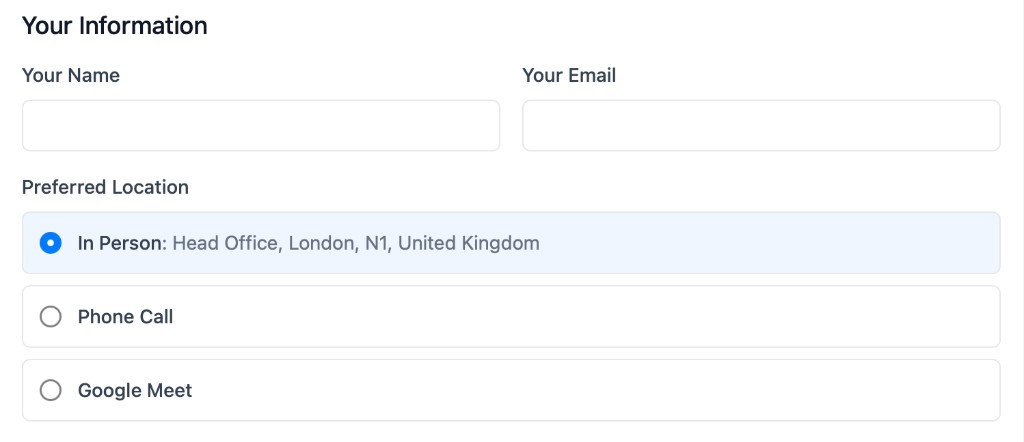
- Share one booking page.
- Present a single professional link for co-listed properties instead of sending clients to two separate calendars.
- Fewer reschedules.
- Cut down on follow-up scheduling when the wrong agent was available first time.
Real estate booking workflows
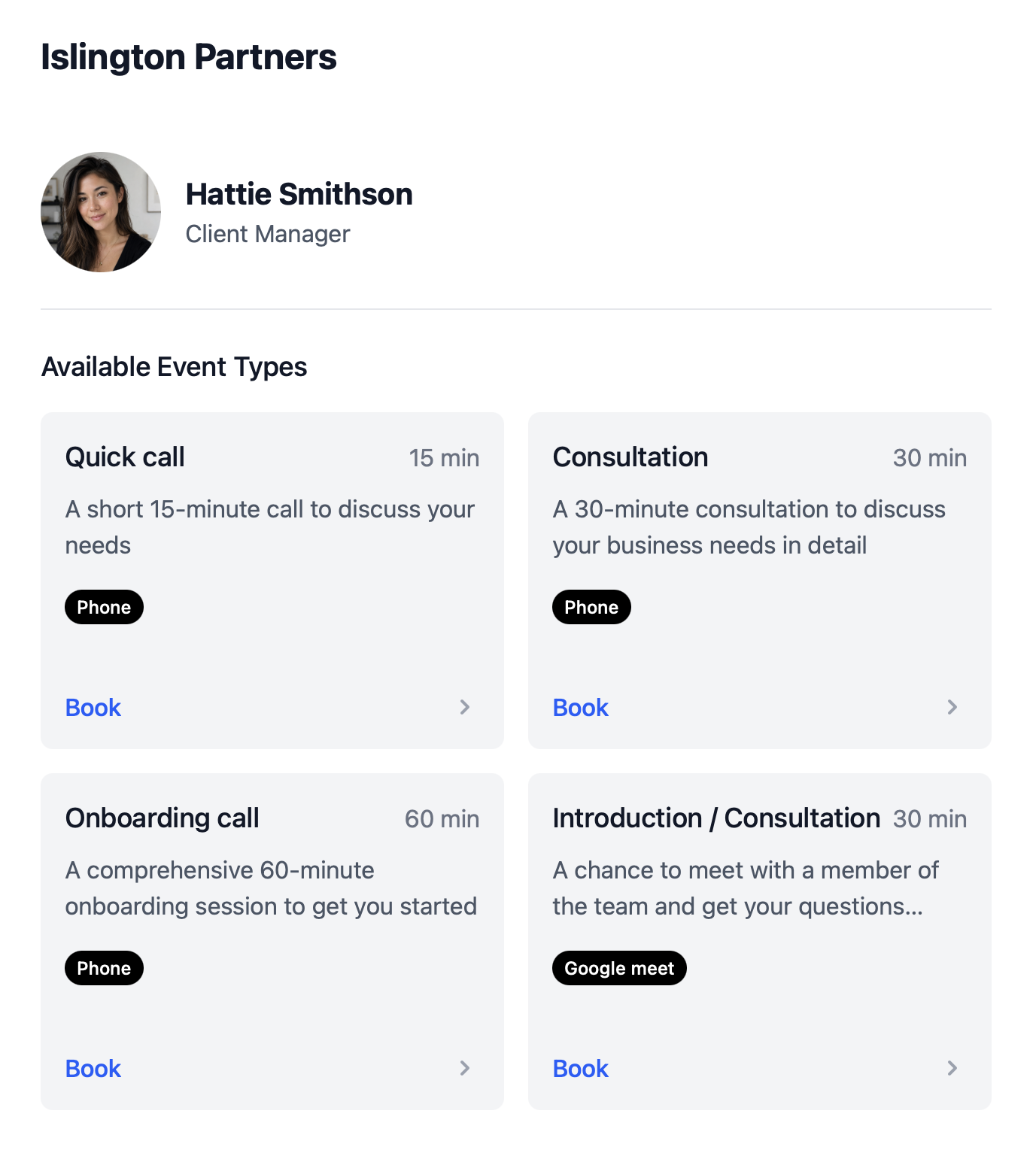
Property viewings
Let buyers book viewing times from a link tied to the listing or agent workflow.
Buyer consultations
Give prospects a clear first step into the buying process.
Listing presentations
Make it easy for sellers to book strategy conversations with the right agent team.
Co-listing meetings
Use multi-host booking when two agents both need to attend.
Flexible locations
Offer office, property address, phone, or video meeting options in one flow.
Embedded listing booking
Add booking directly to property listings and agent websites.
How to setup
Create booking pages for viewings, consultations, and listing presentations
This short walkthrough shows how quickly an agent or team can get calendr.so working for property meetings.
In the video, you will see:
- How to create booking pages for viewings and consultations
- How to set up office, property, and video location options
- How to use multi-host booking for co-listing agents
- How to embed booking links on listings and agent websites
Team management
Help buyers and sellers book faster
calendr.so helps real estate agent booking feel simple for clients while giving agents more control over availability, meeting types, and co-listing coordination — with the same scheduling features client-facing teams rely on.
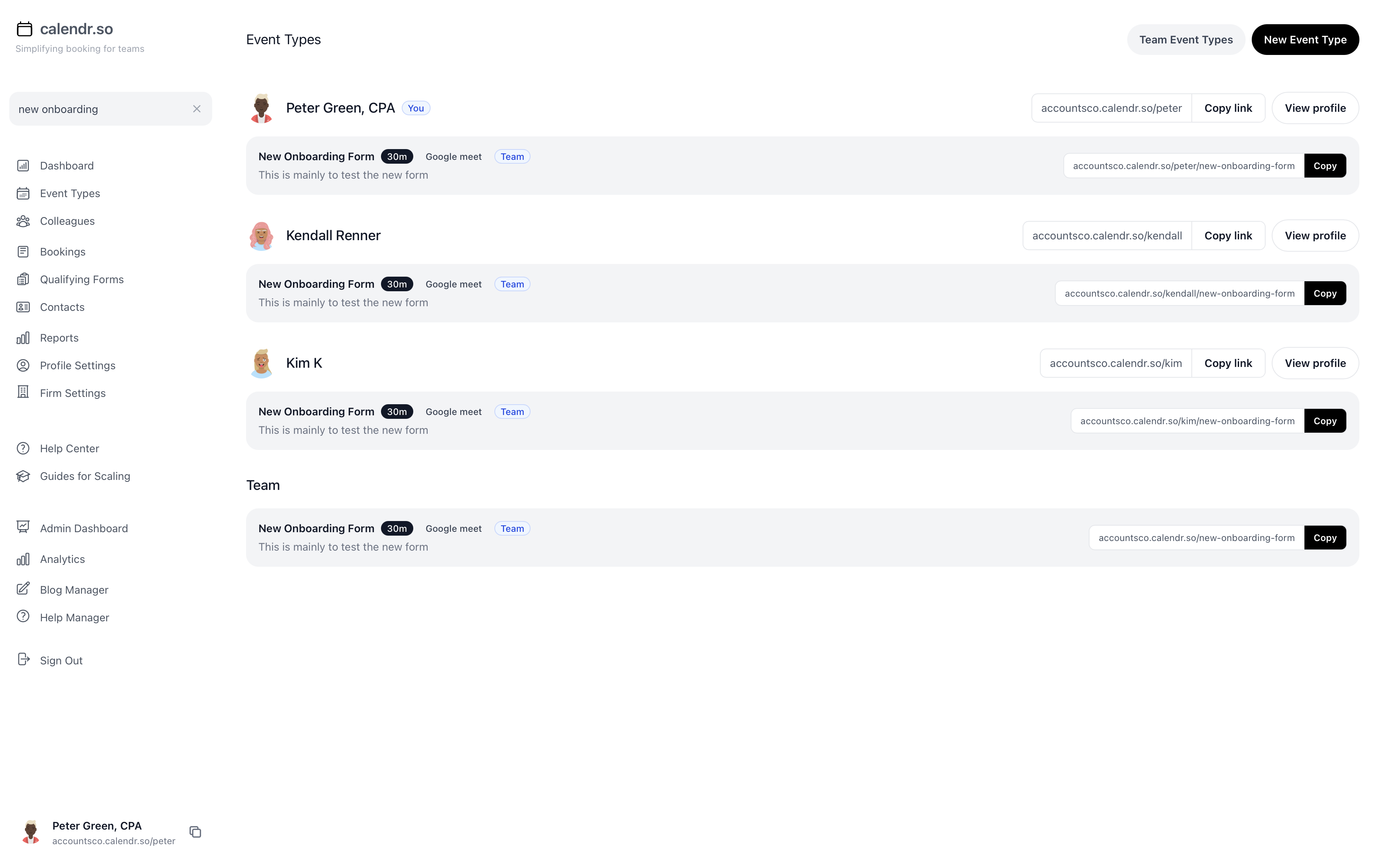
- Listing-specific booking pages
- Create booking flows tied to individual properties or agent profiles so clients know exactly what they are scheduling.
- Location options clients choose
- Offer office, property address, phone, or video meetings from one booking page without separate links for each format.
- Co-listing coordination
- Share availability across co-listing agents so showings and presentations only book when everyone required can attend.
- Embeddable on listings
- Add booking directly to property pages and agent websites so interest converts into a confirmed meeting.
- Separate meeting types
- Keep viewings, buyer consultations, and listing presentations as distinct flows with the right duration and preparation.
- Professional client experience
- Give buyers and sellers a clear, responsive booking route that matches the pace they expect in a competitive market.
Share this with the decision maker
Need a broker or team lead to take a look?
Agents often spot the scheduling friction before they own the buying decision. Use the button to open an email with a short note and a link to this page.
Share this pageBlog
More ways calendr.so can help client-facing teams

Google Calendar Appointment Schedule vs a Proper Booking Tool
Google Calendar Appointment Schedule is a useful option when one person needs a simple booking page. It starts to feel limited when a growing team needs consistent meeting types, multi-person availability, lead routing, controlled booking links, and reporting that goes beyond checking individual calendars.

How Event Types Make Interview Scheduling Easier for Hiring Teams
Interview scheduling gets messy when every stage is treated like the same calendar link. This video shows how different event types can help hiring teams manage screening calls, hiring manager interviews, final interviews, required hosts, fallback options, and ad hoc meetings without rebuilding the process in email every time.

Appointment Scheduling Software for Client-Facing Teams: A Calendr.so Overview
If your team books sales calls, onboarding sessions, support reviews, legal appointments, or client consultations, a basic booking link can start to create more admin than it removes. This video walkthrough shows how calendr.so helps client-facing teams control meeting types, find the right colleague's link, coordinate multi-person meetings, and report on booking activity without turning scheduling into another spreadsheet.
Frequently asked questions
- Can clients book property viewings online?
- Yes. calendr.so lets buyers and sellers choose available viewing times from a booking page tailored to the property or agent workflow.
- Can two agents share one booking page?
- Yes. Multi-host booking supports co-listing agents who both need to be available for a showing or listing presentation.
- Can clients choose office, property, or video meetings?
- Yes. Location options let clients pick the meeting format that fits the conversation.
Turn property interest into booked meetings
Create booking pages for viewings, consultations, and listing presentations.
No credit card required