

For personal trainers & fitness studios
Appointment Scheduling Software for Personal Trainers & Fitness
calendr.so is personal trainer scheduling software and fitness scheduling software for solo trainers, yoga studios, and small gyms that need gym booking system workflows for recurring sessions and online or in-person training.
Booking Forms - Embeddable Booking - Branded Booking Pages
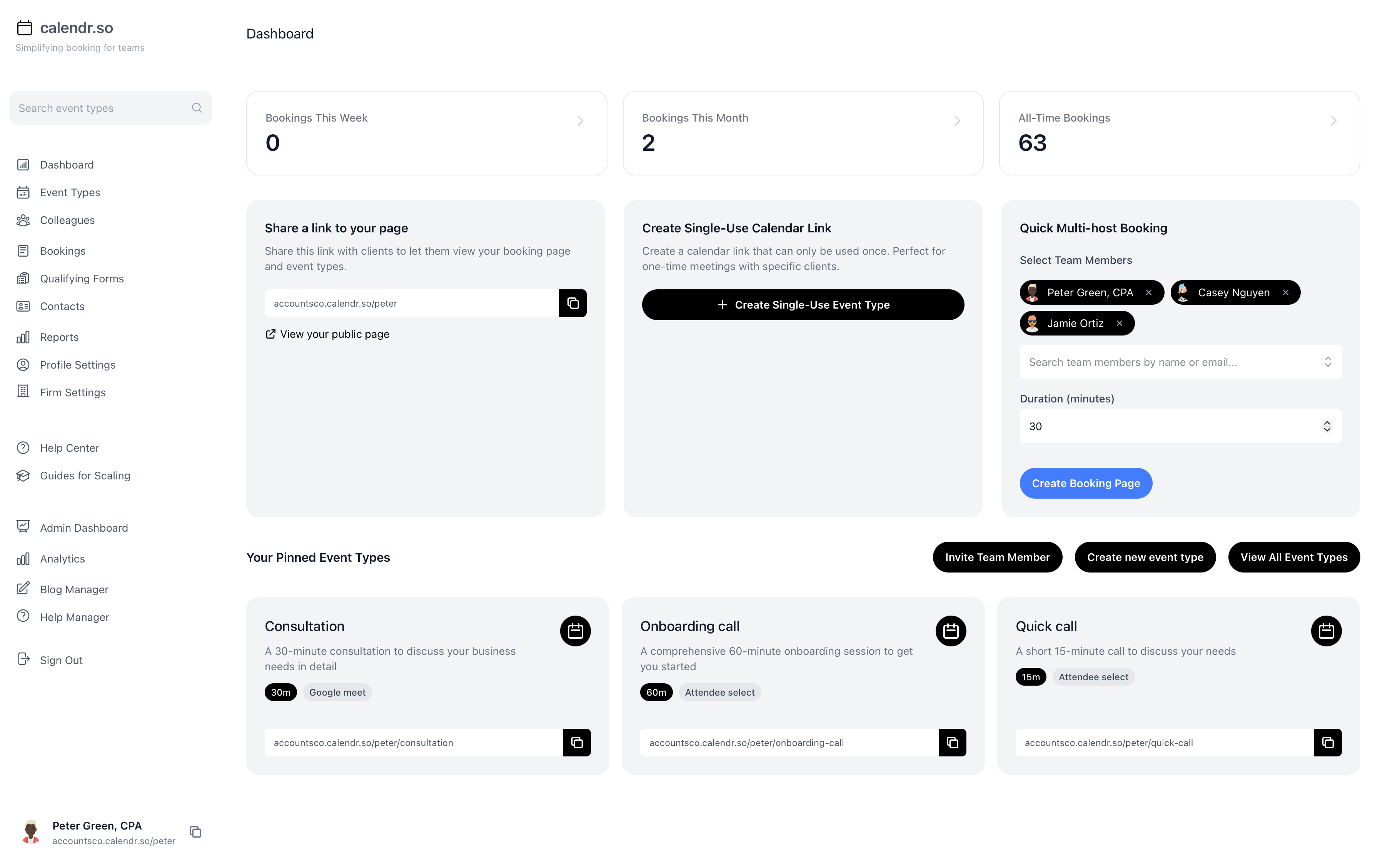
Solo trainers & online coaches
Give clients a direct route to book private training sessions without back-and-forth scheduling messages.
Yoga studios & small gyms
Present a professional booking experience that still feels polished as your fitness business grows.
Recurring weekly sessions
Support regular clients with repeatable booking workflows for ongoing training appointments.
Use cases
Booking software for training businesses
Fitness businesses run on repeat appointments. Clients book weekly training, and coaches need scheduling software for personal trainers that still feels professional as the business grows. calendr.so supports personal training scheduling with recurring session workflows, location options for in-person or online training, and fitness goal forms embedded on your website.
1:1 training
Private training sessions for solo trainers
Let clients book private sessions from one consistent link. Separate intro consultations from ongoing training so each appointment has the right length, preparation, and follow-up.
- Collect fitness goals upfront.
- Use booking forms to gather goals, injuries, and health questionnaires before the first session.
- Protect your calendar.
- Show only the training windows you want to offer without exposing your full availability.
- Embed on your website.
- Add embeddable booking to your training website, landing pages, or social campaigns.
Online & in-person
Online and in-person training options
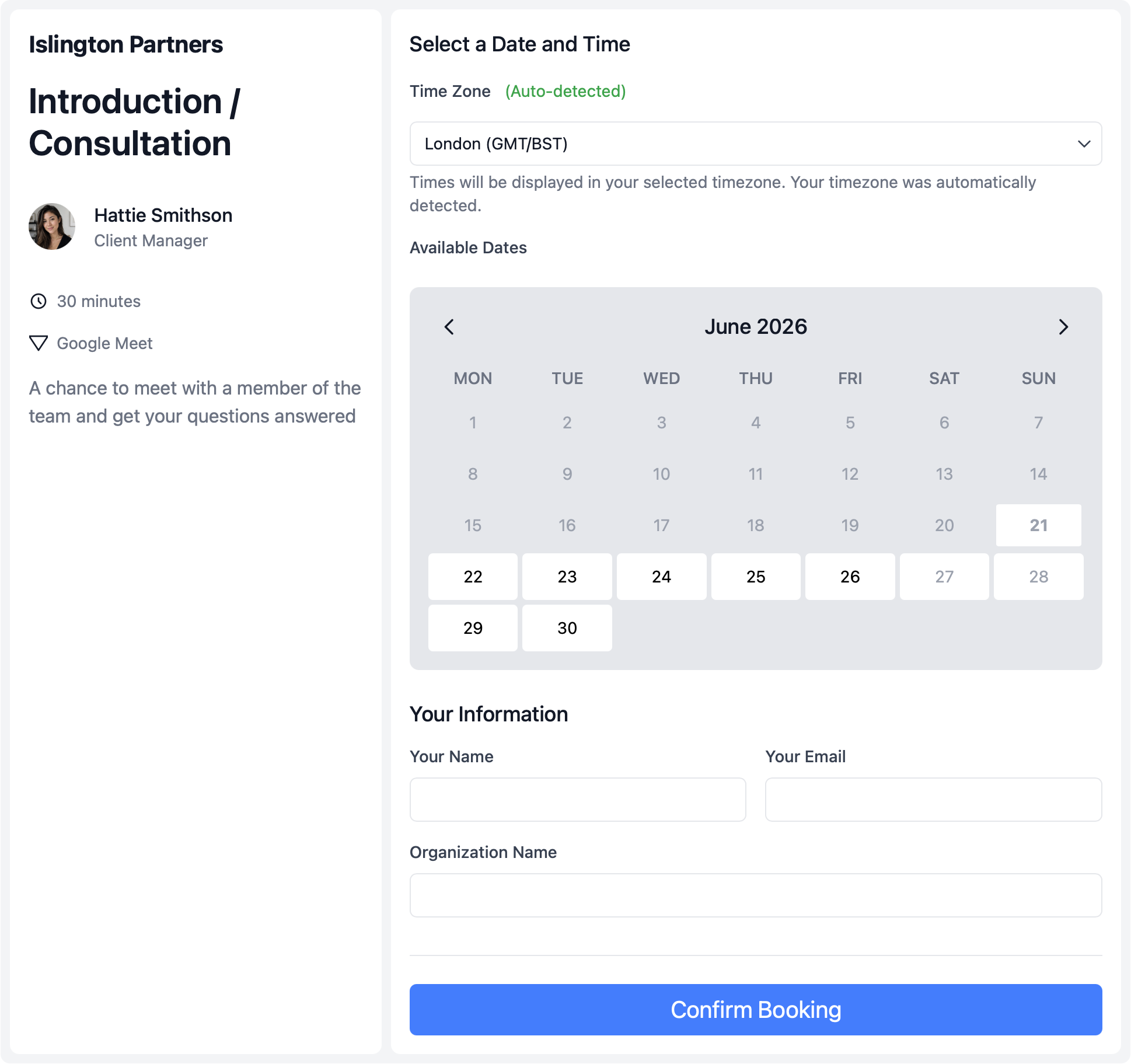
Offer virtual coaching and gym-based sessions in one system. Let clients choose the format that fits their training plan — whether you train at a gym, studio, or online only.
- Let clients choose the format.
- Offer video, phone, or in-person location options on the same booking page.
- Match session length to the workout.
- Set the right duration and buffers for intro sessions, standard training blocks, and check-ins.
- Support recurring clients.
- Make regular weekly or monthly training appointments easier to book and repeat.
Your brand
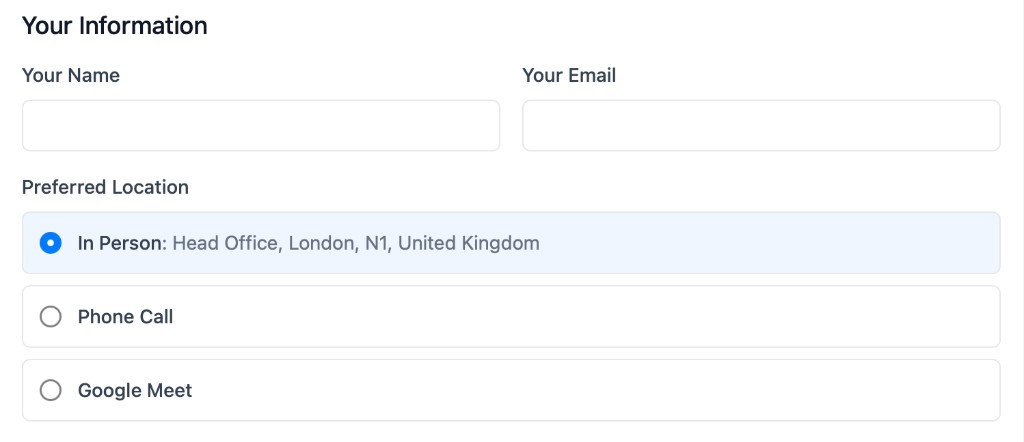
Branded booking pages for your fitness business
Give every client a polished booking experience that reflects your training brand — whether you run solo sessions or scale alongside other service businesses with client-facing appointments.
- Separate session types clearly.
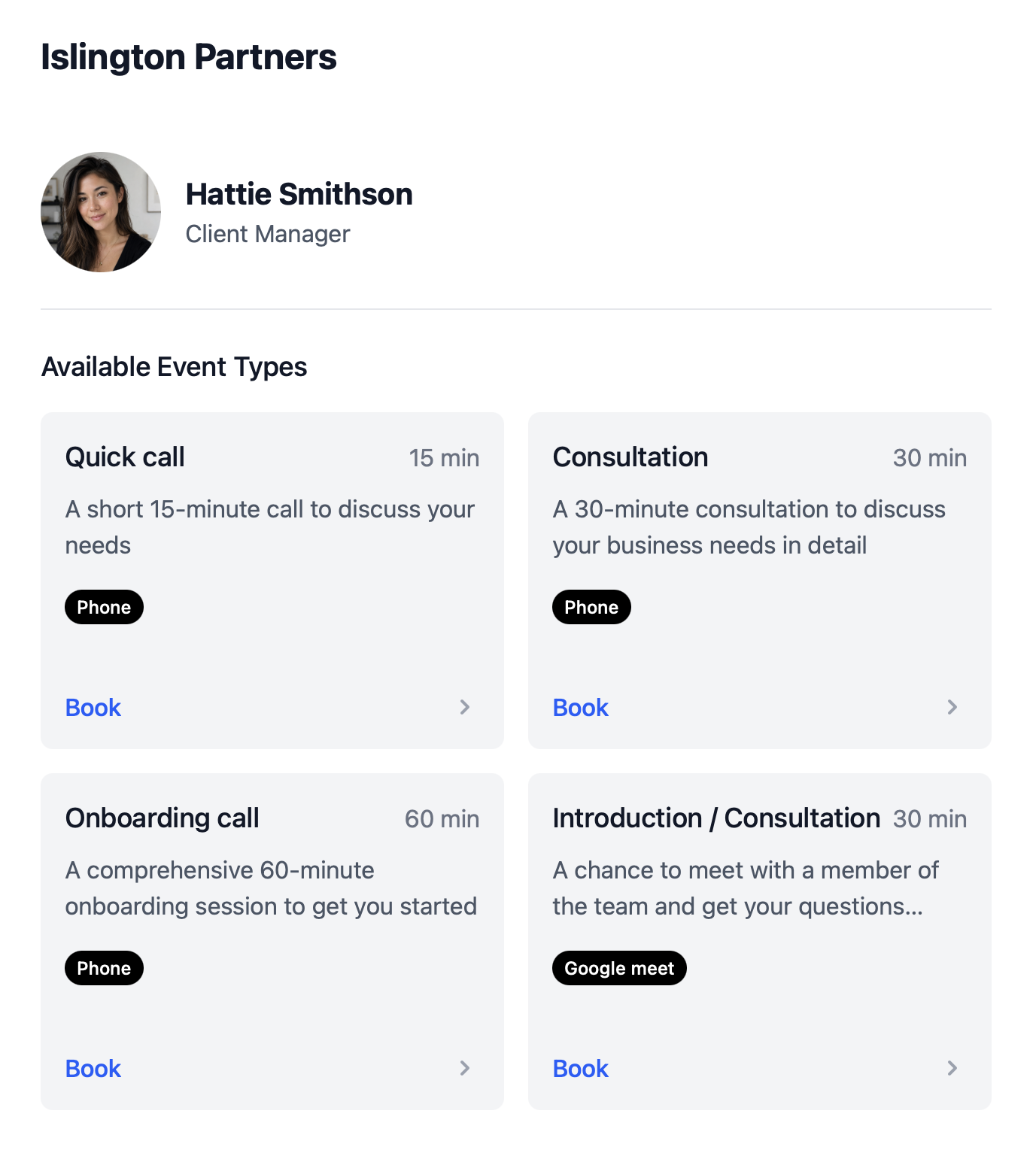
- Keep intro consultations, 1:1 training, and check-ins as distinct booking flows with the right duration.
- Share one consistent link.
- Send clients to a branded booking profile from your website, email signature, or social bio.
- Scale without losing polish.
- Present a consistent booking experience as your fitness business grows beyond solo training.
Fitness booking workflows
1:1 training sessions
Let clients book private sessions from one consistent link.
Recurring weekly training
Support regular clients with repeatable booking workflows.
Intro consultations
Give new clients a clear first step before ongoing training begins.
Online and in-person options
Offer virtual coaching and gym-based sessions in one system.
Fitness intake forms
Collect goals, injuries, and health questionnaires before the first session.
Website and social booking
Embed scheduling on your training website or campaign pages.
How to setup
Create training booking pages for 1:1 sessions and recurring appointments
This short walkthrough shows how quickly a personal trainer or fitness business can get calendr.so working for client sessions.
In the video, you will see:
- How to create booking pages for private training and intro consultations
- How to add fitness intake forms before the first session
- How to offer in-person and online location options
- How to configure availability and buffers around your training calendar
Team management
Booking software that grows with your fitness business
Whether you are starting as a solo trainer or building a fuller fitness scheduling software setup for a studio, calendr.so helps you turn interest into booked sessions with less admin — with the same scheduling features client-facing teams rely on. See pricing for plans that fit solo trainers and growing studios.
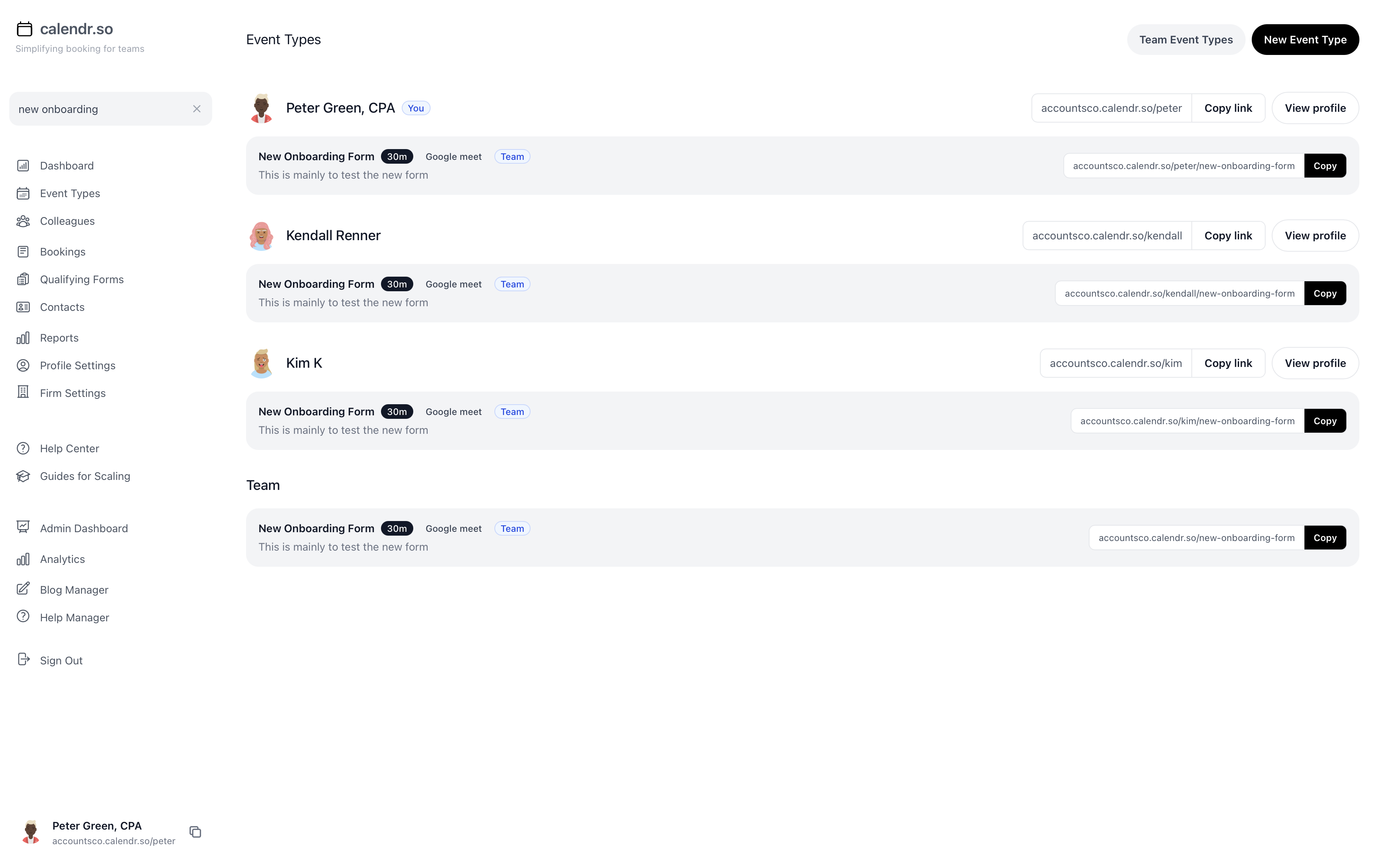
- Fitness intake forms
- Collect goals, injuries, and health questionnaires before the first session.
- Recurring session workflows
- Support regular weekly or monthly training appointments with repeatable booking flows.
- Online and in-person options
- Let clients choose virtual coaching or gym-based sessions on the same booking page.
- Embeddable website booking
- Add session scheduling directly to your training website, landing page, or email signature.
- Separate session types
- Keep intro consultations, 1:1 training, and check-ins as distinct flows with the right duration.
- Availability you control
- Set buffers, session lengths, and booking windows around your training calendar.
Share this with the decision maker
Need a studio owner or business partner to take a look?
Fitness businesses evaluating scheduling tools often need a second pair of eyes before switching. Use the button to open an email with a short note and a link to this page.
Share this pageBlog
More ways calendr.so can help client-facing teams

Google Calendar Appointment Schedule vs a Proper Booking Tool
Google Calendar Appointment Schedule is a useful option when one person needs a simple booking page. It starts to feel limited when a growing team needs consistent meeting types, multi-person availability, lead routing, controlled booking links, and reporting that goes beyond checking individual calendars.

How Event Types Make Interview Scheduling Easier for Hiring Teams
Interview scheduling gets messy when every stage is treated like the same calendar link. This video shows how different event types can help hiring teams manage screening calls, hiring manager interviews, final interviews, required hosts, fallback options, and ad hoc meetings without rebuilding the process in email every time.

Appointment Scheduling Software for Client-Facing Teams: A Calendr.so Overview
If your team books sales calls, onboarding sessions, support reviews, legal appointments, or client consultations, a basic booking link can start to create more admin than it removes. This video walkthrough shows how calendr.so helps client-facing teams control meeting types, find the right colleague's link, coordinate multi-person meetings, and report on booking activity without turning scheduling into another spreadsheet.
Frequently asked questions
- Can personal trainers offer recurring weekly sessions?
- Yes. calendr.so supports recurring training appointments so clients can book ongoing sessions more easily.
- Can I offer different training session types?
- Yes. Create separate booking pages for 1:1 training, intro consultations, and online or in-person sessions.
- Can I embed booking on my training website?
- Yes. Embeddable booking pages work well on training websites, landing pages, and social campaigns.
Fill your calendar with better booking flows
Create training and studio booking pages clients can use immediately.
No credit card required